
Share
AI tool to isolate lead vocals, backing vocals, and instruments. Extract tracks, remove noise, create karaoke, and detect the key and BPM of any audio.
What is Coolo.AI?
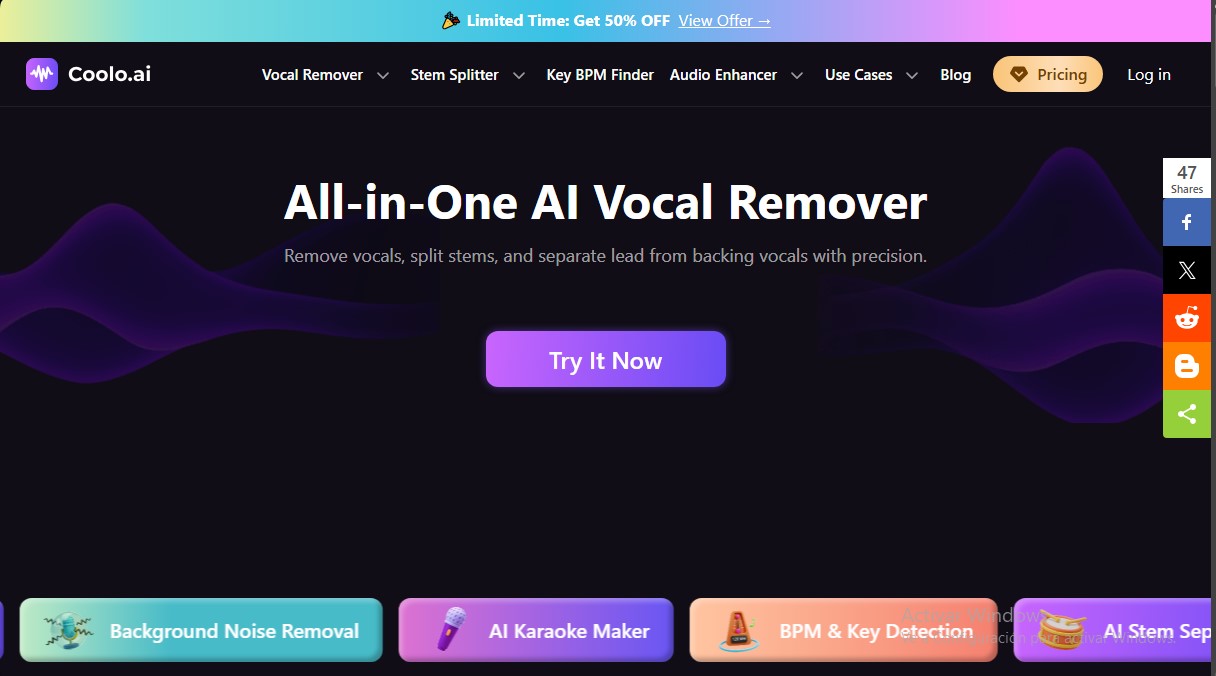
Coolo.AI is a comprehensive AI-powered audio processing solution designed specifically for stem separation and high-precision individual track extraction. This tool enables musicians, producers, DJs, and content creators to manipulate sound files at an advanced level, simplifying complex tasks like creating karaoke tracks or isolating specific instruments for remixes and musical practice.
The functionality of Coolo.AI is powered by deep learning algorithms that analyze audio signals to automatically identify and isolate components. Thanks to its one-click processing technology, the system can break down a song into its fundamental elements, such as lead vocals, backing vocals, drums, bass, piano, and guitar. Unlike traditional filtering methods, this AI minimizes distortion and preserves the original tone, delivering high-fidelity audio ready for professional use on any computer or mobile device.
Key features include:
- Lead and Backing Vocal Separation: Allows for precise splitting of vocal layers to analyze arrangements or independently adjust the balance in a mix.
- Instrument Remover and AI Stem Splitter: Facilitates the extraction of backing tracks by isolating elements like bass or drums, making it ideal for learning instruments.
- Noise, Echo, and Reverb Reduction: Includes features to clean up recordings by removing ambient noise, traffic, hiss, and acoustic reflections, improving clarity for podcasts and voiceovers.
- BPM and Key Detection: The system automatically identifies the tempo and musical key of MP3 and MP4 files, an essential feature for technical synchronization in music production.
The versatility of Coolo.AI extends to its compatibility with multiple formats and its ability to provide lossless audio output. Users can process their files quickly, obtaining results in just a few seconds. This efficiency makes the platform a highly effective acapella extractor and AI karaoke maker, removing the technical barriers that once required complex and expensive audio editing software.
Ultimately, the tool optimizes creative workflows by providing total control over audio tracks. Whether it's isolating a bassline, cleaning up dialogue recorded in a noisy environment, or preparing a backing track for a new song, Coolo.AI offers an intuitive interface and professional-grade results through the use of advanced artificial intelligence. Its practical approach ensures that both hobbyists and professionals can achieve clean mixes that are ready for immediate use.
Coolo.AI features and use cases
How to use Coolo.AI
Coolo.AI FAQ
What are the main audio editing features offered by Coolo.AI?
This tool allows you to remove vocals, separate instrument tracks, split lead vocals from backing vocals, and automatically detect the tempo and key of any song.
How can I separate lead vocals from backing vocals in Coolo.AI?
Simply upload your audio file and select the vocal splitter that isolates the lead track from the backing vocals while maintaining the original pitch and minimizing distortion.
Is it possible to remove background noise and echo from my recordings?
Yes, the platform uses advanced algorithms to suppress ambient noise, traffic, and hum, while also reducing reverb to achieve a more professional sound.
What file formats does the tool support and what download quality does it offer?
The system supports various formats such as MP3 and MP4 and allows you to export the final results in high quality or lossless formats like WAV.
Does Coolo.AI include a tempo and key detector for songs?
Yes, it features a tool that automatically detects the BPM and musical key of any file just by dragging and dropping the content into your browser.
What are the benefits of Coolo.AI’s paid plans?
Premium plans allow you to process full songs without the time limits of the free version, guarantee priority processing, and enable unlimited downloads.
Can I use this tool to create karaoke tracks?
Absolutely. The system allows you to extract crisp instrumentals from any song in seconds by precisely removing the vocals with a single click.
Does Coolo.AI offer an option to separate specific instruments?
Yes, the AI track separator allows you to independently isolate elements such as drums, bass, piano, or guitar to work with them individually.
Coolo.AI pricing and plans
Free Plan
Price: 0 $
- Vocal removal and stem separation for drums, bass, piano, and guitar.
- BPM and key detection tools.
- Background noise, echo, and reverb removal.
- Limit: Tracks are restricted to a maximum duration of 30 seconds.
Unlimited Plan
Price: 9,99 $ per month (or 4,99 $ per month billed annually)
- Unlimited file uploads and downloads.
- Unlock full-length tracks without the 30-second limit.
- Priority high-speed processing queue.
- Audio export in MP3 and WAV formats.
Minute Packs
Price: 6,99 $ (10-minute pack) or 39,99 $ (300-minute pack)
- One-time purchase; purchased minutes never expire.
- Full track processing without the 30-second limit.
- High-speed processing queue.
- Audio export in MP3 and WAV formats.
Coolo.AI Screenshots
Coolo.AI alternatives

Noise Cleaner
Remove background noise from audio and video files using AI. Clean up podcasts, interviews, and meetings in various formats with a comparison preview before downloading.



Cleanaudio
Remove background noise, wind, and echo from audio and video files with AI. Achieve professional voice clarity and studio quality with just one click.