Share
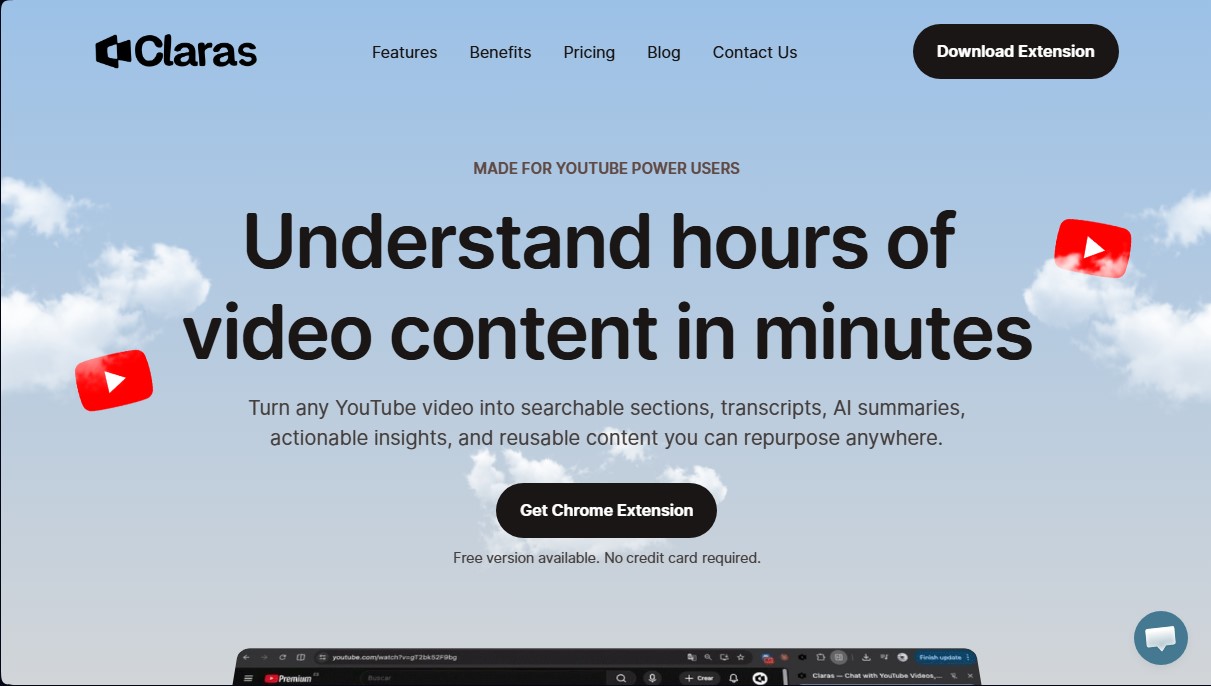
Transcribe and summarize YouTube videos with AI. Chat with content to answer questions, extract key insights, and export text to create or repurpose new material.
What is Claras?
Claras is an artificial intelligence tool specifically designed to optimize YouTube content consumption. Its primary function is to transform any video into structured, actionable information, allowing users to digest hours of footage in just a few minutes. By utilizing automatic transcription and natural language processing, this application converts audiovisual content into searchable sections, executive summaries, and full transcripts, making it easy to extract key ideas without having to watch the entire video.
The technology behind Claras is based on extracting context from audio to enable an interactive chat with the video. Users can ask direct questions about the content—such as requesting specific data, mentioned prices, or main conclusions—obtaining precise answers based exclusively on the transcript. This conversational AI approach eliminates manual searching and constant rewinding on desktop or mobile devices, allowing for efficient contextual navigation. Additionally, the tool automatically breaks the video down into chapters with timestamps, enabling users to jump directly to the most relevant moments.
Key capabilities for improving workflow include:
- Automatic Summaries (AI TL;DR): Instant identification of key points to evaluate the content's value before committing time to watch it.
- Keyword Search: Pinpoint the exact location of terms or concepts within the video's dialogue.
- Batch Processing: The ability to simultaneously summarize the first 15 results of a YouTube search or process lists of URLs.
- Multi-format Data Export: Download transcripts in TXT, PDF, SRT, and VTT for use in other applications.
- Multi-language Support: High-accuracy transcription in over 60 languages, facilitating access to international content.
For content creators, researchers, and marketing professionals, Claras acts as a powerful content repurposing engine. By exporting transcripts, it is possible to feed language models like ChatGPT, Claude, or Gemini to generate articles, scripts, or customized knowledge bases. It is an ideal solution for those needing to manage overloaded "Watch Later" lists or productively analyze long-form tutorials and conferences. Its integration allows you to turn videos into specialized AI agents, transforming passive learning into active, organized data management ready to be integrated into any professional workflow.
Claras features and use cases
How to use Claras
Claras FAQ
What exactly is Claras, and what is it used for?
Claras is a tool designed for power YouTube users that allows you to transcribe, summarize, and chat with any video to extract key information in seconds.
Can I use Claras for free?
Yes, there is a free version available that doesn't require a credit card to start summarizing and transcribing content.
What languages are available for video transcription?
The tool offers 98% accuracy in over sixty different languages, including Spanish.
How does the Claras AI chat feature work?
You can ask direct questions about the video's content, such as requesting key points or specific details, and the AI will respond based on the full transcript.
Is it possible to export transcripts to other formats?
Yes, you can download your transcripts and summaries in professional formats like TXT, PDF, SRT, or VTT to use in other applications or workflows.
Does Claras allow you to summarize multiple YouTube videos at once?
The platform supports bulk summarizing, either by selecting the top search results or by uploading a list of multiple URLs simultaneously.
What are the advantages of the one-time payment plan compared to a monthly subscription?
The one-time payment plan gives you lifetime access to the tool with no renewal fees, allowing you to process up to fifty videos a day forever.
Do I need to buy additional credits to generate AI summaries?
No, this service does not use a credit system, so you can generate unlimited transcripts, chats, and summaries according to your plan's terms.
Is it compatible with all videos on the YouTube platform?
Claras' technology is compatible with 99% of YouTube videos, including podcasts, lectures, and long tutorials.
How does Claras help content creators?
It allows you to repurpose video content to create articles, social media posts, or knowledge bases by exporting transcripts to tools like ChatGPT or Claude.
Claras pricing and plans
Free Version: Available with no credit card required. Includes limited transcription, summarization, and AI chat for YouTube videos.
Monthly Plan: $6 per month.
Unlimited daily video transcriptions.
Unlimited AI chat and summaries.
No AI credit system.
Export content in PDF and TXT formats.
Support for 60+ languages (coming soon).
Ability to connect your own AI APIs.
Coming soon: Summaries for "Watch Later" playlists and the top 15 search results.
Annual Plan: $3.50 per month (billed annually at $42).
Unlimited daily video transcriptions.
Unlimited AI chat and summaries.
No AI credit system.
Export content in PDF and TXT formats.
Support for 60+ languages (coming soon).
Ability to connect your own AI APIs.
Coming soon: Summaries for "Watch Later" playlists and the top 15 search results.
One-Time Payment: $179 (Lifetime access).
Limit of 50 video transcriptions per day.
Unlimited AI chat and summaries.
Priority support.
Export content in PDF and TXT formats.
Support for 60+ languages (coming soon).
Ability to connect your own AI APIs.
Coming soon: Summaries for "Watch Later" playlists and the top 15 search results.
Claras Screenshots
Claras user reviews
Write a review
Checking your session...
Claras Reviews
Loading reviews...
Claras alternatives
The Drive AI
AI assistant that automatically organizes, renames, and summarizes team files. Answers questions about content and automates your team’s cloud document management.
Assindo iOS
AI agent that makes and answers calls, manages social media, and organizes tasks. It searches the web, books appointments, and automates your daily schedule—all serverless.