
Share
Retouch and clean photos with AI in one click. Remove objects, people, or text, sharpen images, and batch process easily without using complex editors.
What is ClearCrowds?
ClearCrowds is an AI-powered photo editing platform designed to automatically retouch, clean, and transform images. Its primary purpose is to remove distractions and enhance the visual quality of any photo with a single click, eliminating the need for complex manual editing tools. This tool is ideal for users seeking professional results fast, whether working from a computer or a mobile device.
The application is particularly useful in industries such as real estate, e-commerce, and travel photography. It allows you to transform an unfinished-looking image into a publication-ready visual asset by removing elements that distract viewers from the main subject, such as unwanted people in landscapes or clutter in interior photos.
ClearCrowds stands out for its versatility in object removal and background reconstruction. Its core capabilities include:
- Removing crowds and bystanders in travel photos to keep the focus on the main subject.
- Eliminating distracting shadows, lens flare on glasses, and dust spots on the lens.
- Cleaning up text, dates, labels, and handwritten signatures while reconstructing the image's original surface.
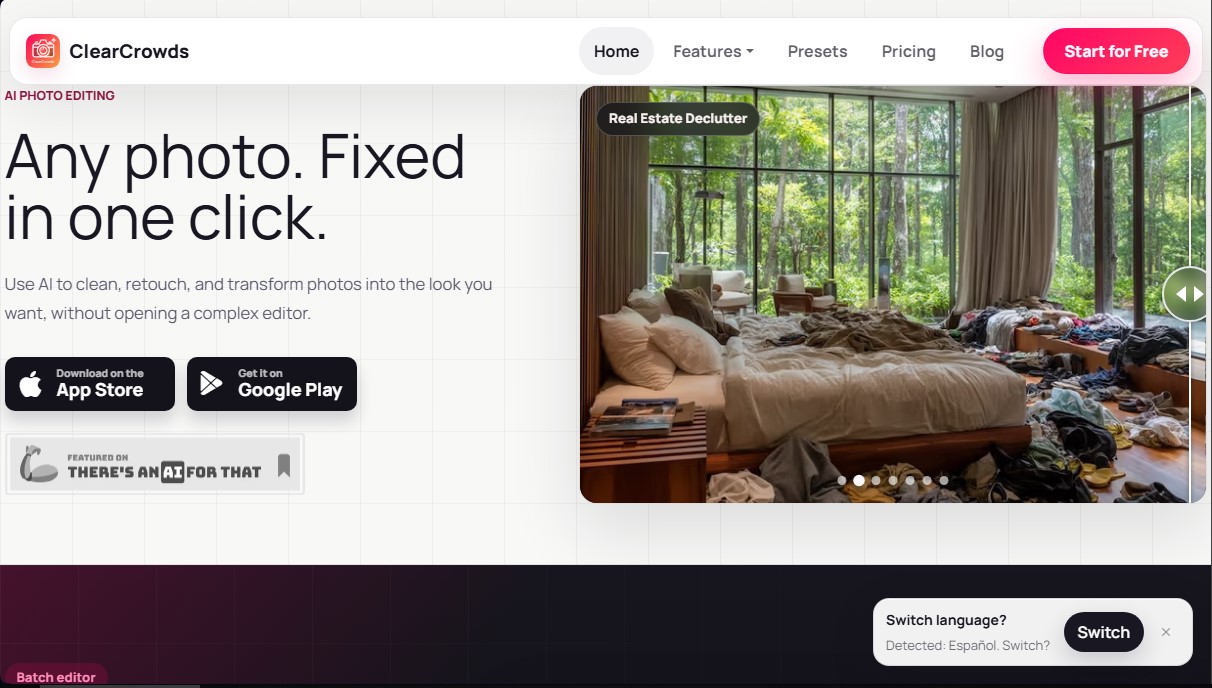
- Real Estate Declutter: A specific feature for the real estate market that removes cables, boxes, and personal items, making rooms look more spacious and organized.
- Aesthetic retouching: Includes tools for teeth whitening and creating "doodle-style" effects or stickers.
Beyond removing elements, the tool uses generative AI algorithms for technical restoration. It allows you to depixelate images by reducing pixel blocks in small files and fix blurry photos caused by camera shake or excessive compression. One of its most advanced features is editing text and numbers directly within the image; the AI can replace phrases or digits on signs and labels while maintaining the original font, perspective, and surrounding texture.
For professional workflows, the ClearCrowds batch editor allows you to apply the same cleaning process to an entire set of photos simultaneously. This simplifies the management of entire galleries from a unified workspace, allowing you to review results on a computer screen before finalizing the process on mobile.
The tool operates based on intelligent reconstruction. After selecting the area to be modified, the artificial intelligence fills the empty space by generating details that are consistent with the scene's context. The workflow is optimized so users can quickly compare the "before and after," ensuring the edit looks natural and functional for use in social media, ads, or product listings. It is a practical solution that combines processing power with an accessible interface for any user profile.
ClearCrowds features and use cases
How to use ClearCrowds
ClearCrowds FAQ
What are the main features ClearCrowds offers to enhance my photos?
This platform uses artificial intelligence to remove unwanted objects, people, or text and improve the quality of blurry or pixelated images with just one click.
Can I use ClearCrowds completely for free?
Yes, there is a free plan designed for you to test the workflow and see the results before deciding on a paid option for high-definition exports.
How does the batch editing feature in ClearCrowds work?
This feature allows you to upload multiple photos at once and apply the same editing process to the entire set, saving significant time on high-volume projects.
Is it possible to remove people from travel photos using this app?
Yes, the tool is specifically designed to erase strangers or crowds from the background of your photos while keeping the scenery and key details intact.
What is the difference between a Premium subscription and purchasing credit packs?
A Premium subscription offers recurring credits and unlimited HD downloads, while credit packs are one-time purchases ideal for occasional projects without a subscription.
Can I use ClearCrowds to retouch real estate photos and make them look more professional?
Absolutely. It features a tool to remove wires, boxes, and clutter from rooms, making property listings much more attractive to potential buyers.
How can I manage my subscription or make payments on ClearCrowds?
You can purchase plans and manage your account directly within the mobile app, which is available on both the App Store and Google Play.
Can I edit text within an image without ruining the background?
Yes, the tool's technology allows you to replace short phrases or numbers while maintaining the original font, perspective, and surface texture of the photograph.
ClearCrowds pricing and plans
Free Plan
Free
Core cleanup tools (people, objects, and clutter).
Standard watermark-free exports on supported workflows.
Preview edits before you pay.
No credit card required to get started.
Weekly Premium Plan
7,99 $ per week
75 weekly points (approx. 50 generations per week).
Unlimited watermark-free HD downloads.
Multi-image editor access (batch processing).
Ad-free workspace.
Includes a 3-day free trial.
Annual Premium Plan
39,99 $ per year
300 points per month (approx. 150 generations per month).
Unlimited watermark-free HD downloads.
Multi-image editor access (batch processing).
Ad-free workspace.
Premium workflows and expanded style library.
200-Point Pack
39,99 $ (one-time payment)
Includes approximately 100 generations.
No subscription commitment.
Ideal for batch jobs and edit retries.
42-Point Pack
9,99 $ (one-time payment)
Includes approximately 24 generations.
No subscription commitment.
Designed for occasional extra edits with no recurring fees.
ClearCrowds Screenshots
ClearCrowds user reviews
Write a review
Checking your session...
ClearCrowds Reviews
Loading reviews...
ClearCrowds alternatives

utilz Background Remover
Remove image backgrounds for free with total privacy in your browser. Create transparent or colored backgrounds without uploading files while maintaining original resolution.

ColorCraft
Create Amazon KDP books. Generate coloring pages, stories, puzzles, and print-ready full covers, plus promotional mockups in a single workflow.



