
Share
Turn your voice into professional, context-aware text. Transcribe, format, and automatically paste the result into any app to avoid typing.
What is Contextli?
Contextli is an advanced voice dictation tool designed to optimize the workflow of professionals who handle a high volume of daily writing on their computer. Unlike conventional transcription systems, this application uses artificial intelligence to transform natural speech into professional, structured, and properly formatted text, integrating directly into any software—whether it’s an email client, Slack, task managers, or code editors.
At its core, the tool functions through custom contexts. Users can define specific tone, style, and structure rules for different types of communication. By utilizing cutting-edge language models like OpenAI, Anthropic, or Deepgram, the tool processes audio and adapts it to the selected scenario. For instance, you can configure a context for technical support responses that is friendly and concise, or one for meeting notes that automatically extracts key points while always maintaining the user’s personal voice.
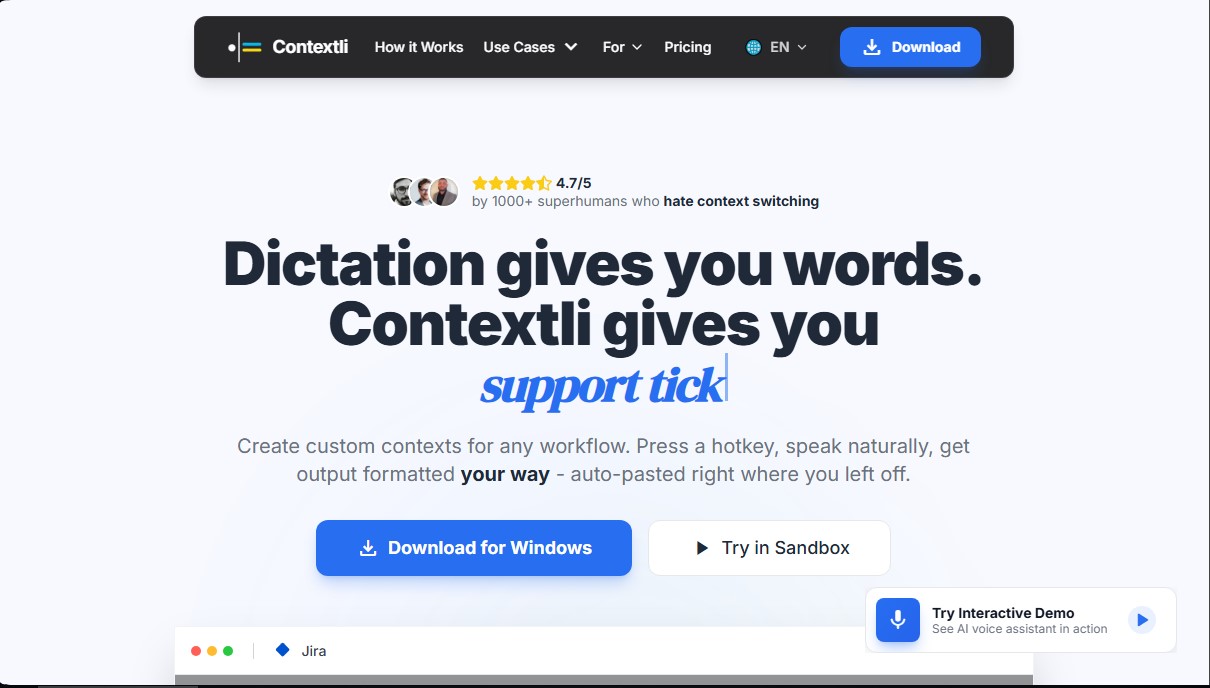
Contextli’s operation is straightforward and aims to eliminate context switching or navigating between tabs. The user simply presses a hotkey, speaks naturally, and the AI handles the processing and auto-pastes the result directly where the cursor was located. This removes the need to copy and paste snippets from external platforms to polish text, saving time on repetitive tasks such as status updates, client responses, or drafting short documents.
A standout feature of this tool is its focus on data privacy and security. Contextli offers a local mode (offline mode) that allows for complete on-device processing, ensuring information never leaves the computer. Additionally, it supports a "Bring Your Own Key" (BYOK) option, which guarantees that voice data is sent directly to the selected AI provider without passing through intermediate servers—a critical feature for sectors with strict confidentiality regulations, such as consultants or lawyers.
Its primary capabilities include:
- Real-time transcription with high grammatical and semantic accuracy.
- Multi-platform compatibility for Windows, macOS, and Linux.
- Creation of custom workflows that adapt to various applications.
- On-device processing to ensure maximum security.
- Drastic reduction in manual typing time, allowing dozens of daily tasks to be managed via voice.
This solution is ideal for users who spend hours writing and want to protect their mental focus. It is especially useful for individuals with ADHD who need to reduce distractions, professionals who think faster than they type, and teams that require agility without sacrificing professional quality in their written communications. Contextli positions itself as a voice productivity assistant that enables near-instant execution of administrative and communication tasks.
Contextli features and use cases
How to use Contextli
Contextli FAQ
What is Contextli, and how can it help me in my daily life?
It’s a voice dictation tool that transcribes your speech and adapts it to the context of the specific app you’re using, saving you hours of manual typing.
How do I activate Contextli dictation while I’m working?
Just press a predefined hotkey and speak naturally; the text will automatically appear wherever you left your cursor.
Can I use Contextli with complete privacy?
Yes, the tool includes a local mode and the option to use your own API keys, ensuring your voice data never passes through external servers.
Does Contextli work with any program on my computer?
Absolutely. You can use it in Slack, Gmail, ticketing systems, or any other application where you need to input text quickly.
What are Contextli’s custom contexts?
These are settings that allow the AI to understand your unique voice style and the specific requirements of each task, such as replying to emails or updating support tickets.
Do I need a credit card to try Contextli?
No credit card is required. You can download and start using the tool for free with 100 monthly credits and no commitment.
What happens if I need more credits than my Contextli plan includes?
Subscribers have the option to purchase additional credit packs directly within the app based on their specific needs.
Which platforms support the Contextli app?
The tool is compatible with Windows, macOS, and Linux, so you can use it on almost any desktop computer.
Contextli pricing and plans
Free Plan: $0 per month.
- 100 monthly credits.
- 1 custom context.
- Lightweight AI.
- Does not include on-device processing.
Starter Plan: $9 per month ($7.50/mo billed annually) or a $79 lifetime license.
- 1,200 monthly credits.
- 1 custom context.
- Lightweight AI.
- On-device transcription.
Pro Plan: $29 per month ($24.17/mo billed annually) or a $149 lifetime license.
- 5,000 monthly credits.
- Unlimited contexts.
- Premium AI models.
- Streaming transcription.
- Full on-device processing.
Pro Plus Plan: $49 per month ($40.83/mo billed annually) or a $249 lifetime license.
- 8,000 monthly credits.
- Cloud sync.
- Priority support.
- Includes all Pro plan features.
Additional Information: $5 packs are available for subscribers to purchase extra in-app credits.
Contextli Screenshots
Contextli alternatives

OpenWhispr
OpenWhispr is open-source voice dictation for Mac, Windows and Linux: transcribe locally or in the cloud, type into any app and take meeting notes without a bot.


Linden by Speechmatics
Low-latency speech-to-text for AI agents. Detects turns, identifies speakers, and captures names and numbers with high precision in over 55 languages.

SpeechTurbo
Convert audio and video to text with high accuracy and speed. Supports 98 languages, AI summaries, and translation. Pay-as-you-go with no monthly subscriptions.