
Share
Generate 3D models from text or images. Refine, texture, and export assets in professional formats for video games, product design, and 3D printing.
What is Create3D.io?
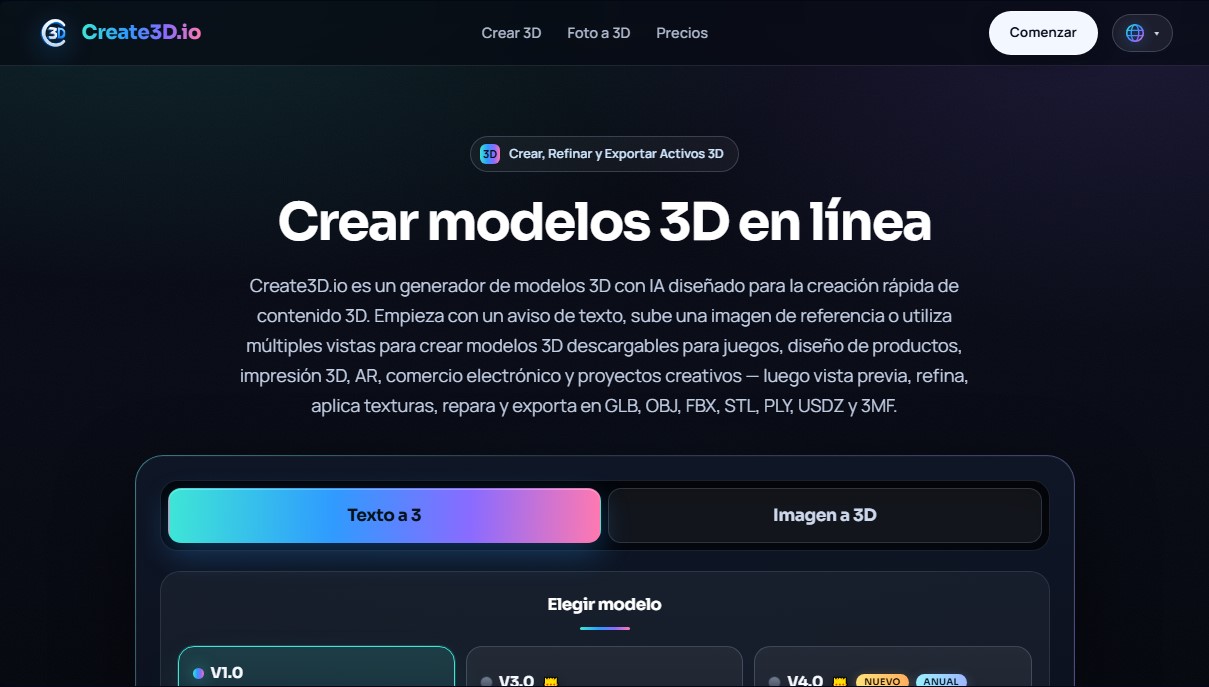
Create3D.io is an advanced AI 3D model generator designed to transform two-dimensional concepts into production-ready three-dimensional assets. This platform enables product designers, game developers, and 3D printing enthusiasts to create high-fidelity content without needing to master complex manual modeling software. The tool stands out for its versatility in processing various input types, facilitating the rapid creation of prototypes and final assets for augmented reality (AR), e-commerce, and diverse creative projects.
The operation of Create3D.io is based on artificial intelligence algorithms that interpret text prompts, reference images, or multiple views of an object to generate a coherent geometric mesh. The system offers different levels of technological processing: from the V1.0 model, ideal for quick drafts and base meshes, to versions V3.0 and V4.0, which deliver high-quality geometry, PBR materials, and detailed textures suitable for professional workflows. Through the photo-to-3D feature, users can upload a product image and obtain a volumetric representation that automatically captures the main proportions and surfaces.
The tool's core capabilities are grouped into a comprehensive workflow that goes beyond simple generation:
- Multi-input creation: Allows for generating assets from text descriptions, a single photograph, or multi-view references for greater structural precision.
- Refinement and editing: Includes features to apply new AI textures, repair damaged meshes, and adjust topology using remeshing tools.
- Production optimization: Offers utilities for rendering previews, calculating volumes for manufacturing, and baking textures optimized for the web or mobile devices.
- Universal compatibility: Supports exporting in industry-standard formats such as GLB, OBJ, FBX, STL, PLY, USDZ, and 3MF.
This practical approach makes Create3D.io a valuable resource for users who need to create 3D models online efficiently. Generated files are compatible with game engines like Unity and Unreal Engine, as well as 3D printing slicers and augmented reality viewers on iOS and Android. By removing the technical barriers of traditional modeling, the platform enables marketing teams, educators, and independent artists to generate libraries of reusable and customized 3D assets in seconds, significantly optimizing development and design timelines.
Create3D.io features and use cases
How to use Create3D.io
Create3D.io FAQ
What is Create3D.io and what is it used for?
It is an AI-powered platform that allows you to generate 3D models from text descriptions or images for use in gaming, design, and other creative projects.
How can I create a 3D model from a photo on Create3D.io?
Simply upload a reference image or several shots from different angles. The tool then processes the data to automatically build the object's geometry.
Which file formats can I export after generating my model on Create3D?
The app allows you to download assets in industry-standard formats such as GLB, OBJ, FBX, STL, PLY, USDZ, and 3MF, depending on your workflow requirements.
Is it possible to use Create3D.io for free?
Yes, the free plan includes twenty daily credits for basic generations using the initial model version and allows you to preview results directly in your browser.
Can I use assets created on Create3D for commercial purposes?
Commercial use rights and the ability to download license certificates are reserved for users with an active paid subscription.
Are the generated models compatible with 3D printing?
Yes, you can export your designs in STL or 3MF format and use the mesh repair and volume calculation tools to prepare the file for printing.
Can I edit the design once the AI has created it?
The platform features an editing studio where you can refine the geometry, enhance textures, optimize topography through remeshing, and generate final renders.
What happens to my credits if a generation on Create3D.io fails?
If the system fails to produce a usable asset due to a technical error, the credits used will be automatically refunded to your account so you can try again.
Create3D.io pricing and plans
Free
$0 per month
20 free credits per day (refreshed every 24 hours).
Exclusive access to the V1.0 model (untextured base mesh generation).
1 concurrent task.
Limit of 2 free V1.0 model downloads per day.
30-day cloud storage.
No commercial use rights.
Creator
$11.90 per month ($8.33 per month billed annually)
800 credits per month.
2 concurrent tasks.
Access to advanced V3.0 and V4.0 models (high quality and PBR textures).
Commercial use rights and license certificate download.
Text-to-3D, Image-to-3D, and Multi-view-to-3D tools.
Export in GLB, OBJ, FBX, STL, PLY, USDZ, and 3MF formats.
24/7 priority customer support.
Pro
$25.90 per month ($18.00 per month billed annually)
2,000 credits per month.
4 concurrent tasks.
Access to advanced V3.0 and V4.0 models.
Commercial use rights and license certificate download.
Text-to-3D, Image-to-3D, and Multi-view-to-3D tools.
Export in GLB, OBJ, FBX, STL, PLY, USDZ, and 3MF formats.
24/7 priority customer support.
Studio
$79.90 per month ($39.90 per month billed annually)
7,000 credits per month.
12 concurrent tasks.
Access to advanced V3.0 and V4.0 models.
Commercial use rights and license certificate download.
Text-to-3D, Image-to-3D, and Multi-view-to-3D tools.
Export in GLB, OBJ, FBX, STL, PLY, USDZ, and 3MF formats.
24/7 priority customer support.
Create3D.io Screenshots
Create3D.io user reviews
Write a review
Checking your session...
Create3D.io Reviews
Loading reviews...
Create3D.io alternatives

Triverse AI
Triverse AI generates 3D models from an image or a text prompt, adds AI PBR textures and produces assets ready for games, 3D printing and XR.

ImageToSTL.org
Convert JPG and PNG images into STL files for 3D printing using AI. Generate detailed 3D models ready for instant download.

Image to 3D
Convert 2D images and sketches into textured 3D models using AI. Export in GLB, STL, or USDZ for video games, 3D printing, and augmented reality.