Creatie
Share
Creatie
AI-powered collaborative design platform for interfaces and prototypes. Generate visual styles, enhance images, and streamline creative teamwork.
General Information about Creatie
Creatie is a collaborative design platform powered by generative artificial intelligence, specifically built for creative teams and UX/UI design professionals. Its primary function is to optimize digital workflows, enabling the creation of interfaces and prototypes more efficiently through advanced algorithmic assistance. This tool integrates traditional design features with disruptive AI capabilities that facilitate everything from initial ideation to the final development of a digital product on a computer.
Creatie operates in a cloud-based environment that enables real-time collaboration among multiple team members. Its integrated AI technology assists users with critical tasks such as generating design layouts, defining visual styles, and optimizing graphic assets. By utilizing deep learning models, the application can suggest aesthetic improvements or complete interface elements based on the designer's guidelines, significantly reducing the time spent on manual and repetitive tasks.
Among its most notable capabilities and practical benefits are:
- Intelligent Design Assistant: Tools that help create structures and visual layouts automatically, streamlining the ideation phase.
- Visual Asset Enhancement: Specific features for image processing and creating consistent styles using AI algorithms.
- Interactive Prototyping: Allows for transforming static designs into functional mockups to quickly test the user experience.
- Developer Hand-off: Facilitates the transition from design to code, providing precise technical specifications that speed up implementation for mobile or web.
- File Compatibility: Supports importing and exporting projects from industry-standard tools like Figma or Sketch, ensuring interoperability.
This solution is particularly useful for product designers, advertising agencies, and development teams seeking an AI-assisted design tool that centralizes the entire creative process. By unifying interface creation and intelligent prototyping, it eliminates information silos and improves internal communication.
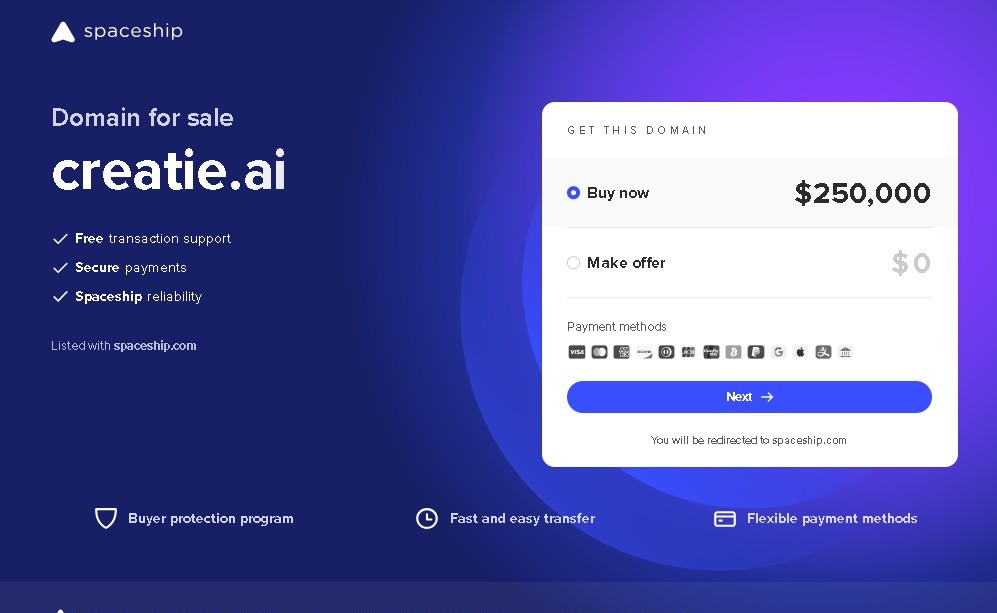
It is worth noting that, according to recent industry reports, the platform may be undergoing changes to its operational structure. Therefore, users are advised to verify the tool's stability and domain security before registering sensitive personal or professional data. Functionally, Creatie positions itself as an advanced ecosystem for digital creativity that aims to maximize productivity through intelligent automation.
Features and Use Cases of Creatie
How Creatie Works
Frequently Asked Questions about Creatie
What is Creatie and what is it used for?
Creatie is a collaborative design platform that uses artificial intelligence to help teams create interfaces, prototypes, and digital projects more efficiently.
Can I use Creatie for free?
Yes, the tool offers a free plan that includes basic features, limited AI access, and a restricted number of files and pages.
What AI features does Creatie offer?
The platform allows you to generate design layouts, enhance image quality, suggest visual styles, and automate repetitive creative tasks using intelligent assistants.
Can I import my Figma projects into Creatie?
Yes, the system allows you to import and export files from popular tools like Figma and Sketch to make transitioning between different design programs easier.
How much does the Creatie Pro plan for teams cost?
The Pro plan is approximately eight dollars per month per editor and offers unlimited projects along with access to advanced collaboration features.
Does Creatie support real-time collaboration?
Yes, the app is designed for multiple users to edit the same workspace simultaneously and to facilitate the handoff of final designs to developers.
Is it safe to enter my payment information in Creatie?
It is recommended to proceed with caution and verify the site's security before making transactions, as some external reviews have flagged warnings regarding the domain's reputation.
What is included in the Creatie Enterprise plan?
This plan offers custom pricing with advanced team management features, enhanced security, and full access to all AI capabilities.
Creatie Pricing
Free Plan
Cost: 0 €
- Limited access to basic design features.
- Limits on the number of files and pages allowed per project.
- Includes basic prototyping tools.
- Limited access to AI capabilities.
Pro / Pro Team Plan
Cost: Starting at approximately 8 $ per editor per month
- Unlimited file and page creation.
- Early access to beta AI tools and features.
- Support for multiple real-time collaborators.
- Access to advanced design modes.
Enterprise Plan
Cost: Custom pricing (check the official website)
- Advanced team management and administration features.
- Enhanced security and access control measures.
- Full, unrestricted access to all AI tools.
Creatie Screenshots