
Cutout.pro
Share
What is Cutout.pro?
Cutout.pro is an AI image and video editing platform that brings dozens of tools together in one site: background removal, retouching, quality enhancement, colorizing old photos, passport photos and image and video generation with third-party models. It has iOS and Android apps and an API for businesses.
What is Cutout.pro used for?
It handles repetitive visual tasks in seconds. Its best-known tool is the background remover, which cuts out people, products or animals in one click, complemented by face cutout, object removal, background blur and photo enhancement and upscaling. It also turns photos into sketches, colorizes black-and-white images, vectorizes and creates passport photos in each country's format.
Which generation models does Cutout.pro include?
Beyond editing, Cutout.pro lets you generate and edit images with models such as Flux, GPT Image, Nano Banana, Imagen or Seedream, and create videos from images with models like Seedance, Veo or Sora. It offers templates for product photography, studio backgrounds and e-commerce scenes, plus themed tools such as greeting card, wall art and coloring page generators.
Who is Cutout.pro for?
- Online stores that need product photos on clean backgrounds.
- Designers and social media managers editing daily.
- People who need an ID photo or want to restore family photos.
- Developers integrating the image processing API.
Cutout.pro pros and cons
Pros: a huge number of tools in one place, batch processing and a high-availability API. Cons: full-resolution downloads use credits, the interface can feel overwhelming given the number of options, and generation quality depends on the model you pick.
Cutout.pro features and use cases
How to use Cutout.pro
Cutout.pro FAQ
What is Cutout.pro?
Cutout.pro is an AI image and video editing platform to remove backgrounds, enhance photos, create ID photos and generate visual content.
Is Cutout.pro free?
You can use previews for free and get 5 credits on signup; high-resolution downloads require paid credits.
Does Cutout.pro work in Spanish?
The site is available in several languages and the tools are visual, so they're easy to use from Spain or Latin America.
How many credits does one image use?
One credit for background removal or retouching and two for enhancement, colorizing, cartoonizing or passport photos.
Does Cutout.pro have an API?
Yes, it offers an API to integrate background removal and other features into apps, with an uptime guarantee and dedicated support.
Can I process images in bulk?
Yes, both the platform and the API support processing many images at once.
What happens to the images I upload?
According to the company, uploaded data and API results are safely discarded right after processing.
Is there a mobile app?
Yes, Cutout.pro apps are available on the App Store and Google Play.
What are the best Cutout.pro alternatives?
Our directory lists remove.bg, Photoroom and Clipdrop for background removal and photo editing, and Vector Magic for vectorizing.
Cutout.pro pricing and plans
Reference price: 5 USD / month. Source · Verified: November 9, 2026
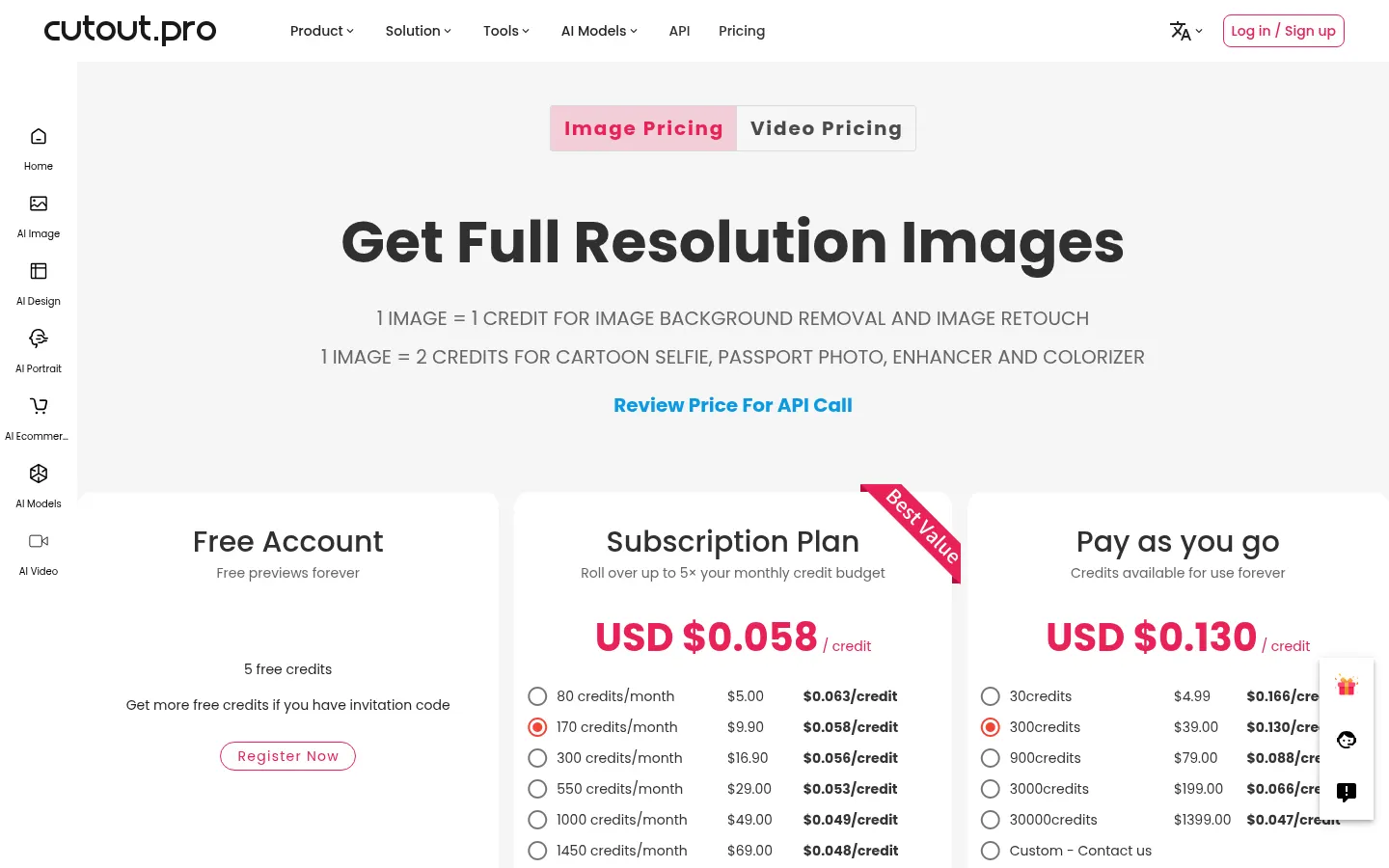
Prices in US dollars (USD) from the official site for images (Checked on: 09/11/2026). One image uses 1 credit for background removal and retouching and 2 credits for enhancement, colorizing, cartoon or passport photos.
Free account: free previews and 5 bonus credits.
Subscription: from $5/month for 80 credits; $9.90 for 170; $16.90 for 300; $29 for 550; $49 for 1,000 and $69 for 1,450 credits. Unused credits roll over up to 5× the monthly amount, with a 14-day money-back guarantee.
Pay as you go: non-expiring credits from $4.99 for 30 up to $1,399 for 30,000.
Video and API have their own rates.
Cutout.pro Screenshots

Cutout.pro user reviews
Write a review
Checking your session...
Cutout.pro Reviews
Loading reviews...
Cutout.pro alternatives

Vector Magic
Vector Magic is an automatic image vectorizer that turns JPG, PNG and GIF bitmaps into full-color SVG, EPS and PDF vectors, with an editor to fix results.