Share
What is Claid AI?
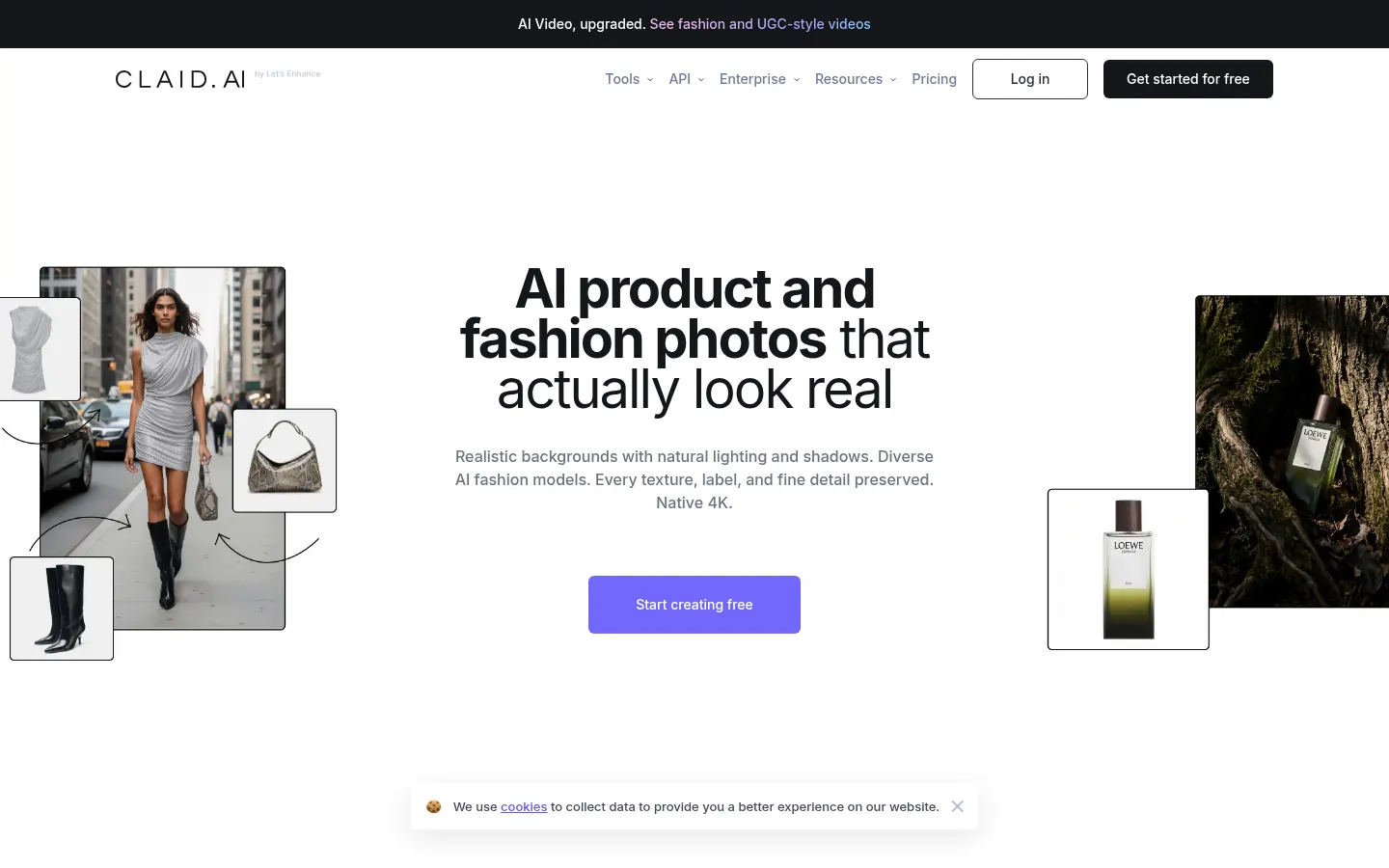
Claid AI is an AI tool by Claid.ai for product and fashion photos with an API, aimed at e-commerce, marketplaces and content teams that automate editing at scale. It combines a web app and endpoints for background removal, upscale, fashion models and more.
What is Claid AI used for?
It cleans backgrounds, improves resolution, generates product scenes and places garments on virtual models. The focus is industrial: pipelines that take thousands of SKUs and return consistent assets for product pages and ads, with brand and quality controls.
How do you use it via app or API?
You can start with evaluation credits in the web app or consume operations through the API (background, upscale, fashion models, and more). There are web and API tiers, plus an Enterprise line with high volume and dedicated support. Docs cover authentication, queues and output formats.
Claid AI pros and cons
Pros: a serious API for catalog and fashion, several operations in one vendor and a focus on e-commerce at scale. Cons: web/API rate details are not always summarized as one public table, there is an integration curve for engineering teams and it is not a canvas-style creative editor for one-shot campaigns.
Who is Claid AI for?
It fits e-commerce and fashion teams that already have a technical pipeline and want to normalize backgrounds, resolution and virtual models. The documented API lets you queue thousands of SKUs and return consistent assets for product pages and ads.
It also helps marketplaces that receive uneven seller photos and need a visual standard. If you want a canvas-style creative editor for a single piece, lighter alternatives exist; Claid shines when volume and automation matter most.
- Marketplaces normalizing thousands of seller photos.
- Fashion brands generating looks on virtual models.
- Content teams upscaling legacy assets.
- Agencies automating backgrounds for DTC clients.
Claid AI features and use cases
How to use Claid AI
Claid AI FAQ
What is Claid AI?
It is an AI product and fashion photography toolkit that combines a web editor and an API to generate and retouch images at scale.
Is Claid AI free?
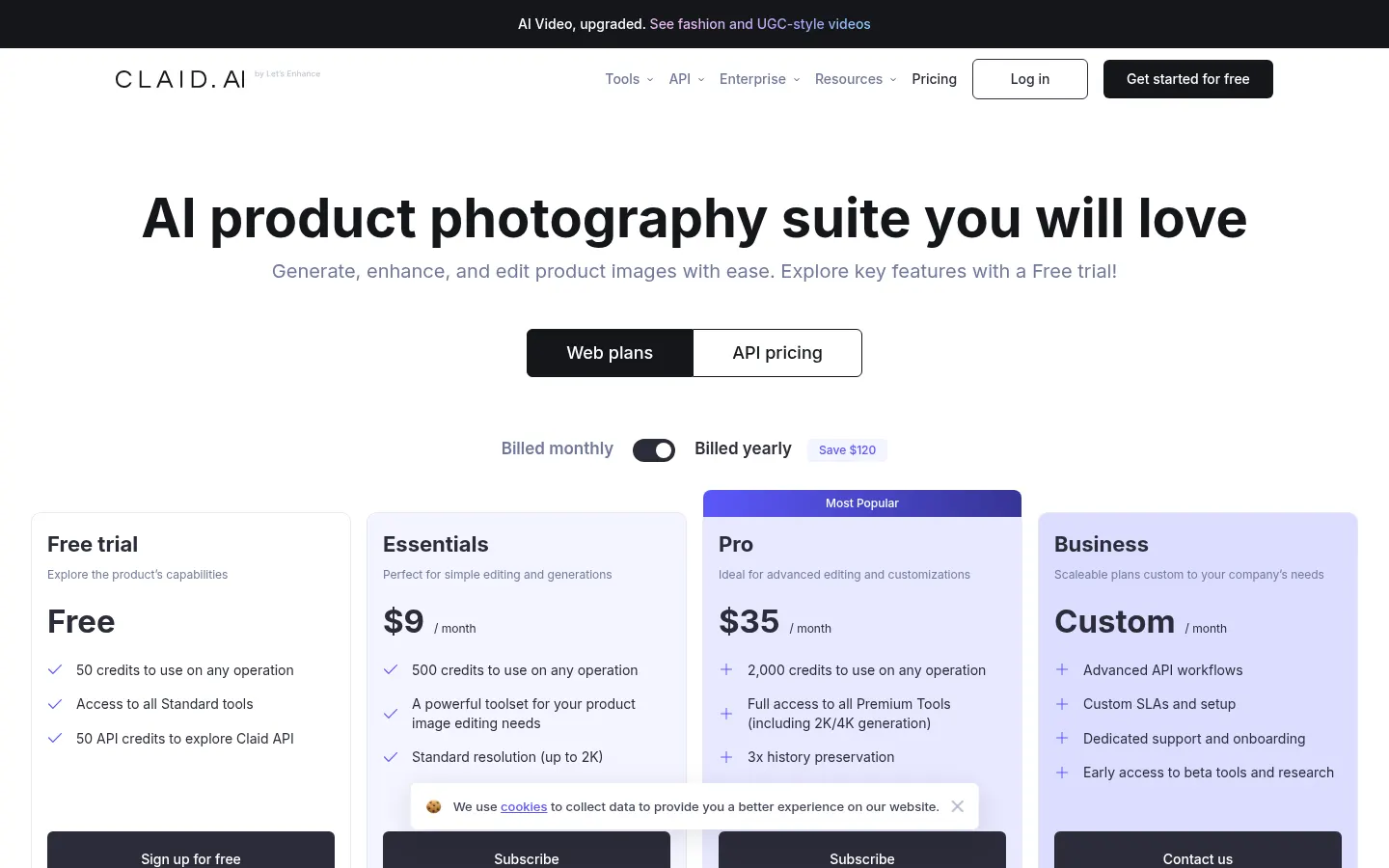
It offers a free credit trial; paid and Enterprise plans are detailed in the pricing section.
Does Claid AI have an API?
Yes: it documents APIs for backgrounds, upscale, fashion models, image-to-video and other operations to integrate into your stack.
Is it useful for fashion?
Yes: it includes virtual models, flatlay-to-model, face swap and apparel recolor on top of product retouching.
Does it work in Spanish?
You can use it from Spain; documentation and the marketing site are mainly in English.
Which industries is it for?
Its site cites marketplaces, ecommerce, fashion, automotive, food and print-on-demand, among others.
Does it replace a photo studio?
It speeds up backgrounds and variants at scale, but it does not replace human art direction for highly produced campaigns.
What are alternatives to Claid AI?
On GptZone you can compare Photoroom and Pixelcut as other AI product editing and photo tools.
Is there an enterprise plan?
Yes: Business/Enterprise with custom workflows, SLAs and dedicated support per the pricing page.
Claid AI pricing and plans
From the official Claid AI site (Checked on: 06/11/2026). Currency: USD. A free trial includes 50 web credits and 50 API credits to explore operations. Paid web and API plans are shown alongside a custom Business/Enterprise option (the page mentions about 120 USD yearly savings on yearly billing, without a stable public entry price for a standard paid plan listed here). Usage is metered in credits per operation (e.g. photoshoots vs. background removal).
Claid AI Screenshots
Claid AI user reviews
Write a review
Checking your session...
Claid AI Reviews
Loading reviews...
Claid AI alternatives



FoodShot AI
FoodShot AI is an AI food photography tool that turns a phone photo of a dish into a studio-quality image for menus, delivery apps and social media.