Share
What is Pebblely?
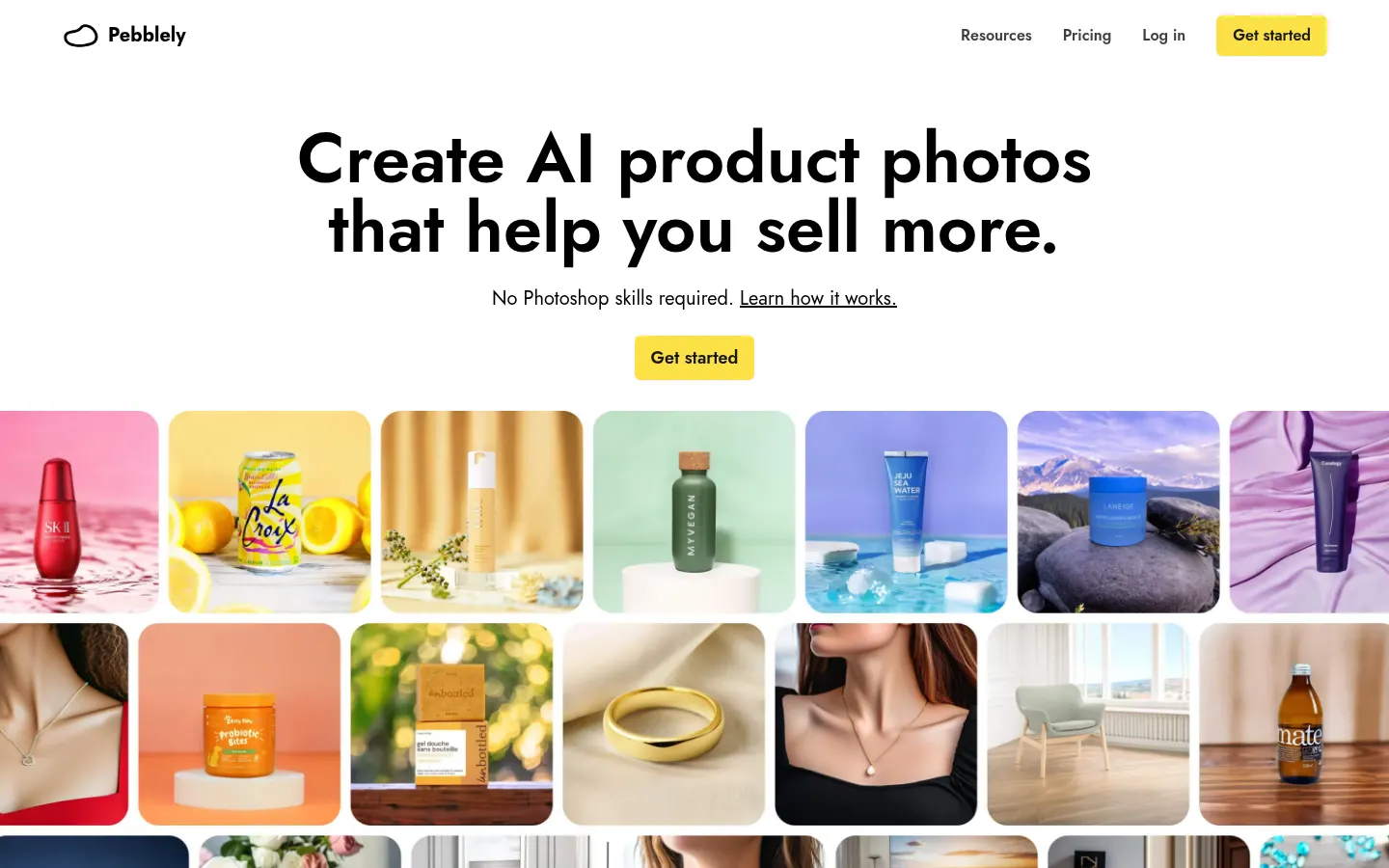
Pebblely is an AI tool by Pebblely.com that creates product photos with ready-made backgrounds for e-commerce, marketplaces and ads. You upload a product cutout and generate scenes with templates, prompts or custom backgrounds.
What is Pebblely used for?
It speeds up catalog photography when you lack a studio: remove or replace backgrounds, apply themed scenes and export images ready for Shopify, Amazon or social. It includes bulk generation and templates aimed at beauty, food, electronics and more.
How do you generate a product photo?
You upload the product image (ideally cut out), pick a template or describe the scene, then download the result. Higher tiers add custom backgrounds and batch generation. The company reports tens of millions of images created by merchants of different sizes.
Pebblely pros and cons
Pros: a clear focus on real products, ready templates and monthly quotas that are easy to understand. Cons: Starter, Basic and Pro tiers cap monthly image volume, it does not replace a physical set for demanding hero campaigns and quality depends on a clean input cutout.
Who is Pebblely for?
Built for online stores and sellers who refresh product pages often. Scene templates, product cutouts and batch generation shorten the time between receiving an item and publishing it on Shopify, Amazon or social.
Agencies also use it to produce catalog creatives at scale. If you need a hero campaign with complex art direction, a real set is still better; for day-to-day catalog work, Pebblely’s flow is usually enough.
- Shopify stores refreshing product pages every week.
- Marketplace sellers who need clean backgrounds.
- Agencies producing catalog creatives at scale.
- DTC brands testing scenes before a real shoot.
Pebblely features and use cases
How to use Pebblely
Pebblely FAQ
What is Pebblely?
It is an AI product photography tool that creates backgrounds and variants from a single image.
Is Pebblely free?
There is no permanent free plan on the pricing page; plans start at 9 USD per month. See the pricing section.
Can I use the photos in my store?
Yes: it is built for commercial use on marketplaces, web, email and ads; always check their current terms.
Does it support bulk generation?
Yes: bulk generate is included on Basic and Pro to produce many variants in a row.
Does Pebblely have an API?
The public site focuses on the generation app; it does not detail an open API on the pricing page.
Does it work in Spanish?
You can describe scenes in Spanish if the model accepts it; the site interface is in English.
What happens to unused credits?
The official FAQ explains unused credits at month end; read it before you buy.
What are alternatives to Pebblely?
On GptZone you can compare Photoroom and Pixelcut as other AI product photo tools.
Do I need design skills?
No: the flow is upload the product, pick a template or prompt and export, without Photoshop retouching.
Pebblely pricing and plans
Reference price: 9 USD / month. Source · Verified: November 6, 2026
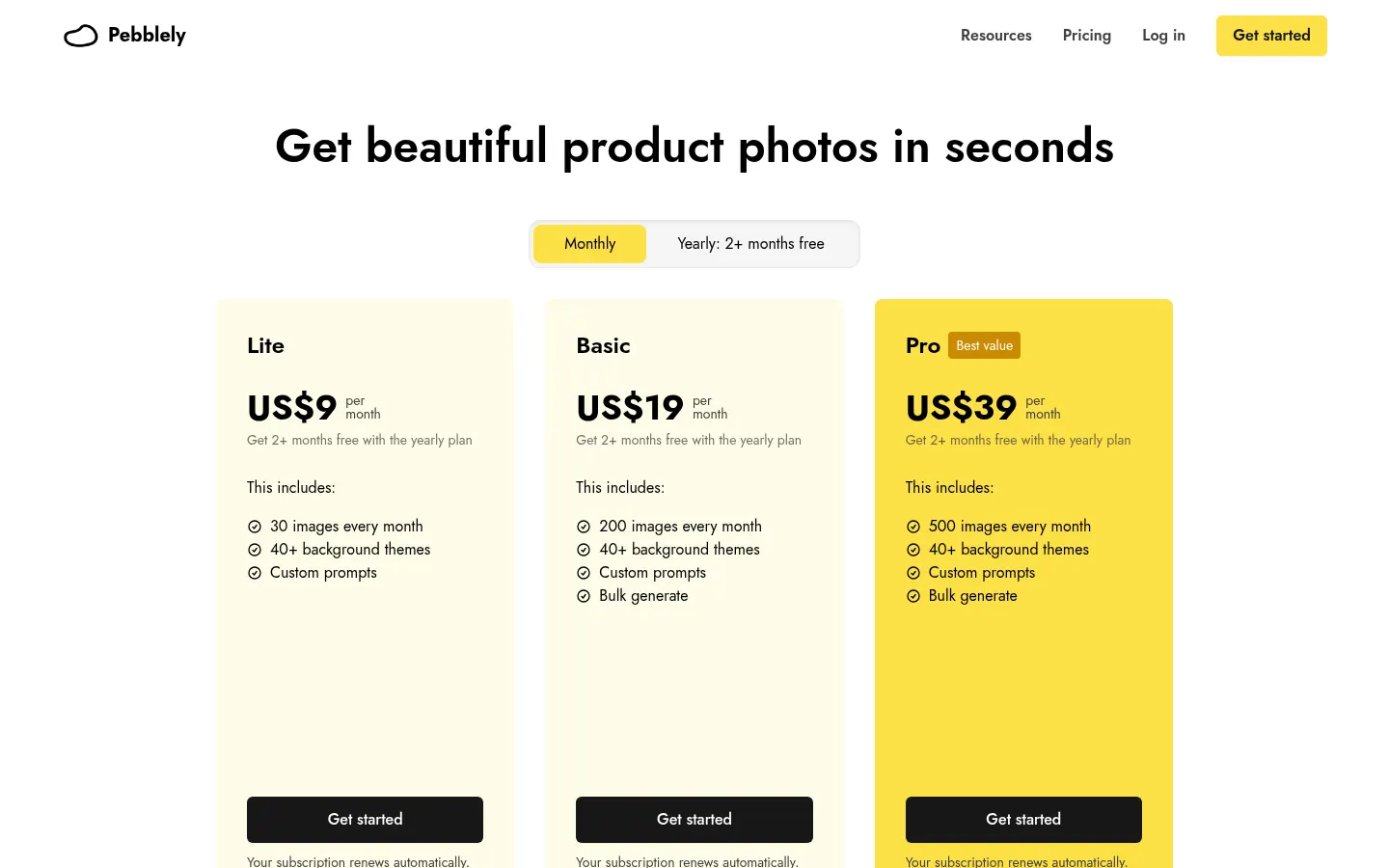
From the official Pebblely site (Checked on: 06/11/2026). Currency: USD. Monthly subscription with a yearly option (2+ months free per the site).
- Starter: 9 USD/month — 30 images, 40+ backgrounds, custom prompts.
- Basic: 19 USD/month — 200 images and bulk generate.
- Pro: 39 USD/month — 500 images and bulk generate.
Subscriptions renew automatically; you can cancel in the app. No permanent free plan is described on the pricing page.
Pebblely Screenshots
Pebblely user reviews
Write a review
Checking your session...
Pebblely Reviews
Loading reviews...
Pebblely alternatives



FoodShot AI
FoodShot AI is an AI food photography tool that turns a phone photo of a dish into a studio-quality image for menus, delivery apps and social media.