
Share
What is Pixlr?
Pixlr is an AI tool by Pixlr / GoDaddy that combines an online photo editor with image, video and audio generation for designers, marketers and creators who work in the browser without installing heavy desktop software.
What is Pixlr used for?
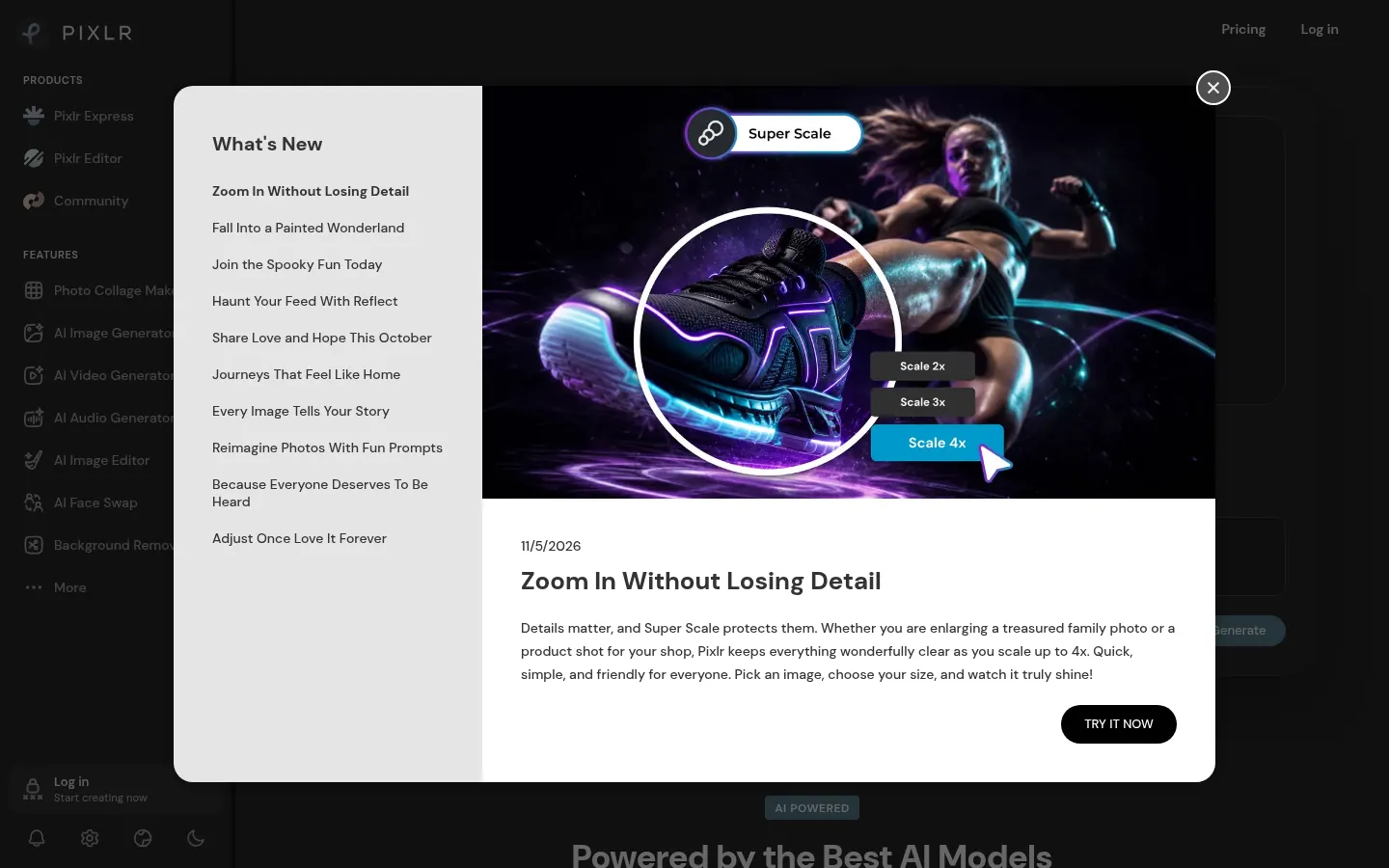
In Pixlr Express or Pixlr Editor you can retouch photos, remove backgrounds or objects, improve skin and sharpness, colorize, upscale or extend the canvas with generative fill. The image generator starts from text or references; there is also face swap, collage, a format converter and Pixlr Agent to orchestrate several actions. Announced models include Flux, Kling, Recraft, Veo and others for image and video.
How are the tools organized?
The home groups image, video and audio creation, quick utilities (background, noise and object removal) and the classic layered editor. You work in the browser, save projects and mix generation with manual retouching. Templates, fonts and graphic elements help build layouts ready for social posts, ads or product pages without leaving the browser.
- Creators who need to retouch and generate assets without desktop Photoshop.
- Marketing teams producing ad variants and product images.
- Casual users who want to remove a background or build a collage in minutes.
Before rolling it out to the team, compare integrations, UI languages and technical limits described in the official docs, and run through a full workflow with a real day-to-day example to confirm it fits how you already work.
Pixlr pros and cons
Pros: a wide toolset in one place and browser access. Cons: concurrent generation and credits for advanced models depend on account level; some premium video and audio features use more credits than quick edits.
Pixlr features and use cases
How to use Pixlr
Pixlr FAQ
What is Pixlr?
It is an AI photo editor and image, video and audio generator that runs in the browser, with Express, Editor and quick utilities.
Is Pixlr free?
You can use basic tools in the browser; advanced generation credits and removing ads are on Plus, Premium or Ultra. See the pricing section.
Does Pixlr have an API?
The product site focuses on the web apps and does not highlight a general public consumer API on the main pages.
Does it work in Spanish?
Yes, the Pixlr interface is available in Spanish and other languages.
Which AI models does it use?
It lists Flux, Flux Pro, Kling, Recraft, Google Veo, Stable Diffusion/SDXL and others for image and video, plus audio options.
Can I remove a photo background?
Yes. There is one-click background removal plus object and noise removers.
Does it support video?
Yes. It includes a video generator with several models and related media tools.
What is the difference between Express and Editor?
Express targets quick edits and templates; Editor is closer to a layered editor for detailed work.
What are the alternatives to Pixlr?
On GptZone you can compare Photoroom, Canva AI and Magic Studio for image editing and generation.
Pixlr pricing and plans
Reference price: 2.49 EUR / month. Source · Verified: November 6, 2026
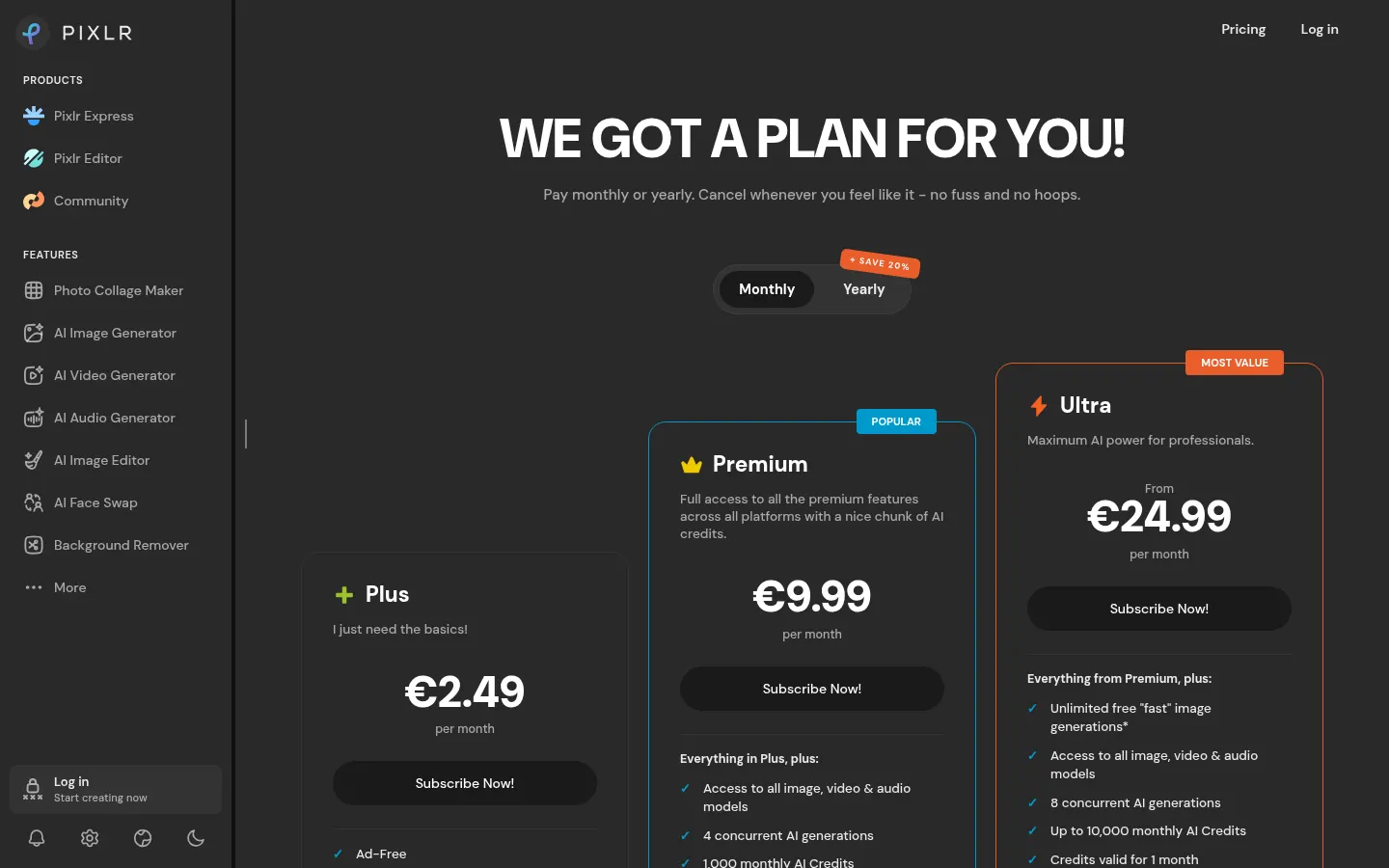
EUR prices from the official page (Checked on: 06/11/2026). Monthly or yearly (~20% off yearly).
- Plus: €2.49/month (€1.99/month yearly); ad-free; 80 AI credits/month; 1 concurrent generation.
- Premium: €9.99/month (€7.99/month yearly); 1,000 credits/month; 4 concurrent generations; image, video and audio models; private mode.
- Ultra: from €24.99/month (from €19.99/month yearly); up to 10,000 credits/month; 8 concurrent generations; unlimited “fast” image generations under stated conditions.
- Ultra Max: from €49.99/month (from €39.99/month yearly) for higher volume.
Limited browser use is available without paying; monthly-plan credits expire each month and yearly credits last the year.
Pixlr Screenshots
Pixlr user reviews
Write a review
Checking your session...
Pixlr Reviews
Loading reviews...
Pixlr alternatives




Cleanup.pictures
Cleanup.pictures is an AI photo editor by Clipdrop that removes objects, people, text and defects when you paint over them with a brush.

FoodShot AI
FoodShot AI is an AI food photography tool that turns a phone photo of a dish into a studio-quality image for menus, delivery apps and social media.

ShimmerPic
ShimmerPic is an AI image generator and editor that runs GPT Image 2.5 Flare and Sunburst to create images from text or edit your photos up to 4K.