Share
AI assistant that centralizes corporate knowledge. It resolves team questions by searching across all your apps and documents to provide real-time answers.
What is Dashworks AI?
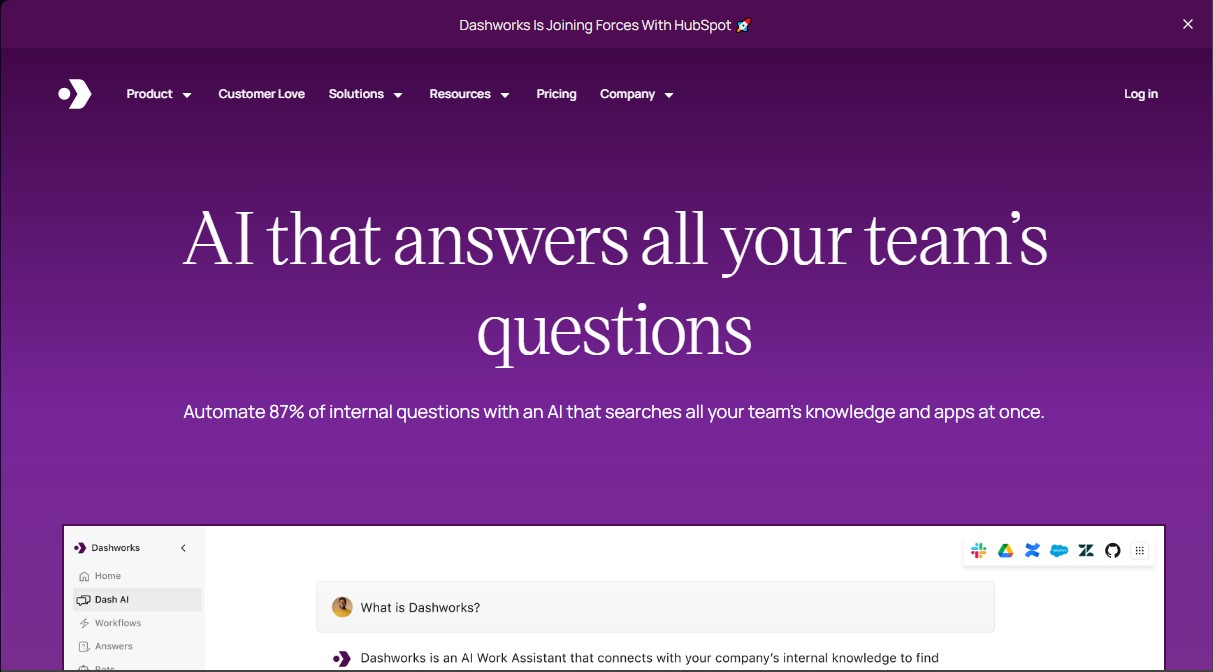
Dashworks AI is an AI assistant for work environments designed to centralize and unify access to information scattered across an organization's various applications and databases. Its primary function is to act as an agentic enterprise search engine that allows employees to get precise, real-time answers about processes, policies, projects, or products, eliminating the information silos that typically form in tools like Slack, Jira, emails, and shared documents.
Dashworks operates using live search technology that does not require prior data indexing, ensuring that answers are always based on the most up-to-date information available. Unlike traditional systems that suffer from sync delays, this tool provides immediate and secure access. Additionally, it allows companies to choose from various state-of-the-art language models, including GPT-4o, Claude, Gemini Pro, and Llama 3, to efficiently process natural language queries.
This solution is particularly beneficial for customer support, sales, engineering, and HR teams at companies of any size, from startups to Fortune 500 corporations. Its key capabilities include:
- Omnichannel Unified Search: Natively connects with all team applications, websites, and knowledge bases to provide a single, streamlined search experience.
- Internal Query Automation: It can autonomously resolve a large portion of recurring employee questions, allowing managers to focus on higher-impact tasks.
- Custom Bot Creation: Enables the configuration of specific assistants for particular use cases, such as employee onboarding or resolving technical product questions.
- Workflow Integration: It can be used directly from your computer via a browser extension or through its Slack integration, facilitating access to information without interrupting daily operations.
- Enterprise-Grade Security: Complies with international standards such as SOC-2 Type 2, GDPR, and HIPAA, ensuring that access permissions are strictly respected and offering zero data retention options.
The practical impact of implementing Dashworks AI is reflected in a significant reduction in response times and improved operational efficiency. By providing answers with direct citations to information sources, it increases user trust and optimizes corporate knowledge management. Recently, the platform strengthened its value proposition by joining forces with HubSpot, solidifying its position as a strategic tool for business productivity.
Dashworks AI features and use cases
How to use Dashworks AI
Dashworks AI FAQ
What are the main features Dashworks offers to improve team productivity?
Dashworks acts as an AI assistant that centralizes knowledge from all your applications to provide immediate, automated answers to internal questions.
What types of platforms and tools can Dashworks integrate with?
The tool connects with all your apps, websites, and documents—including Slack, Jira, email, and knowledge bases—to centralize information in one place.
Is it safe to use Dashworks with my company's confidential data?
The platform is SOC 2 Type II, GDPR, and HIPAA compliant. It features an architecture that allows access to information without the need to permanently index or retain data.
How does Dashworks help answer questions directly within Slack?
You can integrate Dashworks into Slack to function as a bot that automatically responds to employee inquiries using the knowledge gathered from company tools.
Does Dashworks offer a free trial for new users?
The platform offers a 14-day free trial to explore all its features, with no credit card required upfront.
How does Dashworks ensure that the answers provided are always up to date?
Unlike traditional search systems, this tool performs real-time searches to ensure the information provided reflects the most recent changes in your documents and apps.
How long does it take to set up Dashworks and get started?
The setup process is very fast, allowing teams to start searching within minutes, as the system does not require long wait times for data synchronization.
Which AI models can be used through Dashworks?
Business plan users can securely choose and access various advanced models, such as GPT-4o, Claude, Gemini Pro, and Llama 3, all from a single interface.
Can Dashworks help with the employee onboarding process?
Yes, you can create custom assistants specifically designed for onboarding to guide new team members through company policies and internal processes.
What is the pricing for Dashworks' paid plans?
The Team plan costs $12 per user per month with no seat minimum, while the Business plan costs $15 per user per month with a 10-seat minimum.
Dashworks AI pricing and plans
Free Trial: 14-day free trial, no credit card required.
Team Plan: $12 per user per month. No seat minimum required.
Unlimited usage.
Basic integrations.
File uploads.
Slackbot.
Workflows.
Browser extension.
Shared themes.
Business Plan: $15 per user per month. 10-seat minimum required.
Includes all Team Plan features.
Custom bots.
Choice of leading LLMs (GPT-4o, Claude, Gemini Pro, Llama 3).
Organization-wide integrations.
AI customization.
Multiple accounts for integrations.
Priority support.
Enterprise Plan: Pricing upon request (Contact Sales).
Includes all Business Plan features.
SSO and SCIM.
API access add-on.
Custom data retention.
Analytics and usage metrics.
HRIS integrations.
Priority for new integration requests.
Dashworks AI Screenshots
Dashworks AI user reviews
Write a review
Checking your session...
Dashworks AI Reviews
Loading reviews...
Dashworks AI alternatives


Voice AI Portal
Voice AI Portal is a white-label dashboard for voice agent agencies: clients see their calls, transcripts and summaries, and the agency bills them for minutes.