editaimg.com
Share
editaimg.com
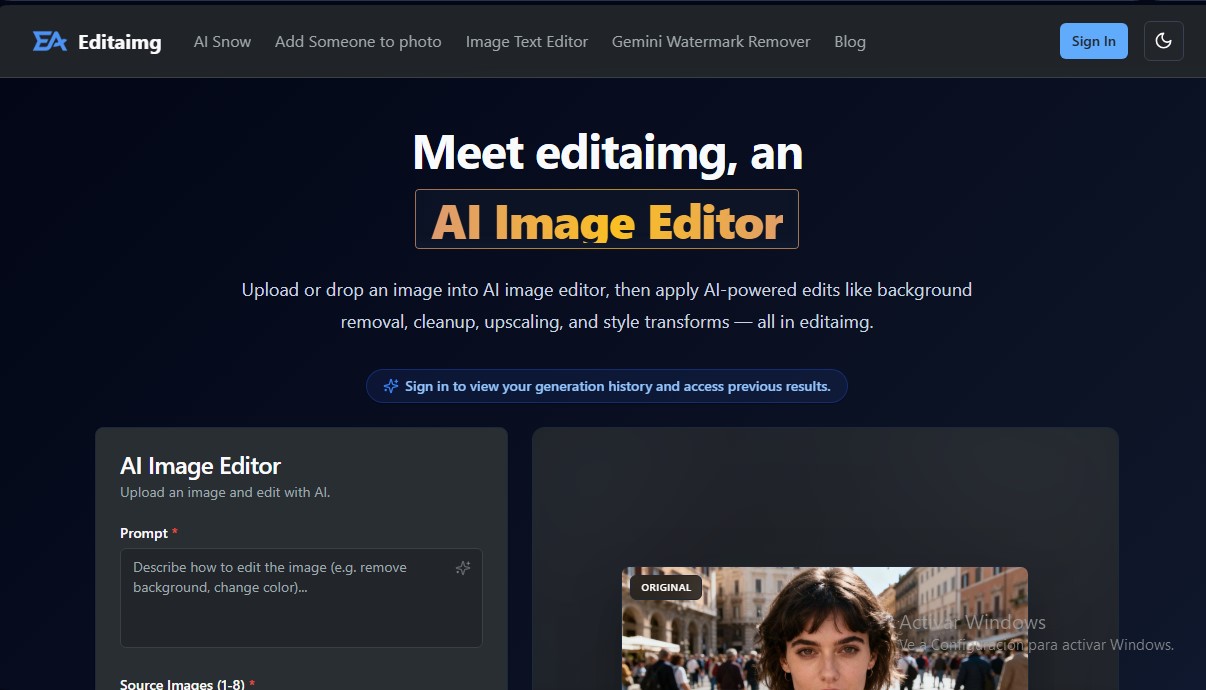
AI photo editor to remove backgrounds, erase objects, enhance resolution, and transform styles via text. Create professional images quickly and easily.
General Information about editaimg.com
editaimg.com is an advanced AI-powered image editing platform designed to transform visual files using text prompts and high-precision automated tools. This AI photo editor allows users of any technical level to perform complex modifications that would traditionally require professional software on a computer. The tool focuses on a streamlined workflow, offering non-destructive editing, instant previews, and fast cloud processing.
The technology behind editaimg.com utilizes generative AI models and natural language processing to interpret descriptive prompts. Users can upload up to eight images simultaneously (with a 10 MB limit per file) and apply specific changes simply by writing an instruction. The system analyzes visual content to execute tasks like object removal, element replacement, or quality enhancement in a consistent and realistic manner.
Among the most notable functional capabilities of this AI tool are:
- Background and Object Removal: Erase unwanted people, power lines, or landscape distractions using inpainting techniques that naturally reconstruct the background.
- E-commerce Scene Creation: Facilitates professional product photography by automatically placing objects (such as a soap dispenser) into realistic settings (such as a kitchen sink).
- Image Upscaling: Includes an AI image upscaler that boosts resolution to 1K or 2K, fixing blurry photos and enhancing detail.
- Integrated Text Editing: The ability to add, edit, or remove text within an image while maintaining consistency with original fonts, colors, and textures.
- Style Transformations and Effects: Apply lighting adjustments, color grading, and seasonal effects, such as adding realistic snow with adjustable intensity.
- Watermark Removal: A dedicated tool to remove Gemini watermarks locally in the browser, ensuring user privacy.
Operating editaimg.com involves four simple steps: import the image, describe the idea in the prompt box, choose technical settings (aspect ratios like 16:9 or 4:3 and output quality), and generate the result. The platform is ideal for content creators, online store managers, and individual users who need quick results from their mobile device or browser.
By using editaimg.com, users access a versatile solution covering everything from basic touch-ups to complex creative compositions—such as naturally blending people into a photo or retouching jewelry by removing distracting reflections—all without the need for prior graphic design skills.
Features and Use Cases of editaimg.com
How editaimg.com Works
Frequently Asked Questions about editaimg.com
What is editaimg.com and what can I do with this tool?
It is an AI-powered image editor that allows you to perform advanced edits such as removing backgrounds, erasing objects, enhancing resolution, and transforming styles using text prompts.
Do I need design knowledge to use editaimg?
No professional skills are required, as the platform is designed to be intuitive and automatically processes changes based on your descriptions.
How can I remove unwanted people or objects in editaimg?
Simply upload the image to the editor and type a specific instruction in the text box to delete the desired element; the AI will then naturally reconstruct the background.
Can editaimg.com improve the quality of a blurry photo?
Yes, the tool includes upscaling features that allow you to increase the resolution and enhance the details of your images by selecting 1K or 2K output options.
What file types can I upload and what is the size limit?
You can upload image files with a maximum size of 10 MB each, and the platform allows you to select up to eight files at a time.
How does the editaimg.com pricing system work?
The tool uses a credit system based on one-time payments with no recurring subscriptions, allowing you to purchase the package that best fits your workload.
Can I change the background of a product photo for my online store?
Yes, you can upload your product photo and ask the editor to place it in a professional setting or apply a flawless white background for commercial use.
Is it possible to edit or replace text within an image?
Editaimg features a specific tool to add, modify, or remove text while maintaining the original style, font, and colors of the photograph.
How can I view the results of my previous edits?
You must log in to your account to access your generation history, where you can review and download all your previously generated results.
What image format options does editaimg offer for downloads?
The editor allows you to adjust the aspect ratio among several popular options, such as 16:9 or 4:3, before generating and downloading your final design.
editaimg.com Pricing
Free Plan
Get started with AI editing tools at no cost to test the platform’s basic features.
Basic Plan – 9,9 $ (One-time payment)
• 160 credits for the AI image editor.
• Credits never expire.
• Priority generation queue access.
• No recurring subscription fees.
Standard Plan – 29,9 $ (One-time payment)
• 800 credits for the AI image editor.
• Credits never expire.
• Priority generation queue access.
• No recurring subscription fees.
Pro Plan – 49,9 $ (One-time payment)
• 4,000 credits for the AI image editor.
• Credits never expire.
• Priority generation queue access.
• No recurring subscription fees.
editaimg.com Screenshots