
Share
Chromium browser for AI agents to perform web automations with your active sessions. Enables multitasking in isolated spaces and reduces token consumption.
What is ego (lite)?
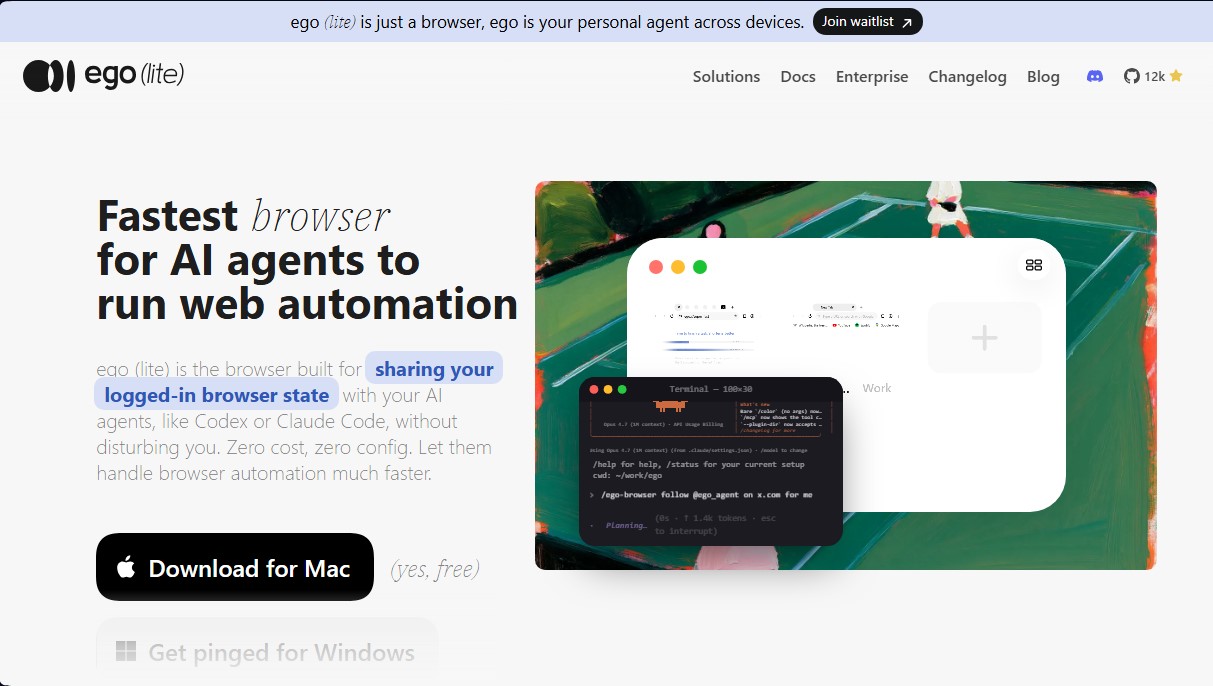
ego (lite) is an AI agent browser specifically designed to facilitate web automation and the execution of complex background tasks. Unlike conventional browsers or traditional automation frameworks that operate in isolation, this tool allows artificial intelligence agents such as Claude Code, Codex, or Cursor to share the user’s session state. Built on the Chromium engine, it functions as a drop-in replacement for Chrome, allowing you to import profiles, bookmarks, extensions, and active sessions in a single click, ensuring that agents inherit the user's authenticated state.
The tool’s operation centers on ego-browser, a "skill" that connects any code-executing agent to the browser. Through a command interface, the agent can perform web actions via natively executed JavaScript snippets. Thanks to its custom engine, ego (lite) generates semantic snapshots that are far more accurate and lightweight than conventional HTML. This technology enables interaction with complex elements that often fail in other systems—such as third-party iframes, shadow DOM, or SDK widgets like Stripe and Salesforce—drastically reducing token usage by avoiding failed retries.
One of the most innovative features is the use of Spaces. This architecture enables parallel multitasking, allowing the user to continue using their computer for normal browsing while the AI agent performs tasks in an isolated workspace. This prevents focus conflicts and allows automations to complete up to 3.45 times faster than other automation solutions. The agent does not take control of the mouse or interrupt human navigation, operating autonomously within its own environment inside the same browser.
ego (lite) is particularly useful for developers and professionals who need to delegate processes in:
- Social media management and SaaS back offices.
- Task automation in internal tools and enterprise applications.
- Booking processes, purchasing, and financial management.
- Data extraction from sites requiring pre-authentication.
By integrating the real browsing state, the agent isn't blocked by CAPTCHAs, 2FA systems, or SSO redirects, as it utilizes the cookies and sessions the user already has active. All information, including passwords and history, is stored locally on the computer, ensuring data privacy. This tool eliminates the friction of setting up "headless" environments and offers a robust infrastructure for agentic AI, optimizing operational efficiency through deep integration between the user, the browser, and the artificial intelligence agent.
ego (lite) features and use cases
How to use ego (lite)
ego (lite) FAQ
What exactly is ego (lite)?
It’s a Chromium-based browser designed for you and your AI agents to share the same session state, allowing you to automate web tasks without complex configurations.
Can I import my bookmarks and passwords from Chrome to ego (lite)?
Yes, it allows you to migrate all your tabs, bookmarks, extensions, and login sessions with a single click so your agents inherit your already logged-in accounts.
Can I keep browsing while the agent performs tasks in ego (lite)?
Yes, thanks to the spaces system, the agent works in its own independent workspace without interfering with your tabs or moving your mouse cursor.
Which AI agents are compatible with this tool?
It is compatible with any agent capable of running terminal commands, including Claude Code, Codex, Cursor, Kiro, Hermes Agent, and OpenClaw, among others.
How does ego (lite) reduce token usage in automations?
It achieves this by executing multiple actions via JavaScript snippets and using compressed semantic snapshots that are much lighter and more efficient than standard HTML code.
Is there any cost to use ego (lite)?
No, the tool is completely free and does not require any subscriptions to work with your AI agents.
Is my browsing data safe when using ego (lite)?
Yes, all your data—such as history, cookies, and passwords—is stored locally on your own computer, and the tool does not upload it to external servers.
How does ego (lite) differ from tools like Playwright or Puppeteer?
Unlike those libraries that rely on fragile CSS selectors, this tool is a real browser that allows the agent to interact with complex sites and dynamic elements much more reliably.
ego (lite) pricing and plans
ego Plan (lite): Free (0 $)
Chromium-based browser designed to share sessions and logins with AI agents.
Zero subscription costs and no initial setup required (zero config).
Parallel multitasking that enables web processes to run up to 3.45x faster.
"Spaces" system to separate the user’s workspace from agent tasks.
One-click import of the entire Chrome ecosystem (cookies, passwords, extensions, and bookmarks).
Reduced token consumption via semantic snapshots integrated into the Chromium engine.
Compatible with external agents like Claude Code, Codex, or Cursor via the ego-browser tool.
Local storage of data, history, and passwords on the user’s device.
Enterprise Plan: Contact for pricing on the official website
To learn more about the specific details and features of the enterprise solution, please contact the provider directly through their portal.
ego (lite) Screenshots
ego (lite) alternatives



localscreenshot
localscreenshot is a screenshot API and MCP server for AI agents, returning clean captures of any web page on phone or desktop from 227 countries.



Nuclr Commander
Workspace for running multiple AI agents in parallel with a file manager. Supports local or external models and remote mobile monitoring.