
Share
Generate scientific figures for papers and presentations with AI. Convert text or sketches into editable professional diagrams in high-quality SVG, PPTX, and PNG formats.
What is FigPad?
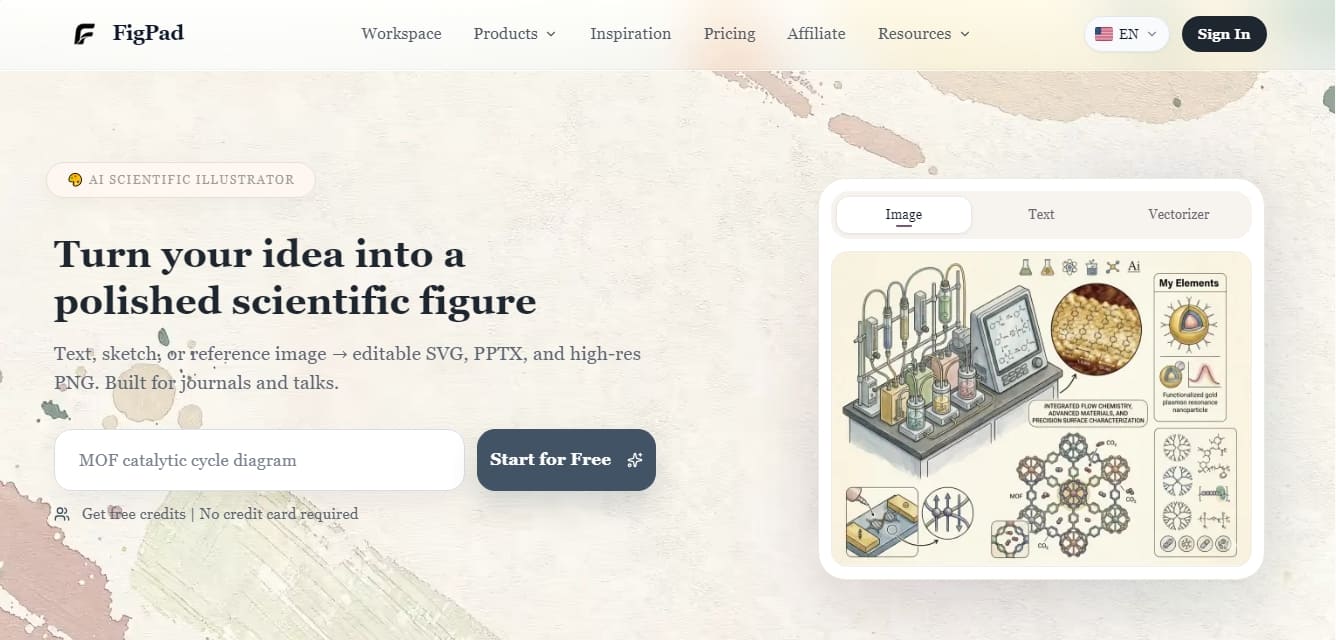
FigPad is an AI-powered scientific illustrator designed to transform complex technical concepts into professional and accurate visual representations. This tool enables researchers, academics, and laboratories to generate scientific figures, mechanism diagrams, and graphical abstracts with a high-quality finish, optimized for publication in specialized journals or conference presentations. Its primary function is to streamline the creative workflow, facilitating the creation of visual assets without the need to master advanced graphic design software.
The operation of FigPad is structured through four main workflows driven by image generation and data processing models:
Text-to-Image Generation: Allows for the creation of a complete scientific figure from a natural language description. The user describes a mechanism, a workflow, or a concept, and the AI generates a detailed first draft ready for refinement.
Sketch-to-Image: This feature converts freehand drawings or low-fidelity sketches into polished illustrations. The technology preserves the core structure of the original sketch while improving clarity, shading, and overall aesthetics.
Image-to-Image by Reference: Users can upload figures from journals or visual references for the AI to replicate or adapt that specific style to their own scientific content, ensuring visual consistency with previous publications.
Smart Vectorizer: Transforms raster images into editable vectors. This provides scalable files that maintain sharpness and can be further manipulated in other software.
The platform stands out for its ability to generate specific technical content, such as catalytic cycle diagrams, neural network structures, tissue cross-sections, or genomic sequencing workflows. Being focused on the academic sector, the results are compatible with scientific publishing standards, offering exports in high-resolution SVG, PPTX, and PNG formats (up to 8K).
FigPad is highly useful for professionals who need to produce scalable scientific assets on a recurring basis. By centralizing creation and editing within a single workspace, users can easily adjust colors, text, and layouts. The system is optimized for creating lab equipment diagrams, energy transfer models, and ecosystem representations, drastically reducing the time spent on manual drawing and allowing researchers to focus on the rigor of the information presented.
FigPad features and use cases
How to use FigPad
FigPad FAQ
What is FigPad and who is it designed for?
FigPad is an AI-powered scientific illustrator that allows researchers and academics to create professional figures, diagrams, and graphical abstracts from text, sketches, or reference images.
Can I use FigPad for free?
Yes, you can start using the tool for free to receive complimentary credits without needing to enter your credit card information.
What export formats does the platform support?
Depending on your chosen plan, you can export your creations in high-resolution PNG format (up to 8K), as well as SVG vector files and PowerPoint slides.
Can I edit a FigPad figure after it has been generated?
Yes, the tool allows you to make edits on the built-in canvas and includes a vectorizer to transform images into scalable assets that you can later modify in other programs.
How does the sketch-to-image feature work in FigPad?
This feature allows you to upload hand-drawn sketches or simple structural drafts for the AI to convert into clear, comprehensive scientific illustrations.
Are the illustrations suitable for publication in scientific journals?
The generated figures are specifically designed to meet the quality standards required for research papers, graphical abstracts, and conference presentations.
What is the difference between FigPad’s various subscription plans?
Plans primarily differ in the number of monthly credits, maximum export resolution, available storage space, and access to vector format downloads.
How are credits deducted from my account?
Each image generation or use of the processing tools consumes a specific number of monthly credits, which renew according to your plan's billing cycle.
FigPad pricing and plans
Free Plan
Free initial credits to get you started.
No credit card required.
Starter - 9 $/mo (Regularly 15 $/mo)
100 credits per month.
Up to 50 figure generations per month.
10 GB storage.
2K resolution export.
Figure history.
Basic version editing.
Standard processing queue.
Plus - 19 $/mo (Regularly 29 $/mo)
Everything in the Starter plan.
220 credits per month.
Up to 110 figure generations per month.
50 GB storage.
4K resolution export.
Vector export (SVG).
Integrated Canvas access.
Pro - 39 $/mo (Regularly 49 $/mo)
Everything in the Plus plan.
480 credits per month.
Up to 240 figure generations per month.
300 GB storage.
8K resolution export.
Vector export (SVG).
Priority processing queue.
FigPad Screenshots
FigPad user reviews
Write a review
Checking your session...
FigPad Reviews
Loading reviews...
FigPad alternatives


AppLaunchFlow
Generate screenshots, ASO copy, icons, videos, and mockups for app stores. Includes localization, social graphics, and app ranking tracking.



utilz Background Remover
Remove image backgrounds for free with total privacy in your browser. Create transparent or colored backgrounds without uploading files while maintaining original resolution.
