

Share
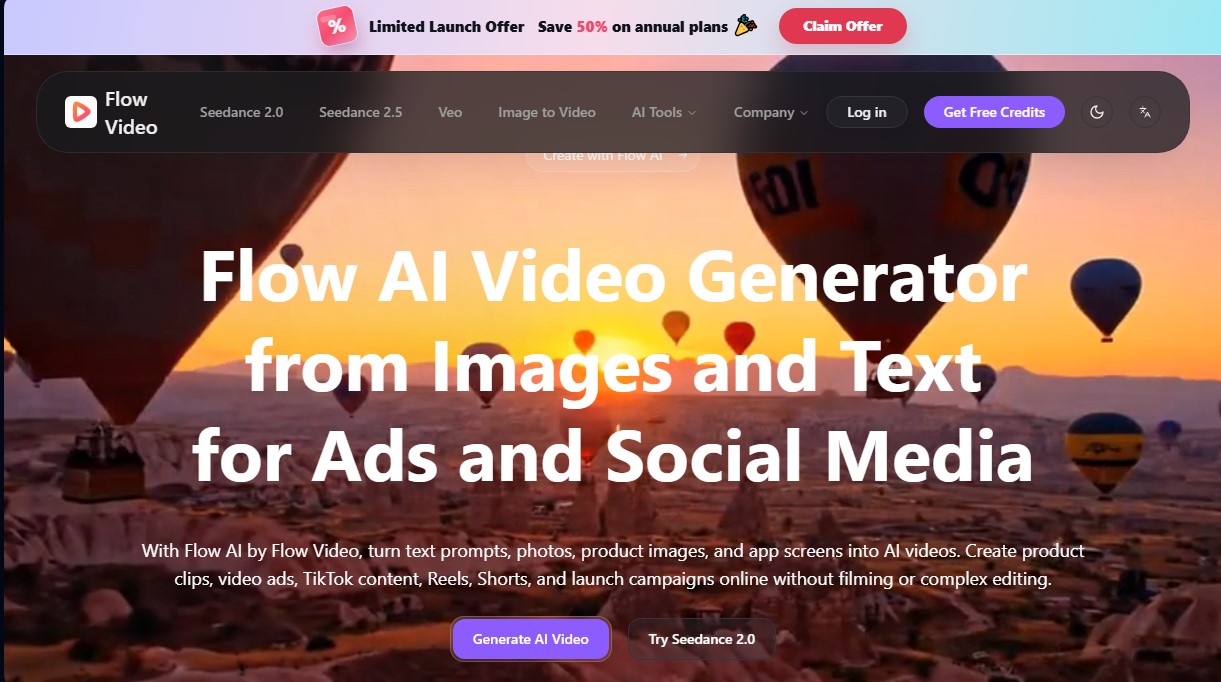
Generate AI videos from text or images. Create ads, social media content, and product clips without filming or editing.
What is Flow Video?
Flow Video is an advanced AI video generation platform designed to transform text prompts, photos, and screenshots into dynamic visual content. This tool enables ecommerce brands, marketing teams, and content creators to produce professional clips for social media, ads, and launch campaigns without the need for physical filming or technical editing skills. By using Flow AI, users can convert static assets into high-quality video pieces optimized for platforms like TikTok, Instagram Reels, and YouTube Shorts.
The app's technology is based on various state-of-the-art AI models to adapt to different creative needs. Notable among them is Seedance 2.0 for creating cinematic clips, Seedance 2.5, which allows for generating content from existing video references, and the integration of Veo (in its Lite, Fast, and Pro versions). These systems analyze lighting, camera movement, and visual style to deliver realistic and fluid results directly from your computer or mobile devices via the browser, without the need to install heavy software.
The core capabilities of Flow Video include:
- Image-to-Video Generator: Animate product photos, portraits, or app interfaces by adding natural movement and camera effects.
- AI Text-to-Video: Create complete scenes by describing the subject, action, and environment through detailed prompts.
- Ecommerce Product Videos: Transform catalog images into promotional content for online stores, highlighting materials and key details.
- Video Ad Creator: Test different creative approaches, visual styles, and advertising hooks before investing in expensive productions.
- Social Media Adaptation: Easily create content variations in vertical and short-form formats for channels like YouTube and Instagram.
The workflow is intuitive and functional, structured into four steps: uploading material or text, selecting the workflow, configuring the model, and final generation. The practical benefit of Flow Video lies in its ability to repurpose existing assets, such as photos from previous campaigns or mockups, turning them into new audiovisual material. This drastically reduces production times by removing the dependency on film crews or professional editors. It is an efficient solution for founders and product teams who need to generate demos, launch ads, or content for landing pages quickly and with a professional finish.
Flow Video features and use cases
How to use Flow Video
Flow Video FAQ
What is Flow Video and what is it used for?
Flow Video is a cloud-based platform that uses artificial intelligence to transform text and images into professional video clips for marketing and social media.
How does image-to-video creation work in Flow AI?
Simply upload a photo or design, select your preferred AI model, and describe the type of motion you want. The tool will then generate the video automatically.
Can I try Flow Video for free before subscribing?
Yes, new users receive free credits to test the platform and explore the text-to-video and image-to-video workflows.
Can I create content specifically for TikTok and Reels with Flow AI? Y
es, the tool allows you to generate short-form videos optimized for social media platforms like TikTok, Instagram Reels, and YouTube Shorts starting from just a single image or idea.
Do I need to download any software to use the tool?
No, there is no need to install any bulky applications. All content generation is done directly in your desktop or mobile browser.
What image file types can I upload to the platform?
You can use JPG, JPEG, PNG, and WEBP files with a maximum size of 10MB to start creating your AI-powered videos.
Do Flow Video creations include commercial use rights?
Yes, paid plans include commercial licenses so you can use all your creations in paid ads, online stores, and branding campaigns.
What if I don't have any prior video editing experience?
You don’t need technical skills or a professional production team because Flow Video handles the entire animation process automatically.
How do credits work within Flow Video?
Each video generated consumes a specific number of credits, which are allocated monthly based on your chosen subscription plan.
Can I generate product videos for my online store?
Yes, the tool is designed to transform catalog photos into promotional videos that highlight your products' features and packaging.
Flow Video pricing and plans
Free Version: Available for new users. Includes limited free credits to test image-to-video or text-to-video generation tools before upgrading to a paid plan.
Starter Plan: $19.90 per month (or $9.57 per month billed annually).
750 credits per month.
Up to 30 videos or 150 images.
2 concurrent generation tasks.
Standard priority queue.
15-day history retention.
Watermark-free HD downloads.
Commercial license and standard customer support.
Standard Plan: $39.90 per month (or $24.07 per month billed annually).
2,000 credits per month.
Up to 80 videos or 400 images.
4 concurrent generation tasks.
Fast priority queue.
30-day history retention.
Watermark-free HD downloads.
Unlimited commercial license and priority customer support.
Premium Plan: $79.90 per month (or $39.90 per month billed annually).
4,500 credits per month.
Up to 180 videos or 900 images.
6 concurrent generation tasks.
Fastest priority queue.
45-day history retention.
Watermark-free HD downloads.
Unlimited commercial license and priority customer support.
Flow Video Screenshots
Flow Video alternatives


VideoWeb Video Generator
Generate professional AI videos from text or images. Features realistic avatars, automated scripts, and optimized formats for marketing and social media.

Framia | Short Drama Maker
Turn scripts and ideas into short dramas for TikTok and Reels. Generate characters, scenes, and dialogue with AI—no filming, cameras, or professional actors required.


ToonBee AI
Generate animated videos from scripts with consistent characters across scenes. Includes AI voiceovers and music. Ideal for marketing, education, and social media.

Fash Studio
Transform garment photos into realistic images and videos with AI models. Create professional fashion catalogs and ads without the need for photo shoots.