

Share
AI photo editor for portraits, products, and real estate. Remove objects, swap backgrounds, and batch enhance quality—no technical skills required.
What is Foneo?
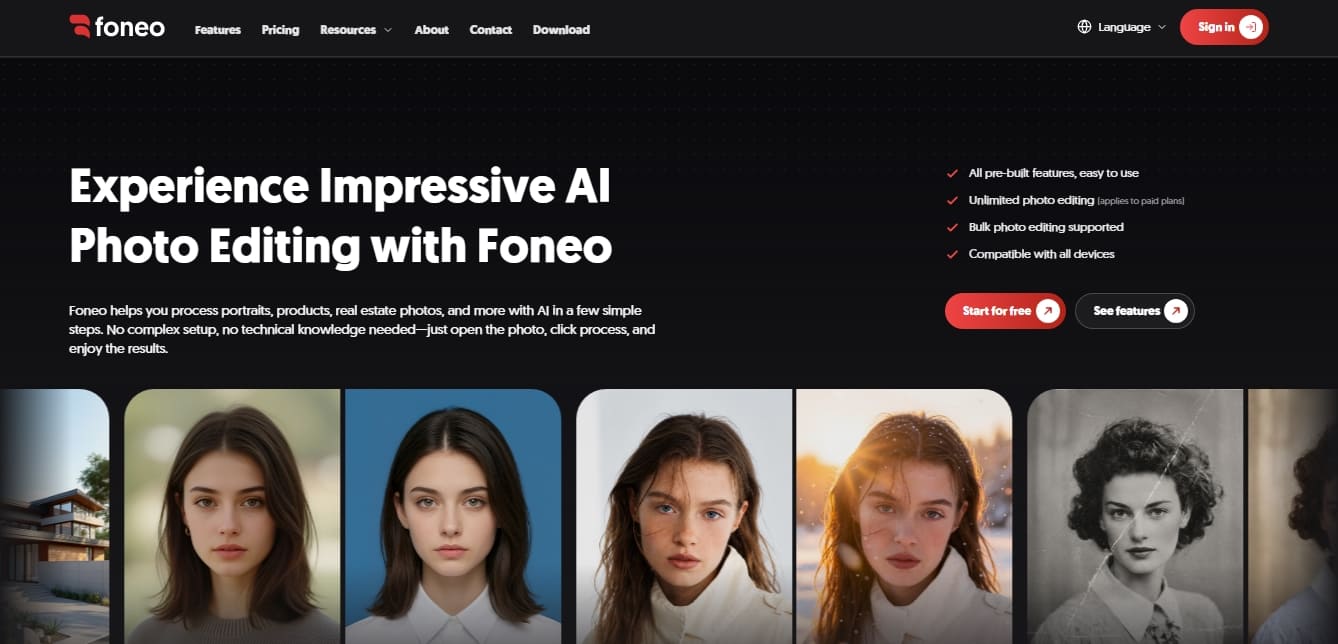
Foneo is an advanced AI photo editing platform designed to simplify the workflow for professional photographers, creative studios, and individual users. Its primary function is the automated processing of portraits, product images, real estate photography, and fashion, delivering high-quality results without the need for complex technical setups or prior graphic design knowledge.
The tool's technology is based on generative AI models and computer vision integrated into an intuitive interface. Unlike other solutions that require managing private servers or using powerful graphics cards, Foneo is optimized to run on any computer or device, eliminating the need to connect external APIs. Users simply upload an image and select the desired function, allowing the algorithms to process changes automatically.
Among its most notable functional capabilities are:
Advanced portrait retouching: Includes specific tools like Skin Retouch for natural skin smoothing, Makeup AI for applying digital makeup, and Face Swap features.
Product and e-commerce optimization: Enhances product sharpness, generates professional backgrounds via Product Background, and utilizes the Fashion Try-on feature to visualize garments on virtual models.
Architectural and environmental editing: Features an Architecture Enhancer to improve interiors and the ability to add realistic lighting or weather conditions through Weather Effects.
Restoration and upscaling: Offers functions to colorize old photos, fix blurry faces, and perform image upscaling to increase resolution up to 4K without losing detail.
Intelligent object manipulation: Facilitates the removal of unwanted elements, the addition of objects via text prompts, and the elimination of reflections on glass surfaces.
One of Foneo's competitive advantages is its batch processing capability, which allows for the simultaneous editing of large volumes of photos, optimizing time in professional environments. Additionally, it includes creative features such as Copy Pose, which replicates a pose from a reference image onto another, and Style Transfer to apply specific artistic aesthetics.
This AI photo editor is an ideal "all-in-one" solution for those seeking pre-configured AI tools combined with the flexibility of text-based editing. Since it requires no private infrastructure, it stands out as an agile and accessible option for immediately improving the visual quality of any photography project.
Foneo features and use cases
How to use Foneo
Foneo FAQ
What is Foneo, and what types of editing is it designed for?
It is an AI-powered tool designed to process portraits, products, real estate, and other photography styles in just a few steps, with no technical expertise required.
Do I need a high-end computer to use Foneo?
You don't need high-performance hardware or your own servers, as the tool is fully optimized to work on any device.
Do I need to know how to write commands or prompts to use the app?
No prior experience is necessary. The system includes one-click automated tools for the most common editing scenarios.
Can Foneo process multiple images at once?
Yes, the platform supports batch editing, allowing you to apply changes to multiple photos simultaneously and save time in your workflow.
Can I edit an unlimited number of photos with the paid plans?
Yes, paid subscriptions offer unlimited editing and exporting with no additional fees per image processed.
What is the resolution of images exported from Foneo?
Depending on your plan, you can export your photos in high definition, with professional subscriptions offering resolutions up to 4K.
Is there a free version to try out the tool?
We offer a free plan that includes up to ten edits per day with a watermark and access to all AI-powered editing features.
What facial retouching features does the system include?
The tool allows you to naturally smooth skin, apply AI-powered makeup, enhance facial clarity, and perform face swaps.
How does Foneo help with e-commerce product photography?
It allows you to remove imperfections, enhance product details, and professionally create or replace backgrounds to make your merchandise stand out.
Do I need to connect an external API for it to work?
No external API connections or complicated setups are required; simply open your photo and select the process you want to apply.
Foneo pricing and plans
Free Plan
0,00 $ (for 3 days)
Full access to all AI photo editing tools.
2K resolution image exports.
Limit of 10 photo edits per day.
Exported images include a watermark.
Maximum of 1 concurrent task.
Login allowed on only 1 device.
Customer support and assistance channel.
Monthly Plan
12,00 $ per month
Full access to all AI photo editing tools.
Unlimited photo edits and exports.
Watermark-free exports.
4K high-resolution image output.
Medium priority image processing.
Login on 1 device.
Customer support and assistance.
Semi-Annual Plan
48,00 $ for 6 months
Full access to all AI photo editing tools.
Unlimited photo edits and exports.
Watermark-free exports.
4K high-resolution image output.
High priority image processing.
Login on 1 device.
Customer support and assistance.
Annual Plan
76,00 $ per year
Full access to all AI photo editing tools.
Unlimited photo edits and exports.
Watermark-free exports.
4K high-resolution image output.
Top priority image processing.
Simultaneous login on 2 devices.
Priority customer support.
Foneo Screenshots
Foneo alternatives

ColorCraft
Create Amazon KDP books. Generate coloring pages, stories, puzzles, and print-ready full covers, plus promotional mockups in a single workflow.




