
Share
Generate beat-synced music videos and viral clips. Create cinematic scenes, dynamic lyrics, and AI-driven visuals from audio or links.
What is freebeat AI?
freebeat AI is an advanced AI music video generator designed to transform audio tracks and creative concepts into high-quality visual content. This tool acts as a virtual director that automates the planning, filming, and editing processes, allowing users to achieve professional results without needing technical post-production knowledge. Its technology stands out for analyzing BPM, beats, and energy shifts in a song to ensure every frame is perfectly synced to the rhythm.
The platform is intuitive and cloud-based, making it accessible from a computer or mobile device. The process begins by uploading an audio file or pasting a link from platforms like TikTok, YouTube, Suno, or Udio. From there, the user selects a visual style and content type, ranging from AI dance videos to narrative videos or abstract clips. The tool uses cutting-edge AI models to generate cinematic shots, maintaining visual consistency and character stability throughout.
Its core capabilities include:
- Natural lip-sync that allows avatars to sing or speak realistically by following the vocals.
- Lyric video generator that creates dynamic karaoke-style subtitles with automatic timing and highlighting effects.
- Intelligent choreography where character movements react fluidly to drops and tempo changes.
- All-in-one creative studio that integrates image generation, video editing, face swapping, and original music creation.
This application is especially useful for independent musicians, content creators, and influencers looking to quickly produce visuals for Spotify Canvas, TikTok, Reels, or YouTube. By offering vertical (9:16), horizontal (16:9), and square (1:1) formats, it facilitates multi-platform distribution without the need for additional editing. Additionally, freebeat AI is part of the Yamaha Creator Pass ecosystem, establishing itself as a robust solution for small studios and artists who require consistent, scalable visual production with up to 1080p quality.
The platform allows for detailed control over creative direction, letting users adjust styles and characters while the AI handles the technical complexity of the assembly. This ensures that the final result is not just a random animation, but an AI-directed music video with a coherent narrative and visual structure, optimized to capture attention on social media and professional digital environments.
freebeat AI features and use cases
How to use freebeat AI
freebeat AI FAQ
What is freebeat AI and how does its video generator work?
It’s a platform that uses artificial intelligence to transform songs or links into viral music videos, acting like a director that plans shots and syncs visuals to the beat.
Can I upload my own audio files to freebeat AI?
Yes, the tool allows you to upload MP3 files directly or paste links from external platforms so the AI can analyze the musical structure and generate the visual content.
Are freebeat AI videos optimized for social media?
Absolutely. You can export your creations in vertical, square, or horizontal formats, making them ready to post on TikTok, Reels, or YouTube without the need for additional editing.
How does freebeat AI ensure the video stays in sync with my song?
The tool's technology analyzes the track's BPM and energy shifts to ensure that every cut and visual movement perfectly matches the beats and sections of the music.
Can I automatically create videos with synced lyrics?
Yes, the platform includes a karaoke-style lyrics generator that syncs text with the vocals and allows you to customize the movement and highlighting of the words.
What rights do I have over the content generated with freebeat AI?
You retain full ownership of your videos and receive a commercial use license for the AI-generated assets, provided you respect the copyrights of the music you upload.
What is the maximum resolution for the videos I download?
Depending on your subscription plan, you can export your videos in high-quality resolutions up to 1080p for a professional, cinematic finish.
Does freebeat AI offer a way to try the tool for free?
There is a free plan that allows you to explore essential features and generate videos so you can check out the results before deciding on a paid subscription.
What is the maximum length of the videos I can create?
The tool allows you to create everything from short 15-second clips for social media to full-length music videos approximately six minutes long.
Do I need video editing skills to use freebeat AI?
No prior experience is necessary, as the AI handles the planning, shot design, and editing completely automatically.
freebeat AI pricing and plans
Free Plan
Price: 0 $
- Essential features to explore the tool.
- Create AI music videos with no upfront cost.
- Access to basic creation tools.
Basic Plan
Price: 4,99 $ per week
- 1,990 weekly credits.
- Access to Fast and Advanced models.
- Video creation in 16:9, 9:16, and 1:1 aspect ratios.
- Premium model with enhanced realism and detail.
- Unlimited concurrent projects.
- Up to 6 minutes per video.
- Video resolution up to 720p.
- Watermark removal.
- Faster video processing.
Pro Plan
Price: 26,99 $ per month
- 10,000 monthly credits.
- Video resolution up to 1080p.
- Access to Fast and Advanced models.
- Video formats: 16:9, 9:16, and 1:1.
- Unlimited concurrent projects.
- Up to 6 minutes per video.
- Watermark removal and fast processing.
- Free music generation with ACE STEP 1.5 (unlimited).
Ultimate Plan
Price: 39,99 $ per month
- 19,000 monthly credits.
- Video resolution up to 1080p.
- Access to Fast and Advanced models.
- Unlimited concurrent projects.
- Up to 6 minutes per video.
- Watermark removal and priority processing.
- Free music generation: Sonauto V3 (unlimited), Mureka V8 (unlimited), ACE STEP 1.5 (unlimited).
- Additional music limits: MiniMax Music V2.5 (10 free/month) and Suno V5 (30 free/month).
Creator Plan
Price: 199 $ per month
- 95,000 monthly credits.
- Video resolution up to 1080p.
- Access to Fast and Advanced models.
- Unlimited concurrent projects.
- Up to 6 minutes per video.
- Watermark removal and maximum processing speed.
- Free music generation: Sonauto V3 (unlimited), Mureka V8 (unlimited), ACE STEP 1.5 (unlimited).
- Additional music limits: MiniMax Music V2.5 (50 free/month) and Suno V5 (120 free/month).
Boost Packs (Additional Credits)
- 2,000 credits: 7,99 $
- 5,000 credits: 18,99 $
- 8,000 credits: 26,99 $
Standard Plan (Mentioned in FAQ)
Price: 9,99 $ per month
- A balanced plan for regular creators.
- For specific plan details, please refer to the official website.
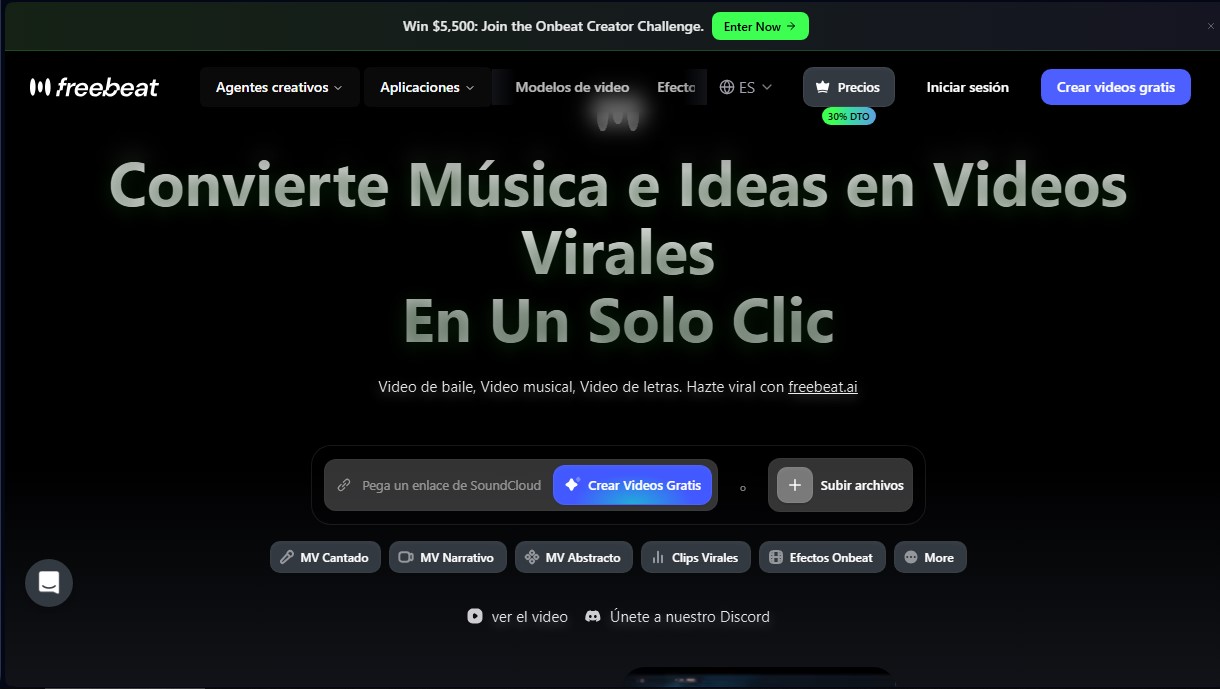
freebeat AI Screenshots
freebeat AI alternatives



BurningBridgesAI.app
Turn a photo into Drake’s viral dance. AI automatically recreates the choreography and gestures so you can star in the trend without recording a thing.