
Share
What is Growing Up Video AI?
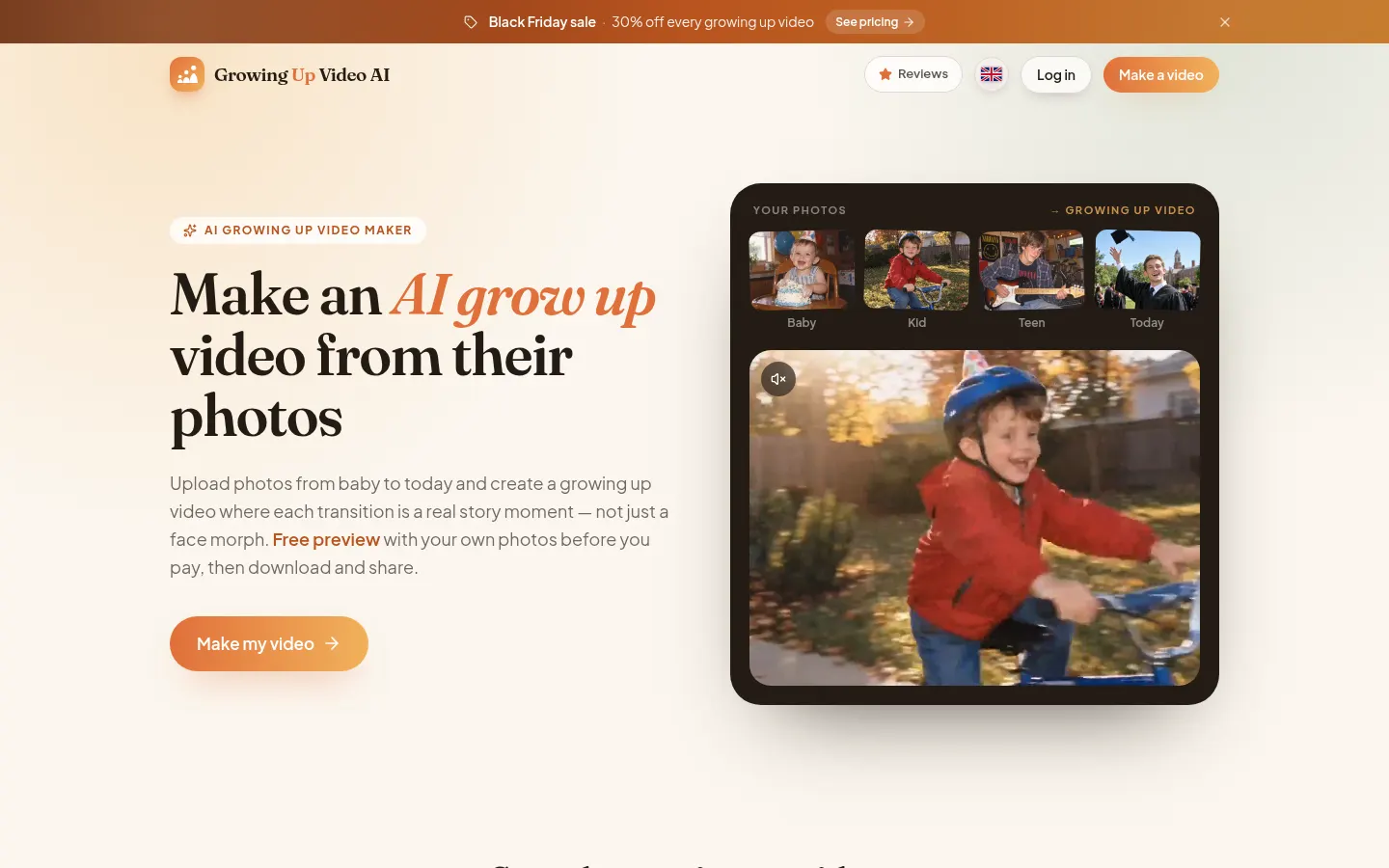
Growing Up Video AI is an AI growing up video maker: you upload photos of a person from babyhood to today and it joins them with small animated scenes, so it feels like watching them grow up. It is built for families preparing a gift or a screening for a milestone birthday, graduation, wedding, anniversary or tribute.
How is it different from a face morph?
Instead of blending one face into another, each pair of photos is joined by a story moment of about 5 seconds where the person does something, like blowing out candles or running into the next chapter. You set the order by dragging photos and can rewrite any moment in your own words before rendering. If a transition is not right, you describe what should happen and it renders again.
How do you make a video step by step?
It works with phone photos and old scans, from 2 to 30 images; 10 photos make a video of about 45 seconds. You pick a mood (Nostalgic, Romantic, Celebration or Tribute), the AI maps out the moments and composes an original soundtrack fitted to the exact length, or you can add your own song. You can watch the first transition before deciding, then download the full video in HD.
Pros and cons of Growing Up Video AI
- Pros: an emotional result with real narrative, full control over order and moments, and according to the site photos are never used to train models or shared.
- Cons: videos are kept for only 14 days before deletion, so you must download the MP4, and the number of included redos is limited.
Growing Up Video AI features and use cases
How to use Growing Up Video AI
Growing Up Video AI FAQ
What is Growing Up Video AI?
It is an AI tool that turns someone's photos from baby to today into a growing up video with animated moments.
Is it free?
You can upload photos and watch the first transition at no cost; the full video is a one-off purchase, as listed under pricing.
How many photos do I need?
Between 2 and 30; each pair of photos becomes a moment of about 5 seconds.
How long is the final video?
It depends on the photo count: 10 photos make about 45 seconds and 30 make about two and a half minutes.
Do old scanned photos work?
Yes, both phone photos and old scans work.
Can I change what happens in each transition?
Yes, you can rewrite every moment before rendering and redo transitions you dislike.
Can I use my own music?
Yes. Besides the original AI soundtrack, you can add your own song.
How long is the video kept?
14 days; after that it is permanently deleted, so download the MP4 first.
What happens to my photos?
According to the site, they are only used to make your video, never shared or used for training, and you can delete the project.
What are some Growing Up Video AI alternatives?
AI video editors such as Faceless Reels, Meme Video Maker or photo slideshow tools cover related needs.
Growing Up Video AI pricing and plans
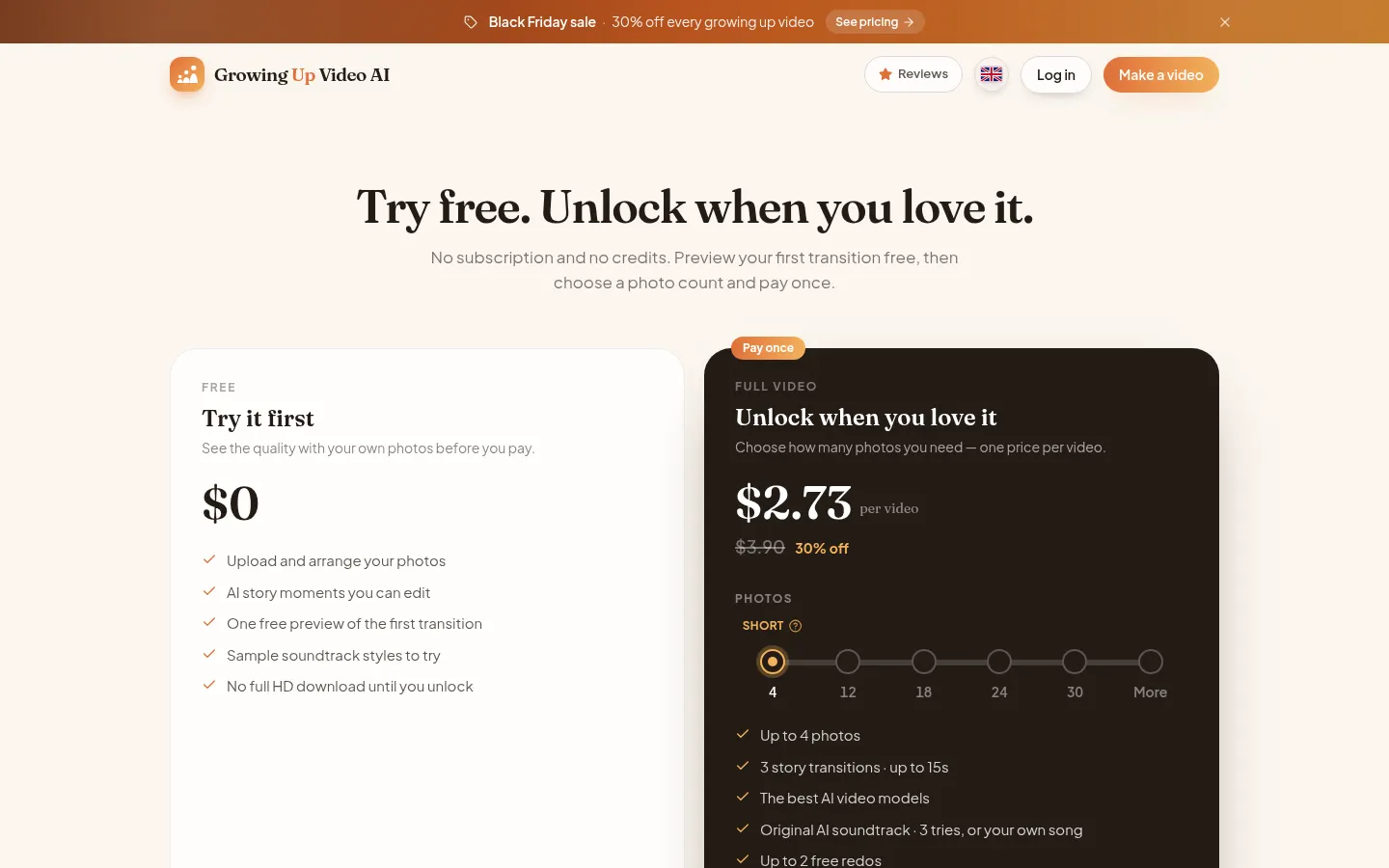
Reference price: 3.9 USD · one-time payment. Source · Verified: November 22, 2026
Prices in US dollars (USD) from the official website, paid once per video. Checked on: 22/11/2026. No subscription and no credits. Every option includes HD video without watermark, an original soundtrack or your own song, free redos and downloads for 14 days.
Preview: $0. Upload and arrange photos, editable moments and the first transition free.
Short: $3.90. Up to 4 photos, about 15 seconds.
Story: $17.90. Up to 12 photos, about 55 seconds.
Highlight: $26.90. Up to 18 photos, about 85 seconds.
Full Life: $35.90. Up to 24 photos, about 115 seconds.
Legacy: $44.90. Up to 30 photos, about 145 seconds.
Growing Up Video AI Screenshots
Growing Up Video AI user reviews
Write a review
Checking your session...
Growing Up Video AI Reviews
Loading reviews...
Growing Up Video AI alternatives


OpenClips.AI
OpenClips.AI is an AI video and image generator with 100+ models such as Seedance, Veo and Kling, plus templates, an ad studio and MCP access on one credit wallet.

Meme Video Maker
Meme Video Maker is an AI meme video generator: pick a template or paste a TikTok link, add your photo and download a vertical MP4 with sound and no watermark.