

Share
Desktop assistant providing real-time guidance for any app. It reads your screen to show you where to click and complete tasks step-by-step without tutorials.
What is Guidy?
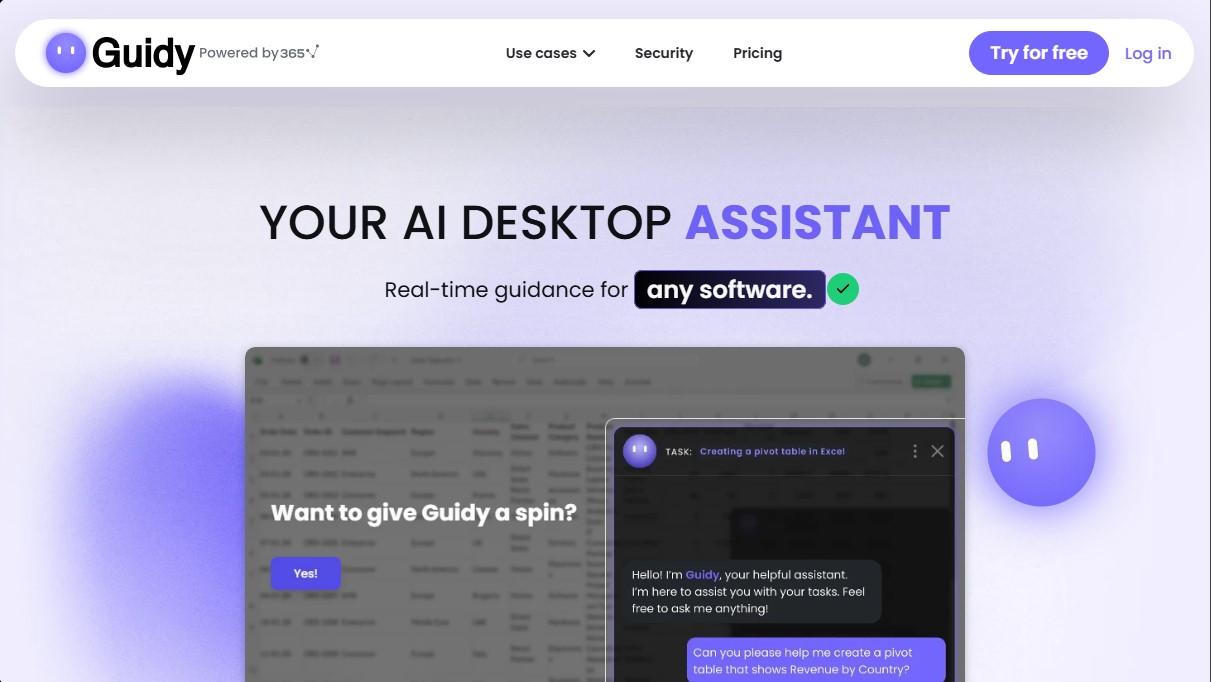
Guidy is an AI desktop assistant designed to provide real-time guidance for any software or website directly from your computer. Unlike conventional artificial intelligence tools that require complex text descriptions or manual screenshots, this PC AI assistant can interpret what is happening on the user's screen to offer precise, contextualized visual instructions.
The way Guidy works moves away from individual per-app integrations. Instead, it uses technology that reads the active interface, allowing it to act as a universal AI assistant for work. It can identify elements and functions in programs like Microsoft Excel, Salesforce, Slack, Asana, Notion, or Canva, guiding the user with circles and markers directly over the buttons or menus they need to use in their actual workflow.
This tool is especially useful for professionals who need to optimize their time and avoid constantly searching through manuals or video tutorials. Its core capabilities include:
- Real-time step-by-step guidance: Provides interactive instructions to complete tasks in any software without needing to switch tabs or applications.
- Formula and analysis assistant: Acts as an AI assistant for Excel and Google Sheets, helping to generate complex formulas, extract data, or create reports.
- Administrative task support: Facilitates the management of repetitive processes, such as filling out forms using an AI form filler, processing invoices, or navigating government portals.
- Error resolution and navigation: Identifies on-screen software glitches and explains the steps needed to fix them or locate hidden features.
To use Guidy, users must install the lightweight application on Windows (the macOS version is currently under development) and make a natural language query about the task they are stuck on. The system requires no technical setup or prior training. As an AI assistant for administrative tasks and productivity, it allows the user to maintain full control, as the tool acts as a visual mentor that shows where to click instead of taking control of the mouse.
Regarding security, Guidy guarantees the privacy of professional data. The assistant only reads the screen when the user explicitly requests help and does not store, record, or share visual information. Data is not used to train AI models, and all communications feature end-to-end encryption, ensuring a protected work environment.
Guidy features and use cases
How to use Guidy
Guidy FAQ
What exactly is Guidy?
It’s an AI-powered desktop assistant that reads your screen to provide real-time, step-by-step guidance through any task or program.
Is Guidy available for Mac?
Currently, the tool works exclusively on Windows, but a macOS version will be available soon.
How is Guidy different from a standard AI chatbot?
Unlike other assistants, Guidy can see what is happening on your monitor and shows you exactly where to click, rather than just providing written instructions.
Are my data and privacy safe with Guidy?
Your security is absolute; the assistant only reads your screen when you request it and never stores, records, or uses your information to train AI models.
Do I have to configure the tool for every app I use?
No special integration or configuration is necessary because the assistant works with any software, website, or portal you have open on your screen.
How much does Guidy cost and what is included?
It costs sixty-nine dollars as a one-time payment, which grants you lifetime access and five thousand initial credits to make requests.
Can Guidy help me with administrative tasks or complex forms?
Yes, the assistant can easily guide you through filling out official forms, processing invoices, or managing any task on online portals.
How do the in-app credits work?
Each request consumes a small number of credits based on its complexity. You can always check your balance or purchase more if you need them, with no monthly fees required.
What happens if I close the app while I’m working?
The moment you close the tool, it stops having access to what is happening on your monitor, ensuring you always maintain absolute control over your privacy.
Do I need technical knowledge to install Guidy?
Installation is very simple and takes less than a minute. Once finished, you only need to log in once to start getting help.
Guidy pricing and plans
Free Version (Try for Free)
Allows you to download and install the application at no initial cost to test its functionality as a Windows desktop assistant.
One-Time Payment
69 $ (one-time payment)
Real-time assistance within any software, browser, or installed application.
Visual cues using circles and pointers directly on the screen to show you where to click.
Includes 5,000 initial credits for queries (routine tasks typically consume very few credits).
Credits never expire.
Option to purchase additional credits at any time.
Guaranteed access to all future updates.
24/7 human support.
Available exclusively for Windows (macOS version currently in development).
Guidy Screenshots
Guidy user reviews
Write a review
Checking your session...
Guidy Reviews
Loading reviews...
Guidy alternatives



TriggerFlow
Automate Windows apps without APIs using computer vision and AI. Manage PC fleets, monitor processes, and provide centralized remote control.


Chatbot App
Chatbot App is a chat app that brings the leading language models from OpenAI, Anthropic, Google, xAI and DeepSeek together under a single subscription.

MakeASkill
MakeASkill creates a free personal skill for your AI assistant from a few quick questions, plus up-to-date steps to set it up in each app.