Share
Automate Windows apps without APIs using computer vision and AI. Manage PC fleets, monitor processes, and provide centralized remote control.
What is TriggerFlow?
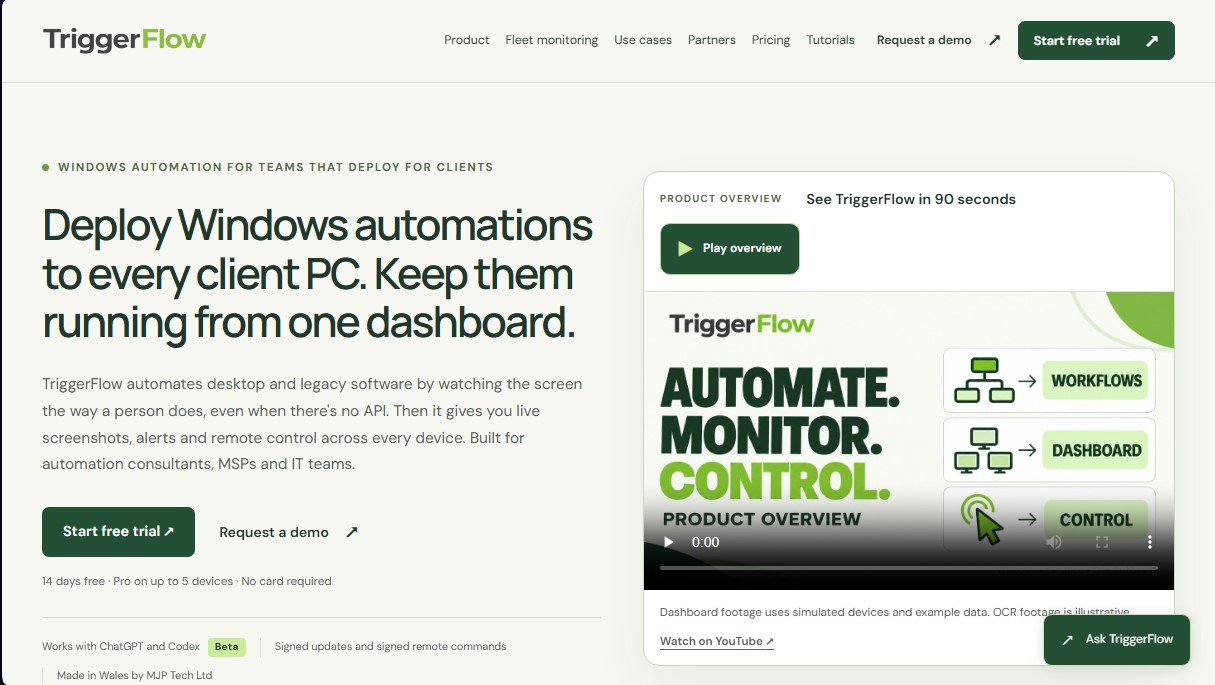
TriggerFlow is a Windows automation platform specifically designed for IT teams, automation consultants, and Managed Service Providers (MSPs). Its primary function is to automate desktop software and legacy applications that lack APIs, operating exactly as a human user would by observing the screen. This tool allows for the deployment of workflows across multiple client computers while overseeing them all from a single centralized dashboard.
TriggerFlow's technology is based on visual recognition through image matching and OCR (optical character recognition), enabling the system to react to what happens on the screen instead of relying on fixed coordinates. One of its most innovative capabilities is the integration with ChatGPT and Codex in beta. This functionality allows users to describe a task in natural language for the AI to generate the step-by-step automation. Once the process is validated on a real computer, the profile is saved and executed locally. This ensures that no AI calls are made during routine execution, eliminating unforeseen costs and enhancing privacy.
The tool’s operation is structured into a four-step process. First, a lightweight agent is installed on each Windows device. Second, the workflow is built through recording, manual editing, or AI assistance. Third, a supervised test is conducted to ensure the process is reliable before it is scheduled. Finally, the system offers real-time fleet monitoring, providing live screenshots, device statuses, and immediate alerts if a task requires intervention.
Key capabilities and practical benefits of TriggerFlow include:
- Legacy software automation: Enables interaction with old applications that lack modern interfaces or API connectivity.
- Centralized device management: A single dashboard to control execution status, history, and screenshots for the entire fleet of computers.
- Integrated remote control: The ability to manually intervene via remote keyboard and mouse if an automation stops.
- Intelligent data entry: Facilitates the movement of records between programs or spreadsheets with logical checks between steps.
- Robust security: Includes signed updates, authorized remote commands, and two-factor authentication to protect device access.
This solution is ideal for professionals who need to manage Robotic Process Automation (RPA) at scale. By allowing consultants to build flows once and deploy them across multiple clients, TriggerFlow becomes a key tool for providing managed automation services, eliminating the need for hard-to-maintain manual scripts and providing a professional visual environment for technical supervision.
TriggerFlow features and use cases
How to use TriggerFlow
TriggerFlow FAQ
What is TriggerFlow and what is it used for?
It is a Windows automation solution designed to manage legacy or API-less software through visual screen recognition.
Can I use TriggerFlow with legacy desktop applications?
Yes, the tool can interact with any program a human can see and click on using image matching technology and OCR.
How does AI help create processes in TriggerFlow?
It allows you to describe a task in ChatGPT to generate an automation profile that, once tested and approved, runs locally without making further AI calls.
Do I need programming knowledge to use the tool?
Coding skills aren't required, as the tool allows you to record actions, build workflows in a visual editor, or use AI assistants.
What features does the TriggerFlow dashboard offer for managing multiple computers?
It provides a centralized view of all devices with live screenshots, execution history, and the ability to intervene remotely.
Does TriggerFlow offer a free trial?
There is a 14-day free trial of the Pro plan for up to 5 devices that does not require a credit card.
Can I resell TriggerFlow services to my own clients?
Yes, the platform allows consultants and managed service providers (MSPs) to manage independent accounts and license keys for each of their clients.
How does TriggerFlow ensure automations work correctly before deployment?
Nothing is installed on client machines until it passes a supervised test on a physical PC, locking in the exact version that was approved.
What happens if a TriggerFlow automation fails while I'm away?
The system sends automated alerts via channels like email, Slack, or Discord and allows you to take remote control to fix the issue.
Do I have to pay for each AI call when TriggerFlow workflows run?
No, once a profile is saved and scheduled, execution is local and does not generate additional costs or billing surprises for AI usage.
TriggerFlow pricing and plans
Free Trial
14-day free trial.
Access to all Pro plan features.
Up to 5 devices.
No credit card required.
Starter
Price: £15 per device per month (or £150 per device per year).
Visual triggers and recorded actions.
Scheduling and conditional logic.
Variables for reusable workflows.
Local workflow execution.
Pro
Price: £30 per device per month (or £300 per device per year).
Includes all Starter plan features.
Email, Slack, Discord, and webhook alerts.
Fleet dashboard and live screenshots.
Remote start/stop and remote mouse and keyboard control.
Shared workflows and execution history.
Priority support.
Business
Price: £45 per device per month (or £450 per device per year).
Includes all Pro plan features.
AI vision actions and OCR (optical character recognition).
ChatGPT-powered control (beta).
Credential vault for stored logins.
TriggerFlow Screenshots
TriggerFlow alternatives


Relevance AI
Relevance AI lets companies design AI agents that take on work in sales, customer support, marketing, HR and operations, wired into the tools they already use.