Share
Voice dictation tool that transcribes audio to text locally and privately in any app. Refine style, format, and translate with AI.
What is Harker?
Harker is a voice-to-text dictation application designed to integrate directly into any computer's workflow. Its primary function is to allow users to type in any text field using only their voice, eliminating the need for manual typing. This tool is positioned as a productivity solution for those looking to capture ideas at the speed of thought, reaching over 150 words per minute—significantly faster than average typing speeds.
The technology behind Harker is based on Whisper language models, ensuring high-accuracy transcription that naturally understands context and punctuation. A key differentiator of this tool is its strong focus on privacy, as voice processing is performed locally and offline. This ensures that audio files never leave the user's device, providing a secure environment for professionals handling sensitive information.
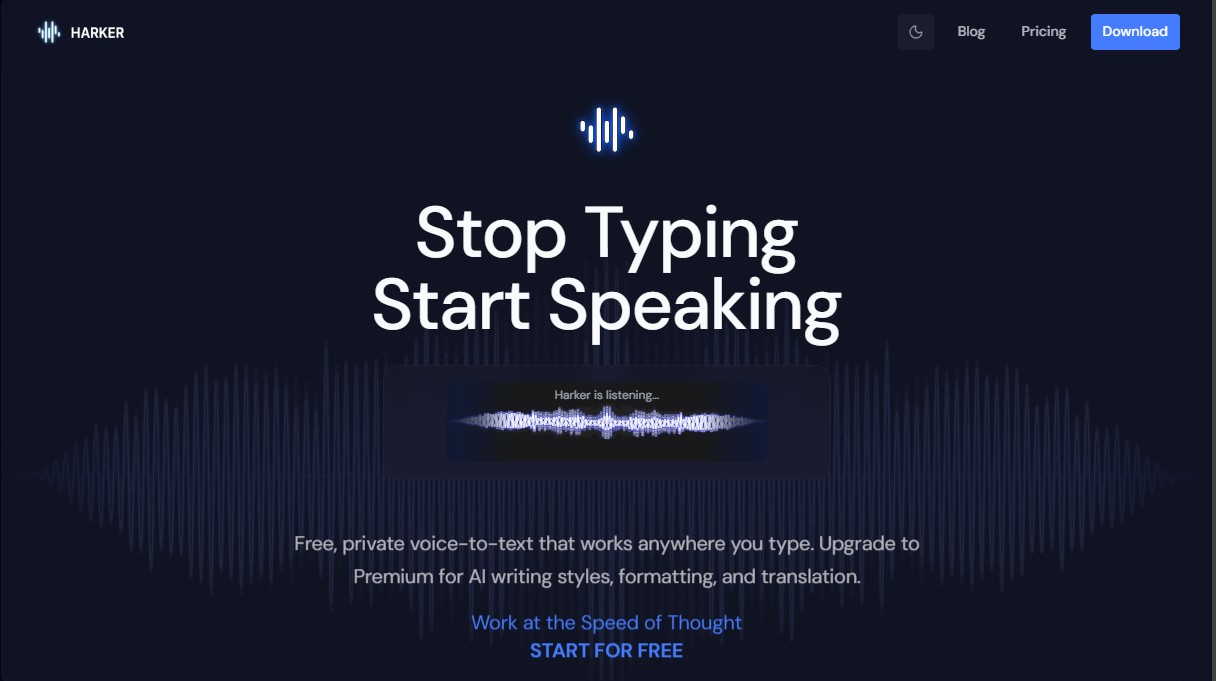
The tool's operation is straightforward and optimized for professional use. Using a global keyboard shortcut, the user activates the listening mode, speaks naturally, and the transcribed text appears instantly in the currently active application—whether it’s a code editor, an email client, or a web browser. By eliminating the need for copying and pasting, it integrates invisibly into the daily routine.
Harker is especially valuable for developers, designers, and power users of AI assistants. Its core capabilities include:
- Unlimited local transcription with support for multiple languages.
- Automatic insertion of text into any active system field.
- AI-powered text transformation to adjust writing style (formal, casual, or concise).
- Smart formatting to convert dictations into bulleted lists, meeting notes, or structured emails.
- Automatic grammar and punctuation correction during dictation.
- Instant translation into any configured language.
The tool also supports custom instructions, making it easy to create AI prompts fluently and naturally. Currently, the application is available for macOS (requires Apple Silicon), with a Windows version in development. It does not require an account for basic transcription features, allowing for immediate implementation in any professional workspace. With Harker, users can focus on creativity and problem-solving, delegating the mechanical task of typing to an efficient and private AI engine.
Harker features and use cases
How to use Harker
Harker FAQ
Is Harker really free?
Yes, all local transcription features are free and unlimited, and you don’t need to create an account to use them.
How does Harker ensure the privacy of my recordings?
Voice processing is handled entirely on your computer, ensuring your data never leaves your device.
Can I use Harker with any app or program?
Yes, the tool works in any text field within any application, automatically transcribing and pasting your words wherever your cursor is located.
What are the benefits of a Harker Premium subscription?
It allows you to use AI to transform your text—changing the writing style, correcting punctuation, applying specific formatting, or translating into other languages.
Is the app available for Windows?
Currently, the tool is only available for macOS, though a Windows version is in development and will be released soon.
Do I need an internet connection to transcribe?
Basic transcription works entirely offline. However, the advanced AI features included in the Premium version do require an active internet connection.
What is the keyboard shortcut to activate the tool?
You can start listening instantly by using the Command + Shift + Space shortcut on your Mac.
What happens if I cancel my Premium subscription?
You will still have access to all free features, such as unlimited local transcription and auto-pasting; you will only lose access to the AI-powered text transformations.
Harker pricing and plans
Free Plan
Price: $0 forever.
- Unlimited local transcription.
- Access to all Whisper model levels.
- Global keyboard shortcut and push-to-talk feature.
- Auto-paste text into any application.
- Multi-language support.
- Private local processing (works offline).
- No account creation required.
- Available for macOS (Windows version coming soon).
Premium Plan
Price: Starting at $5.75 per month.
- Includes all Free plan features.
- AI writing style transformation (formal, casual, concise).
- Automatic output formatting (emails, bulleted lists, notes).
- Advanced grammar and punctuation correction.
- Translation into any language.
- Custom AI instructions and context.
- Internet connection required for text transformation features.
- 7-day free trial, no credit card required.
Harker Screenshots
Harker user reviews
Write a review
Checking your session...
Harker Reviews
Loading reviews...
Harker alternatives

Fireflies.ai
Fireflies.ai joins your meetings, transcribes them, writes summaries and action items, and lets you search or ask questions across every conversation.

OpenWhispr
OpenWhispr is open-source voice dictation for Mac, Windows and Linux: transcribe locally or in the cloud, type into any app and take meeting notes without a bot.

Linden by Speechmatics
Low-latency speech-to-text for AI agents. Detects turns, identifies speakers, and captures names and numbers with high precision in over 55 languages.

SpeechTurbo
Convert audio and video to text with high accuracy and speed. Supports 98 languages, AI summaries, and translation. Pay-as-you-go with no monthly subscriptions.