Image to STL
Share
Image to STL
Convert images and sketches into 3D print-ready STL files. Generate solid models from 2D photos to create prototypes, miniatures, and custom parts.
General Information about Image to STL
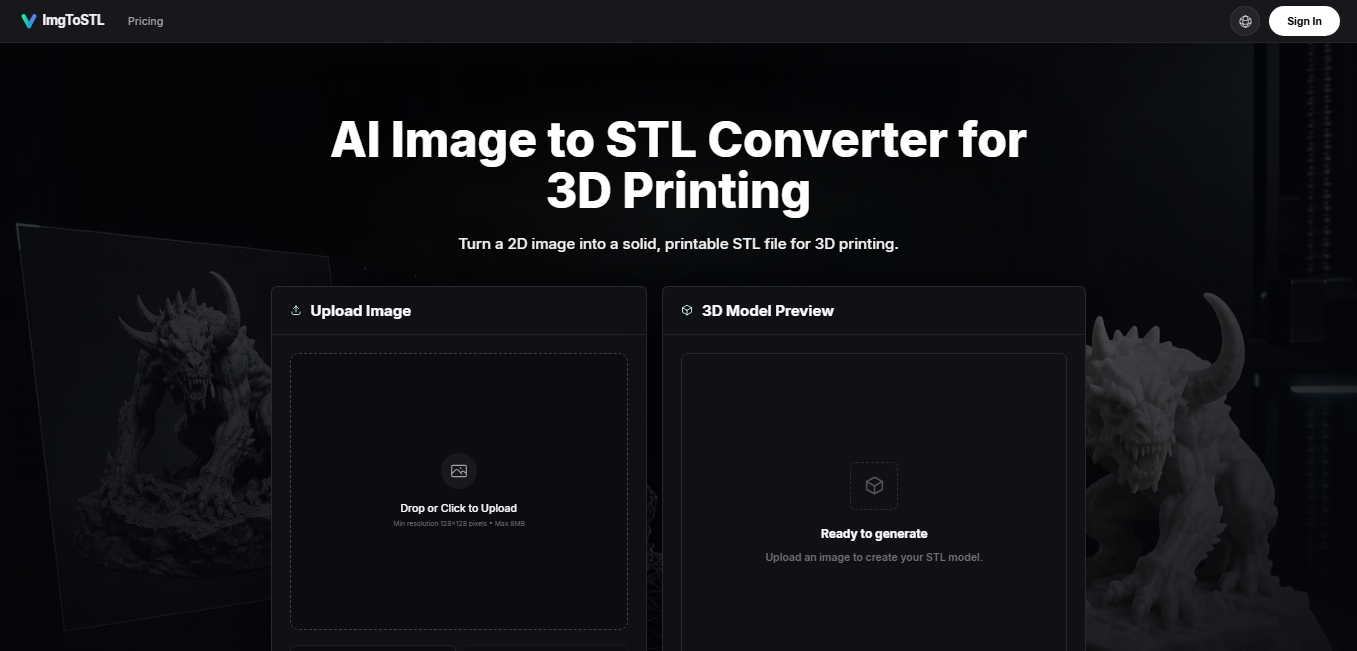
Image to STL is an advanced image-to-3D conversion solution designed specifically for additive manufacturing and digital design workflows. Unlike traditional converters that are limited to creating basic heightmaps, this tool leverages artificial intelligence to reconstruct solid three-dimensional shapes from two-dimensional references. Its primary function is to transform photographs, sketches, and visual concepts into 3D-print-ready STL files, facilitating the transition from conceptual design to physical object without the need for complex manual modeling from scratch.
The functionality of ImgToSTL is based on a deep analysis of the source image, evaluating the silhouette, contrast, and depth cues to generate a coherent geometric mesh. The process is straightforward: the user uploads a file in JPG, PNG, JPEG, or WebP format (with a minimum resolution of 128x128 pixels), and the system processes the data to create a volumetric model. In addition to the geometry, the platform can generate texture maps and PBR properties (roughness and metallic), adding a layer of technical detail useful for both visualization and production.
Key capabilities of this tool include:
Solid mesh generation: Creates closed and stable geometries, optimized to be correctly interpreted by computer slicing software.
Interactive 3D preview: Allows you to rotate and inspect the generated model before downloading the final file.
Export versatility: Although its primary focus is the STL format, it also supports OBJ, GLB, and FBX outputs, ensuring interoperability with other design software.
Intelligent reconstruction: Capable of interpreting product photos, spare parts, miniatures, and architectural elements.
Image to STL is particularly useful for both technical and creative professionals. Tabletop and miniature enthusiasts can convert illustrations into figures, while in the industrial sector, it enables rapid prototyping from technical drawings or component photos. It is also a valuable tool for cosplay creators and jewelry designers who need to transform ornamental designs into physical pieces with real relief and volume.
For best results, it is recommended to use images with centered subjects, clear lighting, and simple backgrounds. Once the file is downloaded, the user can import it into their preferred slicer or make final adjustments in editing software like Blender or Fusion 360 to verify wall thickness and scale before sending the design to the 3D printer.
Features and Use Cases of Image to STL
How Image to STL Works
Frequently Asked Questions about Image to STL
Is the Image to STL converter free?
AI generation requires the use of credits, so it is not an unlimited free tool, although it allows you to preview examples before purchasing a package.
How can I convert an image into an STL file with ImgToSTL?
You need to upload a clear image to the dashboard, click the "Create Model" button, review the 3D preview, and download the final file for your slicer.
What image formats does the Image to STL tool support?
You can use JPG, PNG, JPEG, and WebP files with a maximum size of eight megabytes and a minimum resolution of 128 pixels.
Can Image to STL files be 3D printed directly?
The system generates print-ready solid files, although highly complex designs or those with low contrast might require minor adjustments in programs like Blender or Meshmixer.
Can I use ImgToSTL models to sell my own products?
Yes, all 3D assets generated through any of the paid plans include a commercial license to sell physical parts or use them professionally.
What sets Image to STL apart from other basic image converters?
Unlike simple tools that only create reliefs, this technology uses AI to reconstruct full 3D shapes from photos, sketches, or concepts.
What kind of objects can I create with Image to STL?
It is an ideal solution for manufacturing tabletop miniatures, spare parts, rapid prototypes, jewelry, cosplay props, and decorative plaques.
Is it possible to get textures and materials with ImgToSTL?
Yes, the tool offers options to generate color texture maps and PBR materials that add roughness and metallic finishes to the generated model.
Image to STL Pricing
Free
Upload images and preview examples.
3D model generation requires purchasing credits.
Starter ($9.90)
800 credits (approx. 8 3D generations).
Credits valid for up to 1 year.
Commercial license included.
Access to all AI models.
One-time payment, no subscription.
Pro Standard ($29.90)
3,000 credits (approx. 30 3D generations).
Credits valid for up to 1 year.
Commercial license included.
Access to all AI models.
Priority customer support.
One-time payment, no subscription.
Max Value ($69.90)
8,000 credits (approx. 80 3D generations).
Credits valid for up to 1 year.
Commercial license included.
Access to all AI models.
Priority customer support.
One-time payment, no subscription.
Image to STL Screenshots