
Share
What is JingleLark?
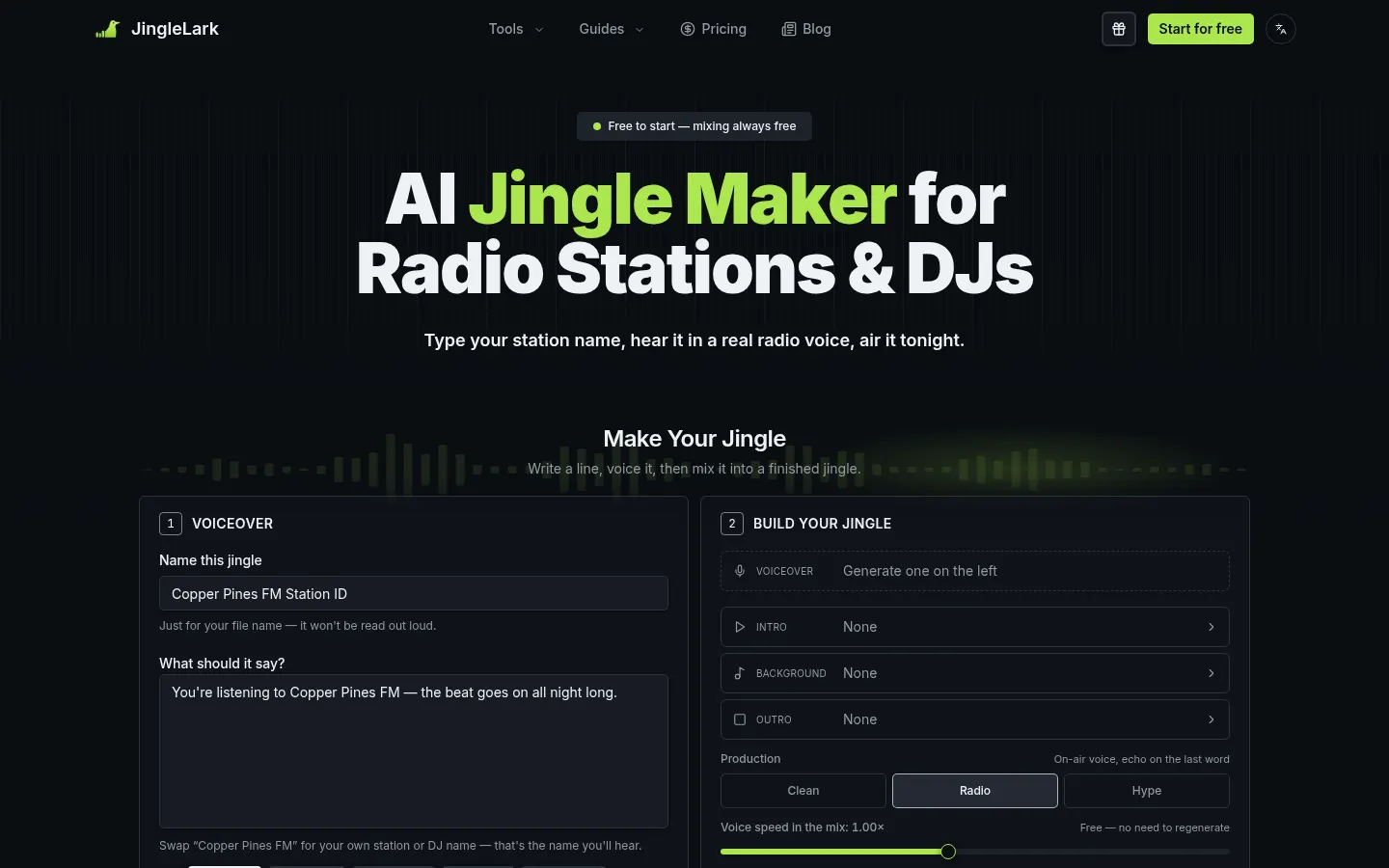
JingleLark is an AI tool that creates on-air radio jingles: you type a line with your station name, pick an announcer voice and mix it with an intro, a music bed and an outro. It is built for internet, community and hospital radio, show hosts and DJs on a tight budget.
What can you make with JingleLark?
It handles station IDs, sweepers between songs, news stings, show intros, DJ drops and sponsor spots of around 15 seconds. Length follows what you write, so it is easy to fit each piece into the gap between records. If a name sounds off, you can fix how it is pronounced.
How do the voices and mixing work?
There are 28 radio voices grouped into seven on-air roles (vintage DJ, late-night announcer, hype announcer, British presenter, warm narrator and more), with pace adjustable from 0.7× to 1.2×. You can also clone your own voice by recording or uploading 8 to 30 seconds of clear speech. The final mix is separate from the voiceover: swap the intro, the bed or the production style (clean, radio or hype, with an echo on the last word) and rebuild the jingle as often as you like without regenerating the voice.
Who is JingleLark for?
- Small stations that cannot commission a full imaging package.
- Volunteer presenters who need an opener for their show.
- DJs who want drops with their name to fire from a sampler.
JingleLark pros and cons
On the plus side, every voice is open to every account, mixes and MP3 or WAV downloads are unlimited, and output comes with commercial rights, including client work. On the downside, every new voiceover uses a credit, the voice lineup is geared to English, and a commercial license is not the same as copyright over the generated audio.
JingleLark features and use cases
How to use JingleLark
JingleLark FAQ
What is JingleLark?
JingleLark is an AI jingle maker for small stations, presenters and DJs that creates station IDs, sweepers, show intros and drops with announcer voices.
Is JingleLark free?
Mixing and downloads are free, but each new voiceover uses a credit; you get one free credit on sign-up. See the pricing section.
Is it a subscription?
No. You buy credit packs with a one-time payment and credits never expire.
Can I use my own voice?
Yes. Record or upload 8 to 30 seconds of clear speech and it becomes another voice in your list.
Can I use the jingles commercially?
Yes, they come with commercial rights, including client work, with no per-play fees.
Does changing the mix use credits?
No. Only the voiceover uses credits; you can rebuild the mix with a different intro or bed as often as you like.
Does JingleLark have an API?
The official site does not mention a public API; it runs as a web app.
Does JingleLark work in Spanish?
The website has a Spanish version, but the voice lineup is geared to English voiceovers.
What are the alternatives to JingleLark?
On GptZone you can compare it with Murf or Mubert for AI voices and music.
JingleLark pricing and plans
Reference price: 14.9 USD · one-time payment. Source · Verified: November 15, 2026
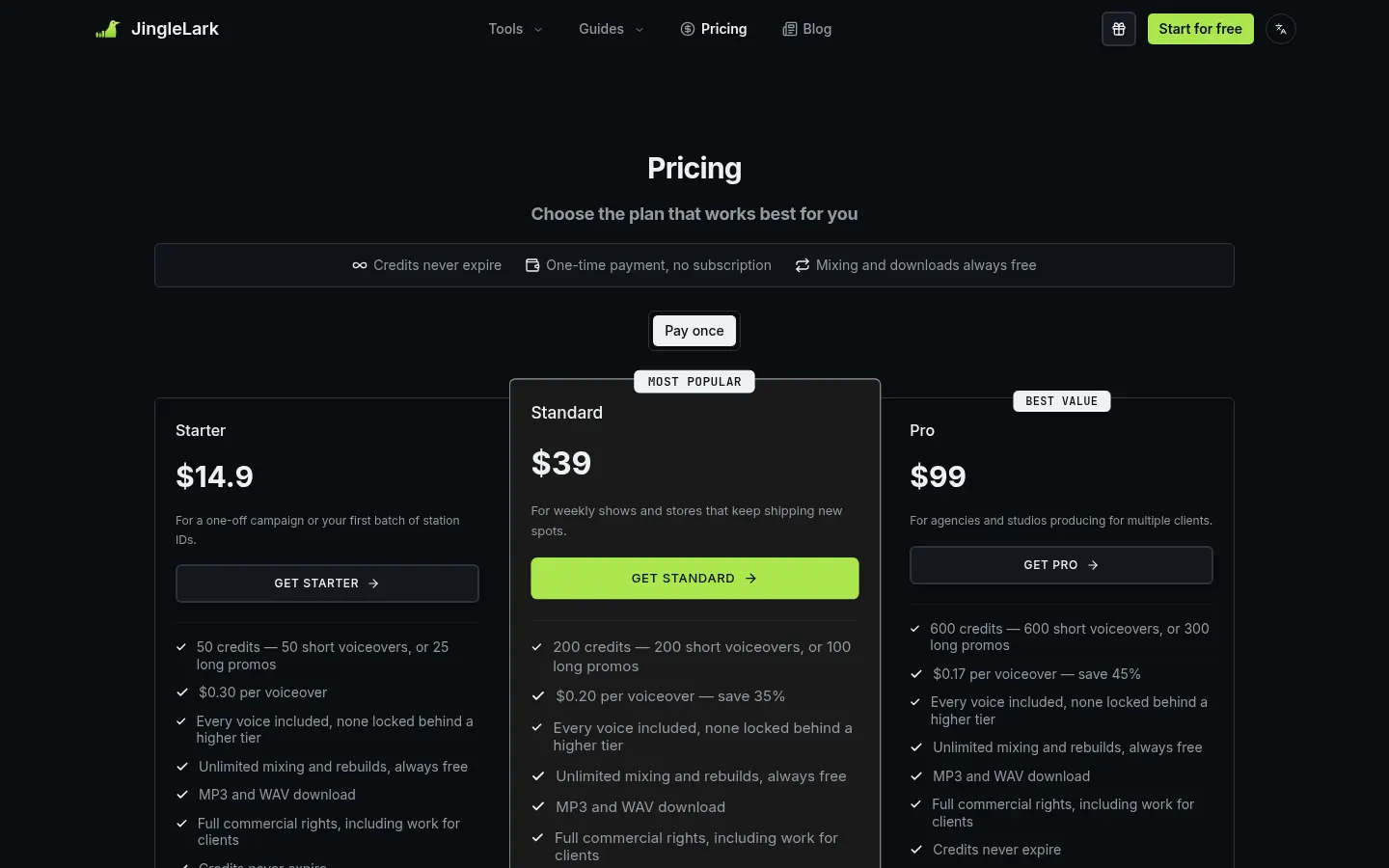
Prices in US dollars (USD) as listed on the official site. Checked on: 15/11/2026. One-time payment, no subscription; credits never expire and mixing and downloads are always free.
Starter: $14.90 for 50 credits (50 short voiceovers or 25 long promos).
Standard: $39 for 200 credits.
Pro: $99 for 600 credits.
All include every voice, MP3 and WAV, and commercial rights. You get 1 free credit on sign-up and 1 more for each 7-day check-in streak (these expire after 30 days).
JingleLark Screenshots
JingleLark user reviews
Write a review
Checking your session...
JingleLark Reviews
Loading reviews...
JingleLark alternatives
Voice Remover
Voice Remover is an AI vocal isolator that splits a song or video into an instrumental track and a vocals track, in the browser and without signing up.


Adobe Podcast
Adobe Podcast is a browser-based AI audio suite: Enhance Speech to clean up voice, Studio to record and edit by transcript, plus captions and music removal.
