

Share
AI platform that generates and manages business automations via natural language. Integrates APIs and web browsing, correcting errors autonomously and securely.
What is Komos ?
Komos is an advanced AI process automation platform designed for enterprise teams looking to optimize workflows without relying on complex scripts or fragile integrations. Unlike traditional automation tools, this solution allows users to describe their needs in natural language so an autonomous AI agent can create, execute, and maintain the entire automation, eliminating the need for constant technical intervention.
The technology behind Komos uses a hybrid approach, combining browser automation with over 100 native API integrations. The AI engine evaluates the most efficient path to complete each step of a task in real-time, deciding whether it is better to navigate a web portal, make a direct API call, or analyze a specific document. One of its most critical capabilities is preventive workflow maintenance; the system can detect changes in a website's interface or loading errors and automatically correct the process without interrupting service.
This tool manages the entire task lifecycle, from its conception via a conversational interface to the detailed monitoring of every execution. To ensure security in corporate environments, Komos incorporates a credential vault to manage secure and encrypted login flows. Additionally, it offers great operational versatility by allowing triggers via webhooks, email, APIs, or custom schedules.
In the area of data management, the platform stands out for its document processing capabilities, supporting formats such as PDFs, images, and spreadsheets. This allows teams to quickly and accurately convert unstructured data into valuable business assets.
Practical applications for Komos include:
- Automated data entry in web portals that lack official connectors.
- Document archiving and autonomous organization of digital records.
- Executing compliance audits and monitoring regulatory processes.
- Generating recurring reports by extracting data from multiple heterogeneous sources.
Among its functional benefits, the platform excels at translating visual signals into logical actions and transforming user tutorials into operational workflows. Thanks to its detailed execution logs, IT managers can audit every step taken by the AI, ensuring total traceability. It is an ideal solution for replacing repetitive "human-at-the-keyboard" tasks, allowing the team to focus on work with higher strategic value.
Komos features and use cases
How to use Komos
Komos FAQ
What is Komos and how does it help my team?
Komos is an AI-powered automation platform that creates, runs, and maintains business workflows based on natural language descriptions.
How does Komos handle errors when a website changes its design?
The AI automatically detects any modifications or errors on the website and adjusts the execution path to resolve the issue without manual intervention.
Do I need to know how to code to use the tool?
There is no need to write scripts or complex code; you simply describe your needs, and the AI agent generates the complete automation for you.
What types of files can the platform analyze?
The tool can efficiently process and extract information from various documents, including PDFs, images, and spreadsheets.
How does Komos ensure the security of my login credentials?
The system uses a dedicated credential vault that allows you to manage logins across different portals in a completely secure and private manner.
How can I trigger the automations I’ve created?
Workflows are activated via a set schedule, an incoming email, a webhook, or through an API integration.
What tasks do companies typically automate with Komos?
Teams use the platform for data entry into web portals, document archiving, compliance audits, and generating periodic reports.
Does the system provide a log of the actions performed?
Yes, the platform provides detailed logs of every step executed by the AI, allowing users to monitor the entire process.
Komos pricing and plans
Detailed information regarding specific Komos pricing plans is currently unavailable. We recommend checking their official website for the latest details on pricing, potential free versions, and available subscriptions.
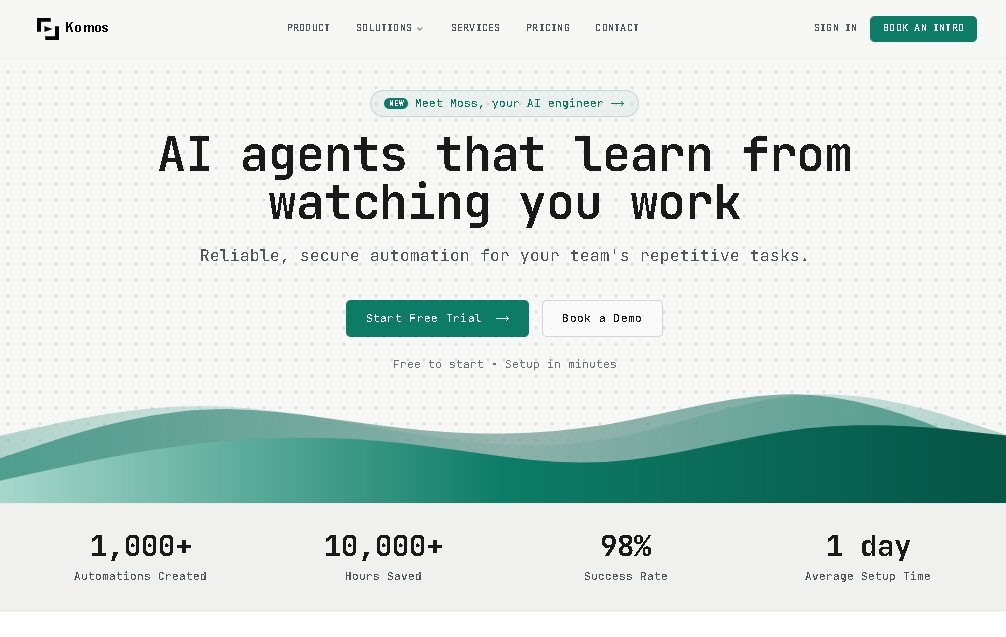
Komos Screenshots
Komos alternatives



localscreenshot
localscreenshot is a screenshot API and MCP server for AI agents, returning clean captures of any web page on phone or desktop from 227 countries.



Nuclr Commander
Workspace for running multiple AI agents in parallel with a file manager. Supports local or external models and remote mobile monitoring.