

Share
AI image, video, and audio generator. Create consistent characters, swap faces, enhance quality, and edit content privately from your browser.
What is Mage?
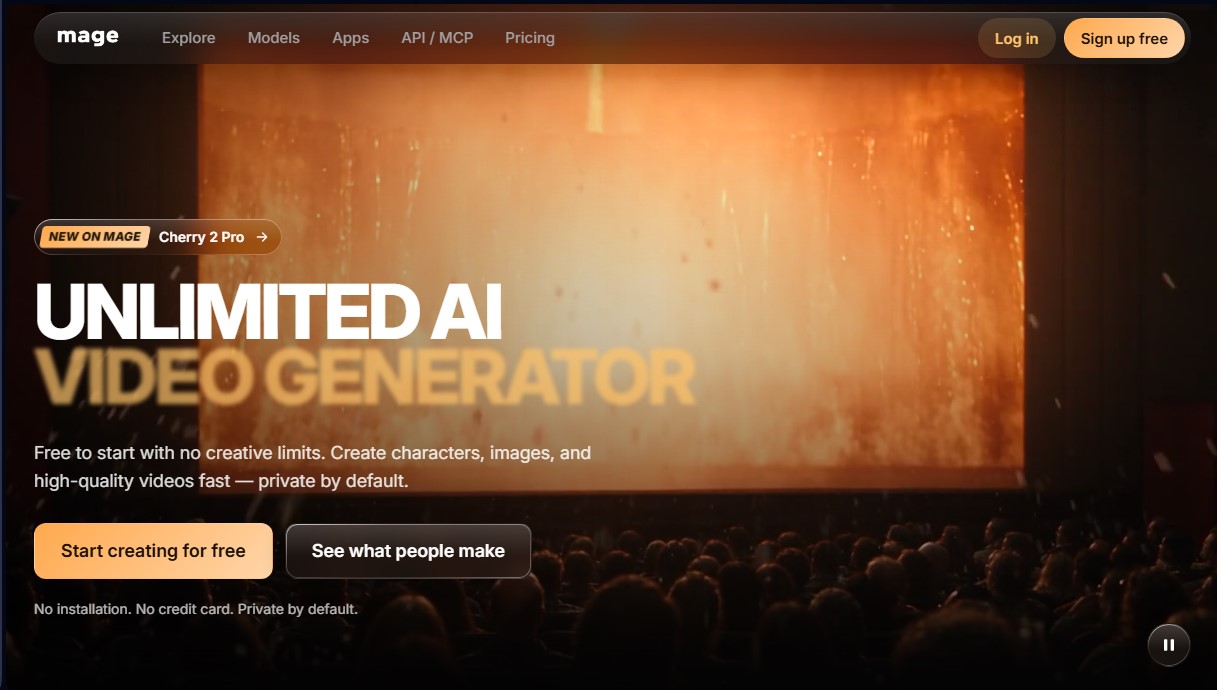
Mage is an advanced AI-powered multimedia content creation platform that allows you to generate high-quality images, videos, and audio directly from your browser. This ecosystem stands out by centralizing multiple AI models into a single interface, facilitating a professional workflow without the need for local installations on your computer.
The tool utilizes proprietary models optimized for specific tasks. Mango 3 is its flagship image model, designed to follow exact instructions and maintain character consistency across various generations. Meanwhile, Cherry 2 Pro specializes in high-resolution video generation, allowing for clip editing via visual references and the inclusion of synchronized voices. Additionally, it integrates leading external models such as Stable Diffusion XL, Flux 2, Krea 2, and Grok, offering versatility based on the required aesthetic or technical precision.
One of Mage’s most powerful capabilities is its Motion Control system. This feature allows you to upload a reference video to apply its exact movement to an AI-generated character, enabling them to perform complex actions naturally. Creative control is further enhanced by a catalog of integrated applications:
- Face Swap and Video Character Swap: Seamlessly exchange faces or entire characters in images and video files.
- Inpaint: Modify specific areas of an image using masks and descriptive prompts.
- Image and Video Enhancer: Upscaling and refinement tools to improve sharpness and visual detail.
- Lipsync: Synchronize a subject's lip movements based on an audio clip and a static image.
- Outfit Swap and Relight: Features to change a subject's clothing or adjust the lighting direction and the overall mood of the scene.
For users seeking narrative consistency, the platform allows for the creation and saving of unique characters. By assigning a specific @handle, the system recognizes the character for recurring use in new images and videos—a key feature for AI influencers and storytelling projects.
On the technical side, Mage provides solutions for developers via a REST API, an MCP server to connect with assistants like Claude or ChatGPT, and official SDKs. This enables the automation of AI image generation and the integration of its models into third-party applications.
Privacy is a fundamental aspect of the service, as all creations are private by default. Furthermore, generated content can be used for commercial purposes, making this tool a practical solution for designers, marketing agencies, and content creators who need original visual assets without creative restrictions.
Mage features and use cases
How to use Mage
Mage FAQ
What exactly is Mage, and what kind of content can it generate?
Mage is a browser-based AI platform that allows you to create images, videos, and audio using advanced models like Mango 3 or Cherry 2 Pro.
Can I use Mage for free?
Yes, you can start using the tool for free with a 300-gem welcome bonus, which lets you try any available model without needing a subscription.
Are the images and videos I create on Mage private?
All your creations are private by default and will only become public if you choose to share them with the community or on social media.
Can I use content generated on Mage for commercial projects?
Yes, the platform allows commercial use of all the content you generate, and you are not required to provide attribution to the tool.
How can I keep a character consistent across multiple images in Mage?
You need to upload a reference image to create a character profile and then use their username with an "@" symbol in your generation prompts.
What are the benefits of Mage's subscription plans compared to the free version?
Paid memberships unlock unlimited content generation, provide additional monthly gems, and grant access to premium high-definition video models.
What editing tools does Mage offer besides text-to-content generation?
The platform includes specialized tools for face swapping, changing outfits, improving skin quality, and lip-syncing with audio files.
Does Mage have an API for developers?
Yes, the tool offers its own API and servers to connect AI assistants like Claude or ChatGPT via professional workflows.
Mage pricing and plans
Free
$0 per month
Limited access to platform features.
300-Gem welcome bonus to try on-demand models.
Basic
$10 per month
Unlimited image generations.
500 monthly Gems for specific model usage.
Pro
$30 per month
Unlimited video generation.
Unlimited character creation.
1,500 monthly Gems.
Pro Plus
$60 per month
Access to premium video models.
Image enhancement (Enhance) up to 4K resolution.
3,500 monthly Gems.
Max
$200 per month
Access to Motion Control Video (motion control via reference video).
High-definition video generation (HD up to 1080p).
15,000 monthly Gems.
Mage Screenshots
Mage user reviews
Write a review
Checking your session...
Mage Reviews
Loading reviews...
Mage alternatives


FaceTouchUp
AI-powered cosmetic surgery simulator to visualize facial and body enhancements. Streamline consultations and help patients preview their final look.

Sprite Fusion
Generate and animate professional pixel art for games using AI. Create sprites, character sheets, and normal maps with direct export to Unity and Godot.

AI Comic Builder
A platform to create comics and webtoons from text. Generate panels with consistent characters and diverse art styles—no drawing skills required.