

Share
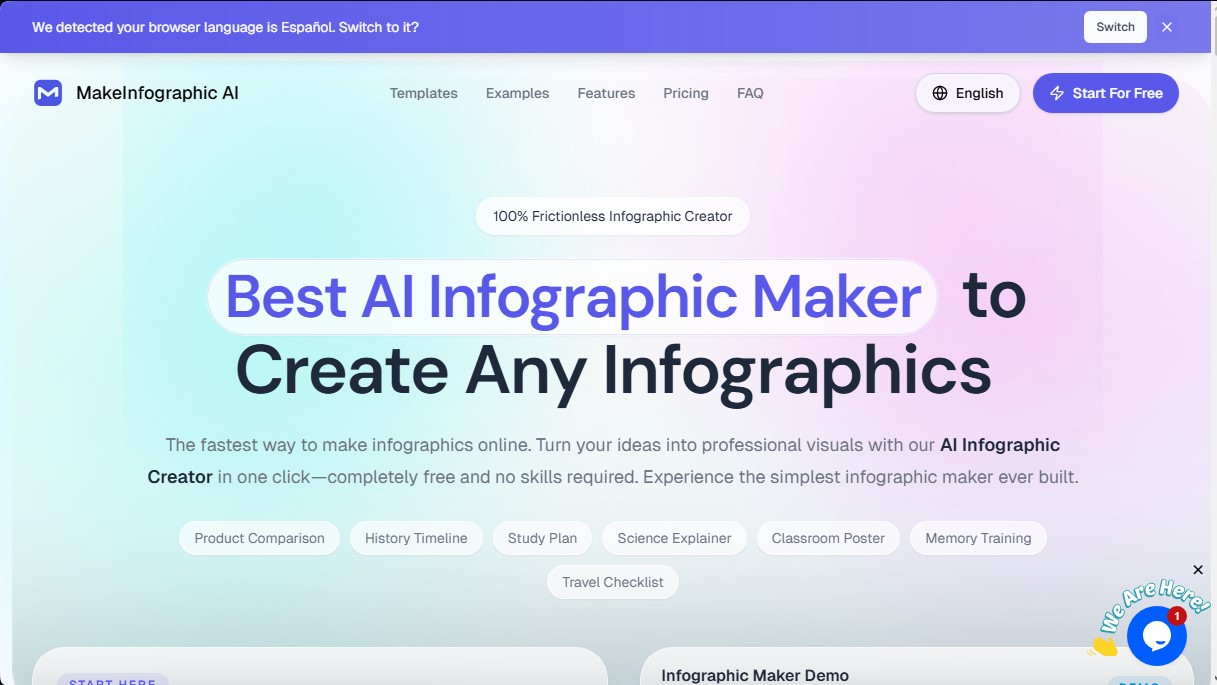
Generate professional infographics from text in one click. Instantly create timelines, processes, and visual comparisons with no design skills required.
What is MakeInfographic AI?
MakeInfographic AI is an AI-powered infographic creation tool designed to instantly transform complex ideas and text into professional visual resources. Its primary function is to eliminate the barriers of traditional graphic design, allowing any user, regardless of prior experience, to generate structured visual content with a single click. Unlike manual editors that require dragging elements onto a blank canvas, this platform uses natural language processing to interpret a brief or description and automatically lay out the information, icons, and visual hierarchy.
The operation of MakeInfographic AI is based on a simplified three-step workflow. First, the user enters descriptive text, data, or an outline of key points into the generator. Second, the desired structure type and visual style are selected. Finally, the AI processes the request and delivers a graphic piece ready for download or further editing. This technology allows the system to determine the best layout for elements based on the volume of information, optimizing readability for both desktop and mobile devices.
This solution offers great versatility thanks to its technical capabilities and customization options:
- Variety of formats: It allows for the creation of timelines, comparison charts, process diagrams, information pyramids, roadmaps, statistical infographics, and flowcharts.
- Adaptable visual styles: It includes finishes such as Clean (flat 2D for reports), Sketch, Clay 3D, Comic, Isometric, and Editorial, making it easy to match the design to the tone of the brand or project.
- Dimension flexibility: It supports multiple aspect ratios, including 1:1, 9:16, 16:9, and specific formats for social media platforms like TikTok, Instagram, or LinkedIn. It also features an Auto function that adjusts the size based on the content.
- Multi-language support: The tool can generate content directly in English, Spanish, French, German, and other languages, maintaining grammatical consistency within the graphics.
The profiles that benefit most from MakeInfographic AI include teachers who need educational posters for the classroom, students looking to synthesize their notes into visual summaries, and marketing professionals who require quick data visualization for social media. It is also a valuable resource for consultants, researchers, and HR teams who need to communicate strategies, training plans, or internal processes clearly and professionally without relying on a graphic design department.
The fundamental practical benefit is time optimization and the ability to produce high-resolution visual content (up to 4K) starting only from a text-based idea. By automating element layout and typography selection, the user can focus on the quality of the information, achieving polished results suitable for both digital presentations and printed materials.
MakeInfographic AI features and use cases
How to use MakeInfographic AI
MakeInfographic AI FAQ
What is MakeInfographic AI and how does it work?
It is an AI-powered infographic generator that allows you to transform your ideas or text into professional visuals automatically with just one click.
Do I need design skills to use MakeInfographic AI?
No prior experience or technical skills are required, as the tool handles the entire design process based on a simple description.
Can I create infographics in Spanish with this tool?
Yes, the system is fully compatible with Spanish and other languages, allowing you to generate content with correct grammatical structures in your selected language.
What types of visual content can I create with MakeInfographic AI?
The platform allows you to create a wide variety of formats, such as timelines, product comparisons, lesson plans, classroom posters, and roadmaps.
Does MakeInfographic AI offer a free option?
Yes, there is a free version that allows new users to try the generator and create their first infographics quickly and at no cost.
What visual styles are available for my designs?
You can choose from several professional finishes, including clean styles, hand-drawn sketches, 3D designs, comic book aesthetics, or editorial layouts.
What sizes and formats can I download my infographics in?
The tool supports various aspect ratios, such as square for social media or vertical for posters, and offers up to 4K resolution for subscribers.
Can I remove the watermark from the generated images?
Users with active subscription plans can download their creations without watermarks or even customize them with their own corporate branding.
Is MakeInfographic AI useful for the education sector?
It is an ideal solution for teachers and students who need to summarize complex topics, create scientific posters, or design visual study materials efficiently.
How can I start designing my first infographic?
Simply type a detailed description of your idea into the text box, select the type of infographic and your preferred visual style, and the AI will generate the result.
MakeInfographic AI pricing and plans
Free
$0 per month
- 20 monthly credits.
- Limit of 5 infographics (1K) per month.
- Mandatory default watermark (MakeInfographic.ai).
- PDF downloads not available.
- No technical support.
Starter
$9.99 per month (or $3.99 per month billed annually)
- 200 monthly credits.
- Limit of 50 infographics (1K) per month.
- Remove or customize watermarks.
- PDF downloads available.
- 4K resolution export included.
- Email support.
Standard
$19.99 per month
- 500 monthly credits.
- Limit of 125 infographics (1K) per month.
- Remove or customize watermarks.
- PDF downloads available.
- Email support.
Team & Company
$69.99 per month (or $27.99 per month billed annually)
- 5,000 monthly credits.
- Limit of 1,250 infographics (1K) per month.
- Remove or customize watermarks.
- PDF downloads available.
- 24/7 priority email support.
MakeInfographic AI Screenshots
MakeInfographic AI user reviews
Write a review
Checking your session...
MakeInfographic AI Reviews
Loading reviews...
MakeInfographic AI alternatives


AppLaunchFlow
Generate screenshots, ASO copy, icons, videos, and mockups for app stores. Includes localization, social graphics, and app ranking tracking.



utilz Background Remover
Remove image backgrounds for free with total privacy in your browser. Create transparent or colored backgrounds without uploading files while maintaining original resolution.
