
Meshy Image to 3D
Share
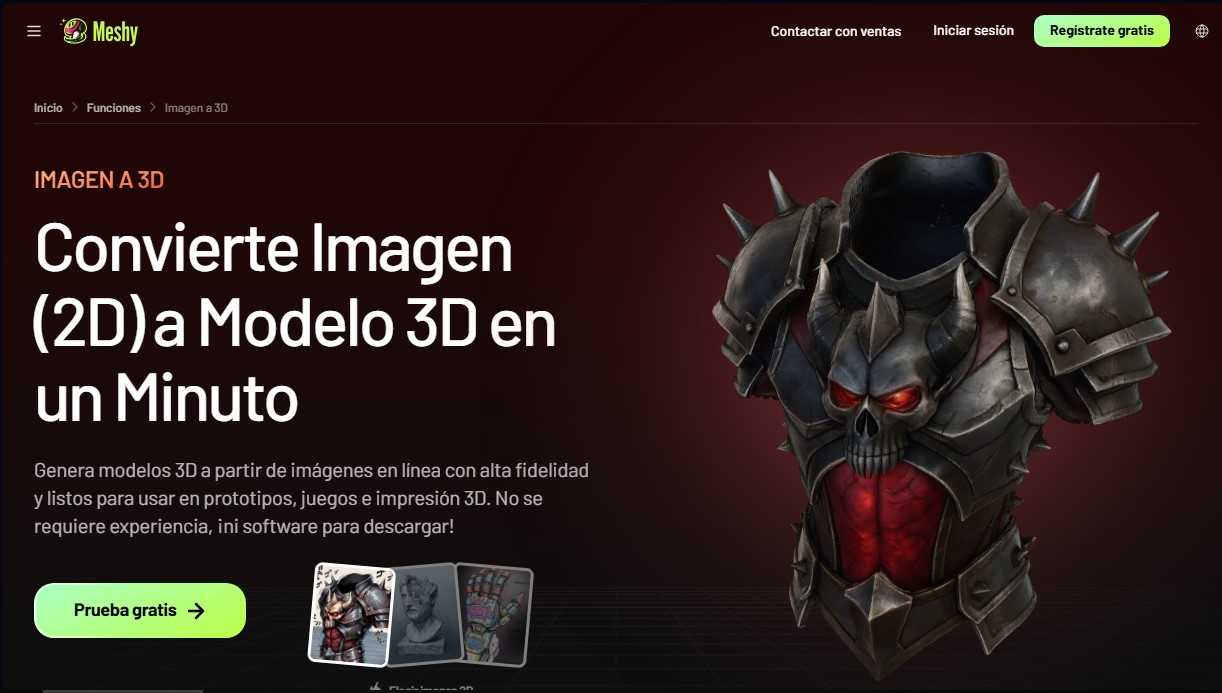
Create detailed 3D models from photos and sketches in a minute. Get high-quality meshes and PBR textures for games or 3D printing without installing any software.
What is Meshy Image to 3D?
Meshy Image to 3D is an AI tool designed for high-fidelity 2D image-to-3D model conversion. This cloud-based application allows game developers, product designers, and 3D printing enthusiasts to transform photos, sketches, or concept art into three-dimensional assets in about a minute. By running directly in the browser, it eliminates the need for complex software installations or prior technical modeling experience.
The system utilizes advanced models such as Meshy 7 and Meshy 6 to interpret depth and geometry from visual inputs. Users can choose to process a single image, which is ideal for symmetrical subjects, or use the Multi-view feature, which allows for uploading up to four angles of the same object to achieve a more accurate reconstruction of the sides and back. Additionally, Smart Topology technology ensures clean geometry and sharp edges, generating meshes that can reach up to 600,000 faces for maximum resolution.
Key capabilities include:
- PBR Texture Generation: Each model includes production-ready texture maps, such as Diffuse, Roughness, Metallic, and Normal.
- Batch Processing: Convert up to 10 different images into separate models in a single run, optimizing catalog creation.
- Mesh Optimization: Features Remesh tools to adjust polygon count and topology according to project needs.
- AR Compatibility: Direct export to USDZ format, optimized for augmented reality viewing on mobile devices.
- Rigging-Ready: Includes custom pose options (A-Pose or T-Pose) to facilitate subsequent character animation.
This solution is particularly useful in game development, enabling the generation of assets ready for engines like Unity, Unreal Engine, Blender, or Roblox Studio. For the manufacturing sector, it offers a high success rate in slicing software, facilitating the creation of STL and 3MF files for physical printing. Export versatility covers universal formats such as FBX, OBJ, GLB, and BLEND, ensuring seamless integration into professional workflows.
Meshy Image to 3D also incorporates Image Enhancement features to clean up the source image and improve the final result. Its focus on smart topology and proportional accuracy makes it an efficient alternative to traditional photogrammetry, allowing any user to obtain detailed 3D assets quickly and easily.
Meshy Image to 3D features and use cases
How to use Meshy Image to 3D
Meshy Image to 3D FAQ
What is Meshy Image to 3D and what is it used for?
It is an AI-powered tool that allows you to convert 2D images into detailed, textured 3D models in approximately one minute.
Do I need to install any software to use Meshy?
No, you don't need to download any apps or install plugins, as the entire tool runs directly in your web browser.
What export formats does Meshy Image to 3D support?
You can export your models in a wide range of standard formats, including GLB, OBJ, FBX, STL, USDZ, BLEND, 3MF, and DXF, for use in any external software.
Can I generate a 3D model from multiple photos of the same object?
Yes, the Multi-view feature allows you to upload up to four images from different angles, enabling the AI to achieve a much more accurate reconstruction of the sides and back.
Are Meshy models suitable for 3D printing?
The generated models are fully compatible with 3D printing. You can export them directly in STL or 3MF formats to use in slicing software like Bambu Studio or Cura.
Who owns the copyright for models generated in Meshy Image to 3D?
Users on paid plans have full private ownership of their models, while creations made on the free plan are licensed under CC BY 4.0 and require attribution.
What image file types can I upload to the platform?
The tool supports PNG, JPG, and WEBP files. For the best results, we recommend using images with good lighting and clean backgrounds.
Does Meshy Image to 3D provide professional-grade textures?
Every generated model includes full PBR texture maps, including diffuse, roughness, metallic, and normal layers, to ensure a realistic finish in any rendering engine.
How long does it take to generate a 3D model with this tool?
Most conversions are completed in about sixty seconds, although the exact time may vary slightly depending on the complexity of the image or the selected settings.
Can I use Meshy Image to 3D with programs like Unity or Unreal Engine?
Yes, models exported in FBX or GLB formats work perfectly in all major game engines, and the platform offers specific plugins to make the import process even easier.
Meshy Image to 3D pricing and plans
Free
0 € per month
100 monthly credits.
1 concurrent task.
Low queue priority.
Basic AI features.
CC BY 4.0 License (requires attribution for commercial use).
Pro
19 € per month (15.2 €/mo billed annually)
1,000 monthly credits (up to 100 assets).
10 concurrent tasks with high queue priority.
60% faster generation speed.
4 free retries per task.
Unlimited model and animation downloads.
Private license for all assets.
Advanced tools and DCC Bridge integration (Blender, Unity, Unreal, etc.).
Offer: 50% off your first month (9.5 €).
Premium
38 € per month (30.4 €/mo billed annually)
3,000 monthly credits (up to 300 assets).
30 concurrent tasks with higher queue priority.
80% faster generation speed.
12 free retries per task.
Early access to new features.
Creative Lab: 4 free designs per day and a $30 shipping coupon.
Offer: 50% off your first month (19 €).
Ultra
95 € per month (76 €/mo billed annually)
8,000 monthly credits (up to 800 assets).
100 concurrent tasks with highest queue priority.
80% faster generation speed.
40 free retries per task.
Creative Lab: 12 free designs per day and a $30 shipping coupon.
Offer: 50% off your first month (47.5 €).
For Teams
67 € per month (53.33 €/mo billed annually)
Shared pool of 5,500 credits (up to 550 assets).
60 concurrent tasks.
Team management and centralized billing.
14-day API asset retention.
Base price per seat starting at 9.5 €/mo.
Offer: 50% off your first month (33.5 €).
Custom
Volume-based pricing (contact official website for details)
Customizable credit balance.
100 concurrent tasks.
Multi-team and workspace management.
Full API access and permanent asset retention.
Dedicated account support and SAML SSO.
Meshy Image to 3D Screenshots
Meshy Image to 3D user reviews
Write a review
Checking your session...
Meshy Image to 3D Reviews
Loading reviews...
Meshy Image to 3D alternatives


AppLaunchFlow
Generate screenshots, ASO copy, icons, videos, and mockups for app stores. Includes localization, social graphics, and app ranking tracking.



utilz Background Remover
Remove image backgrounds for free with total privacy in your browser. Create transparent or colored backgrounds without uploading files while maintaining original resolution.
