Share
Create a local AI cluster to distribute inference tasks across multiple computers, optimizing hardware and processing data privately without using the cloud.
What is NVIDIA PAIR?
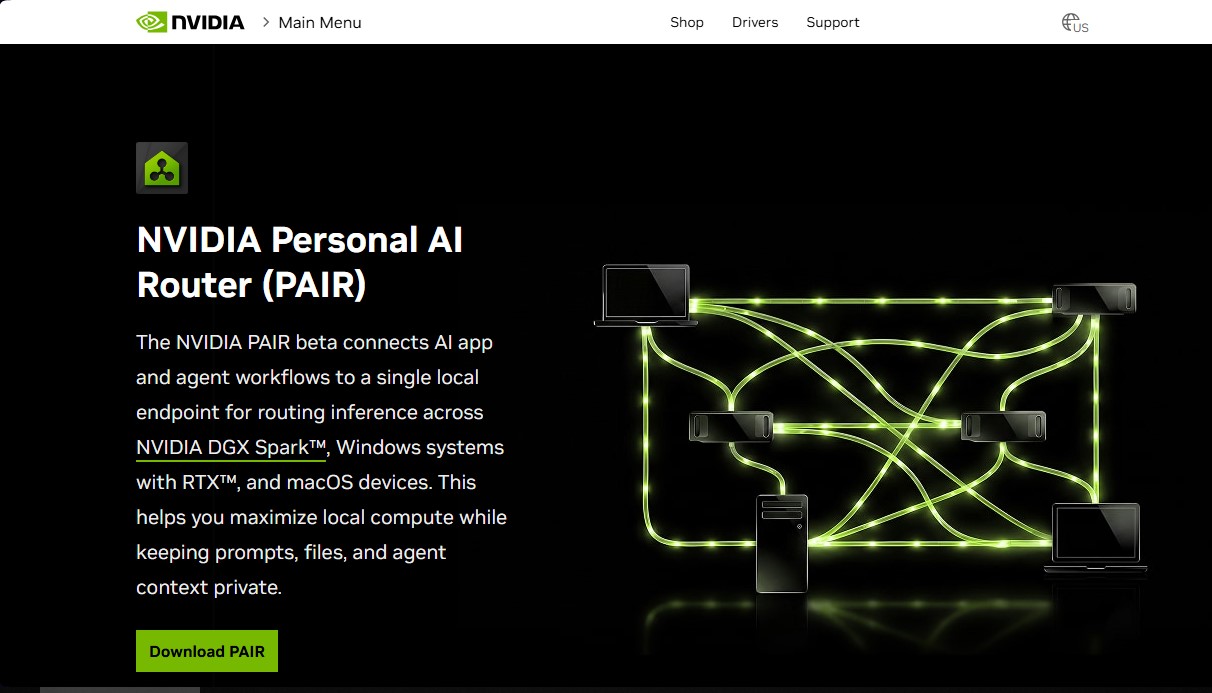
NVIDIA PAIR (Personal AI Router) is a software tool designed for the efficient management of artificial intelligence workflows using local infrastructure. Its core purpose is to act as a single point of connection that centralizes and distributes inference tasks across multiple devices connected to the same network. Thanks to this technology, it is possible to create a personal AI cluster without the need for server racks or complex cabling, leveraging the combined processing power of different computers and operating systems.
The operation of NVIDIA PAIR focuses on intelligent workload routing. When a user runs AI applications or agents, the tool identifies which cluster nodes are idle or have the highest capacity to process the request. This approach maximizes the performance of available hardware, allowing Windows, Linux, and macOS systems to collaborate in parallel. It is an ideal solution for developers and power users looking to privately run large-scale language models or autonomous agents.
Among its technical capabilities, its compatibility with popular inference backends like Ollama and LM Studio stands out. NVIDIA PAIR acts as a proxy that provides a consistent endpoint for applications, facilitating the integration of existing local AI tools. By keeping all processing within the user's network, it guarantees private local inference, ensuring that prompts, documents, and agent contexts are not sent to external servers or the cloud.
The key features and benefits of this solution include:
- Resource Aggregation: Combines the power of NVIDIA RTX GPUs (20-series or higher), DGX Spark systems, and Mac devices with M4 processors or later.
- Queue Management: Prevents bottlenecks by distributing heavy tasks among different nodes within the local cluster.
- Data Privacy: Maintains data sovereignty by processing all content locally and securely in a home or professional environment.
- Platform Flexibility: Supports validated configurations on Windows 11, DGX OS, Ubuntu 14.04, and macOS Tahoe.
To implement NVIDIA PAIR, users must install the software on compatible devices and link them within the same local network. Minimum requirements include 8 GB of RAM and a recommended disk space of 20 GB. Once configured, the system allows local AI applications to significantly scale their responsiveness, transforming several independent devices into a high-performance computing unit for generative AI tasks and data processing without relying on external services.
NVIDIA PAIR features and use cases
How to use NVIDIA PAIR
NVIDIA PAIR FAQ
What is NVIDIA PAIR and what is its main purpose?
It is software that connects your local devices to create an AI cluster and efficiently distribute inference tasks.
What hardware components does NVIDIA PAIR require to function?
You need machines equipped with GeForce RTX 20-series graphics cards or higher, DGX Spark systems, or Mac devices with an M4 processor or newer.
How does NVIDIA PAIR guarantee the privacy of my queries?
By running inference processes entirely on your local network, your files and conversation context are never sent to the cloud.
Which local inference tools can I connect to NVIDIA PAIR?
The system is compatible with Ollama and LM Studio, allowing your applications to use a single access point to manage requests.
Is a constant internet connection necessary for operation?
An internet connection is not required for the local cluster to function, though you will need it periodically to download language models.
How do I add new devices to the NVIDIA PAIR cluster?
Simply install the software on compatible devices connected to the same home network and follow the pairing steps.
Does NVIDIA PAIR pool the memory of all my graphics cards into one?
It doesn't combine the memory into a single virtual unit; instead, it intelligently manages and distributes tasks among all available nodes.
Which operating systems are compatible with this tool?
You can install the application on systems running Windows 11, DGX OS, Ubuntu 14.04, and macOS Tahoe.
What is the minimum RAM recommended for using NVIDIA PAIR?
A minimum of 8 GB of system RAM is required, though having enough available memory for the models is recommended.
NVIDIA PAIR pricing and plans
NVIDIA PAIR (Beta Version)
Check the official website (no clear pricing information is specified in the provided details).
- Connect NVIDIA RTX devices (20-series or higher), DGX Spark, and Mac (M4 or higher) into a local AI cluster.
- Intelligent routing of inference workloads and agents across available network nodes.
- Compatibility with local inference backends such as Ollama and LM Studio on Windows, Linux, and macOS.
- Guaranteed privacy by processing prompts, files, and context within the local network, without relying on the cloud.
- Minimum requirements: 8 GB of RAM (or higher) and 20 GB of recommended disk space.
NVIDIA PAIR Screenshots
NVIDIA PAIR alternatives


Optimus by Iacon Autonomics
Autonomous researcher designing experiments and evaluating algorithms to train AI models. Automates improvement cycles for LLMs, robotics, and various complex systems.


Sitelemetry
AI-powered web audit tool for security, SEO, accessibility, and AI visibility. Provides detailed evidence and technical remediation guides.

localscreenshot
localscreenshot is a screenshot API and MCP server for AI agents, returning clean captures of any web page on phone or desktop from 227 countries.