Share
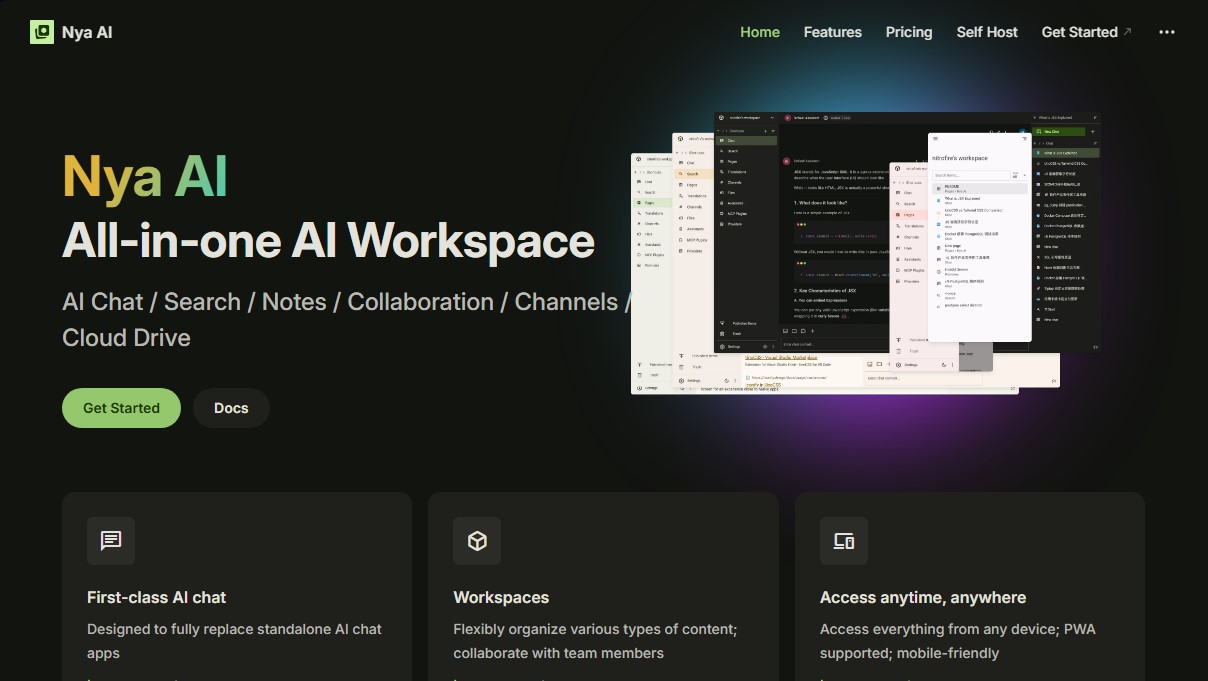
All-in-one AI workspace for chat, notes, search, and collaboration. Manage documents, use multiple models, and organize team projects efficiently.
What is Nya AI?
Nya AI is an all-in-one AI workspace designed to centralize chat, search, note management, and collaboration within a single digital ecosystem. This tool positions itself as a comprehensive alternative to siloed chat applications, offering an environment where users can flexibly organize their content through structured workspaces. It is an ideal solution for teams requiring real-time collaboration, developers who prefer open-source platforms, and professionals who need to manage complex knowledge bases with the support of generative AI.
The platform's architecture stands out for its high compatibility with various language model providers, allowing for the integration of APIs from OpenAI, Anthropic, or Google. Nya AI utilizes an advanced document processing approach that supports .docx, .pptx, .xlsx, and .pdf files. For PDF files, the tool offers two reading methods: conventional text extraction or page-by-page screenshots, enabling models with vision capabilities to analyze complex visual content. Furthermore, thanks to its support for the Model Context Protocol (MCP), users can connect external servers to expand chat functionalities with custom tools and resources.
Among its core capabilities, the following practical features stand out:
- Knowledge Base with RAG: It implements Retrieval-Augmented Generation technology to perform full-text searches across all workspace content, allowing the AI to provide answers based on the user's files and notes.
- Collaborative Pages: It offers a Notion-like document editor with Markdown support, version control, and direct integration of AI assistants.
- Built-in Plugins: Includes tools for web browsing and URL crawling, as well as diagram generation using Mermaid syntax.
- Cloud File Management: Allows for the organization of chats, channels, and documents in a folder structure similar to a traditional computer file system.
In terms of collaboration, Nya AI facilitates team management through user roles (guest, member, admin, and owner) and the ability to publish workspace content publicly via web links. As a Progressive Web App (PWA), it ensures access from any mobile or desktop device with an optimized experience. Additionally, its open-source nature under the Apache 2.0 license allows for self-hosting, which is essential for organizations seeking total control over their data privacy and technological infrastructure. It is a versatile solution that combines the power of multimodal models with next-generation enterprise productivity tools.
Nya AI features and use cases
How to use Nya AI
Nya AI FAQ
What file types can I upload to a Nya AI chat?
The platform supports .docx, .pptx, .xlsx, and text files. It also offers two methods for processing PDFs: text extraction or screenshots.
Can I use my own model providers with Nya AI?
Yes, you can add custom providers compatible with OpenAI, Google, or Anthropic and configure your own API keys for use in your chats.
How do I invite other collaborators to my workspace?
To invite someone, go to your workspace settings, generate an invite link using the designated button, and send it to the person you wish to invite.
Does Nya AI offer a native mobile or desktop app?
It currently functions as a Progressive Web App (PWA) that you can install on your home screen, though the team is working on releasing native desktop clients.
What functions do the built-in plugins perform?
Plugins allow the system to perform web searches, browse specific URLs, generate Mermaid diagrams, and conduct advanced searches within your own documents.
Can I install Nya AI on my own private server?
Yes, as an open-source project under the Apache 2.0 license, you have the option to self-host the platform on your own infrastructure.
How are subscriptions and quota usage managed?
Subscriptions are applied independently to each workspace, and the monthly AI quota is shared among all members belonging to that workspace.
What are the differences between user roles in a workspace?
Owners manage billing, admins control members and settings, members can edit content, and guests have limited read-only access to documents.
Nya AI pricing and plans
Free Plan
Price: Free
- Access to all platform features.
- Monthly AI quota: $0.50.
- File storage: 1 GB.
- Max file size: 100 MB.
- 3-member limit per workspace.
Pro Plan
Price: $9 per month (quarterly and annual billing options available).
- Access to all platform features.
- Monthly AI quota: $10.
- File storage: 100 GB.
- Max file size: 5 GB.
- 10-member limit per workspace.
Premium Plan
Price: $29 per month (quarterly and annual billing options available).
- Access to all platform features.
- Monthly AI quota: $40.
- File storage: 1 TB.
- Max file size: 5 GB.
- 20-member limit per workspace.
Self-hosting
Price: Free (Open source under Apache 2.0 license).
- Deploy the tool on your own servers.
- Full control over infrastructure and data.
Nya AI Screenshots
Nya AI user reviews
Write a review
Checking your session...
Nya AI Reviews
Loading reviews...
Nya AI alternatives
The Drive AI
AI assistant that automatically organizes, renames, and summarizes team files. Answers questions about content and automates your team’s cloud document management.
Assindo iOS
AI agent that makes and answers calls, manages social media, and organizes tasks. It searches the web, books appointments, and automates your daily schedule—all serverless.