Otio
Share
Otio
Unified workspace for research and writing. Summarize documents, videos, and websites. Chat with files and write with AI using real sources and citations.
General Information about Otio
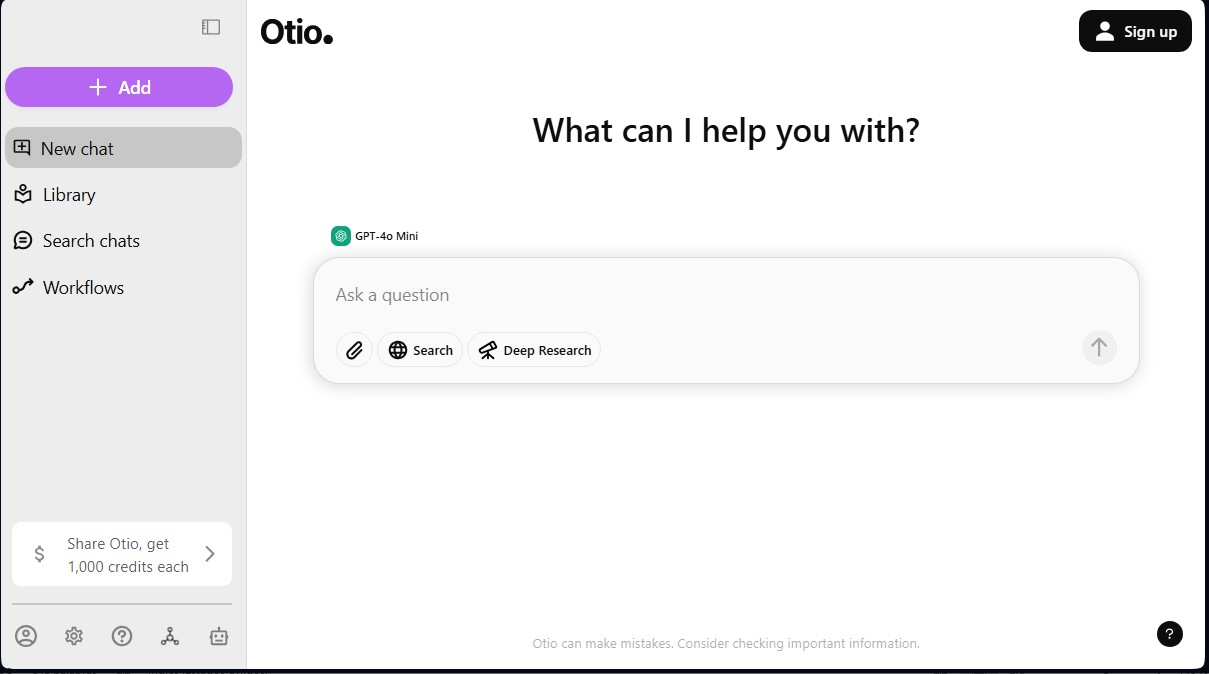
Otio is a unified workspace specifically designed to optimize research and writing processes using artificial intelligence. Unlike generic chatbots, this tool centralizes functions into a single interface that usually require switching between browser bookmarks, reading apps, and independent text editors. Its primary goal is to serve as an AI assistant for researchers, analysts, and students who need to efficiently manage large volumes of information from their computer.
The way Otio works is based on ingesting external data sources to generate grounded responses. Users can import PDFs, Word documents, web links, or even YouTube videos. The AI technology analyzes the content to provide automatic summaries and allow for direct interaction through an intelligent chat. Unlike other platforms, Otio prioritizes accuracy by using only the sources provided by the user, including direct textual citations to validate every response. This reduces AI hallucinations and improves technical reliability in professional environments.
Among its most notable functional capabilities are:
- Interactive document chat: Allows for complex questions regarding uploaded content, providing answers based exclusively on the information available in the files.
- AI text editor: Facilitates draft writing, paraphrasing, and content structuring directly linked to the original reference sources.
- Workflow automation: Enables the setup of repetitive tasks to streamline daily document reviews and the organization of reference libraries.
- Side-by-side comparison: Offers the ability to analyze and compare multiple documents simultaneously—an essential feature for literature reviews or comparative market analyses.
- Multi-format and multi-language support: Processes various file types and audiovisual sources while maintaining high-quality information synthesis across different languages.
This AI productivity tool is highly useful for academics working on theses or articles, as well as legal and business professionals who need to synthesize extensive regulations or reports. Content creators can extract insights from long videos and manage their documentary sources in just a few minutes. The practical benefit lies in eliminating the friction between the documentation phase and the final writing stage.
While its interface is intuitive, users may encounter a slight learning curve when mastering advanced automation features. Since it is a cloud-based solution, it requires an internet connection to operate. Nevertheless, its focus on documentary precision and the integration of an advanced editor establish it as a highly effective intelligent research environment for managing complex information.
Features and Use Cases of Otio
How Otio Works
Frequently Asked Questions about Otio
What is Otio and what exactly does it do?
It is a unified workspace that uses artificial intelligence to streamline research and writing without the need to switch between different apps or tabs.
What kind of content can I summarize with Otio?
The tool allows you to automatically process PDFs, Word documents, web pages, and YouTube videos to instantly extract the most relevant information.
How does Otio differ from generic chatbots like ChatGPT?
It stands out as a specialized research environment that provides answers based exclusively on your own documents, including direct citations to ensure accuracy.
Does Otio offer a free plan to test its features?
Yes, the basic free plan includes five daily credits that you can use to save links, chat with the AI, create projects, or generate text drafts.
Does Otio offer academic discounts?
Students can request a discount on paid plans by emailing the founders from their official university email address.
How does Otio ensure the accuracy of the information it generates?
The platform only uses the sources you have imported to answer your questions and will explicitly notify you if the requested information cannot be found in your documents.
Can I cancel my paid subscription at any time?
You can cancel your Pro or Max plan whenever you like through your profile settings. You will maintain access to your paid features until the end of the current billing cycle.
Can I use Otio to write long-form content or articles?
The tool includes an AI-powered text editor designed to help you create outlines, write drafts, and paraphrase content—all based directly on your research sources.
Otio Pricing
Basic Plan (Free)
- Price: 0 $.
- 5 daily credits (each credit allows you to save a link, send a chat query, create a project, or generate text).
- 500-page limit per document.
- Includes auto-summarization features and basic AI chat.
Pro Plan
- Price: Between 10 $ and 15 $ per month (billed annually).
- 20 daily credits.
- Access to the GPT-4 model.
- Includes collaboration features and shared workspaces.
- Student discount available by emailing the platform.
Otio Screenshots