
Share
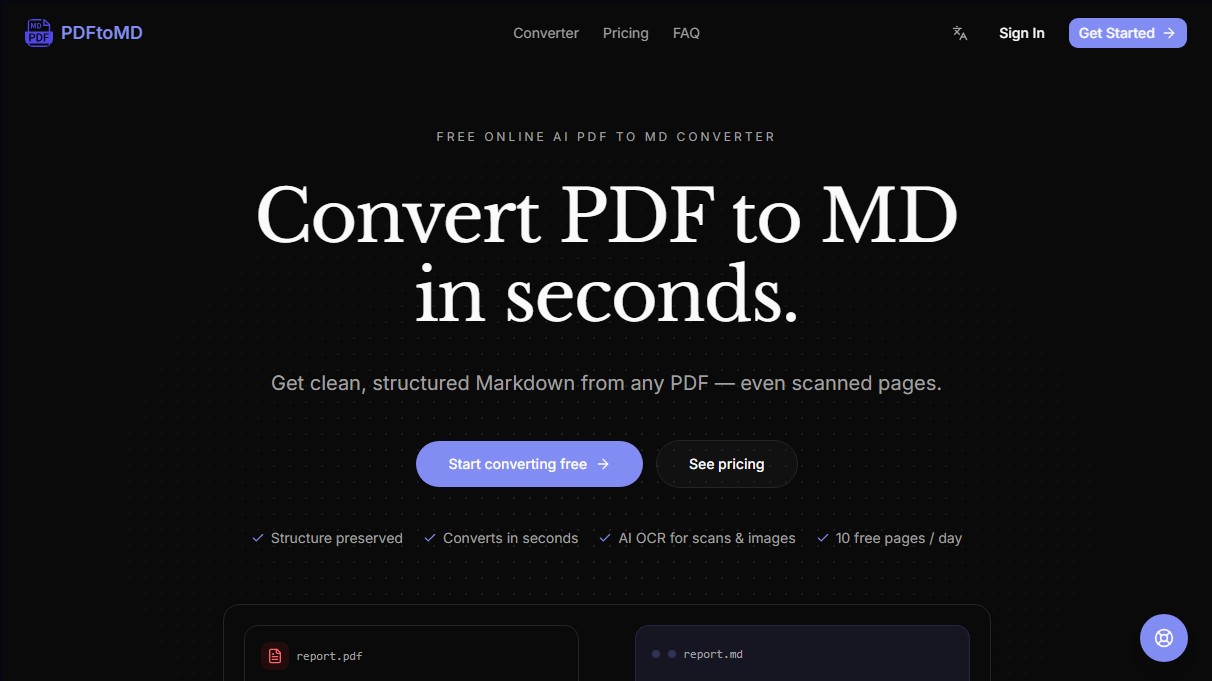
Convert PDF to Markdown while preserving headings and lists. Use AI-powered OCR to transform scanned documents into editable text.
What is PDFtoMD Converter?
PDFtoMD Converter is a specialized tool for converting PDF to Markdown using artificial intelligence. Its primary function is to transform static, difficult-to-edit documents into structured plain text files, facilitating their integration into modern digital environments. This application is especially useful for users working with knowledge management tools like Obsidian or Notion, as well as developers managing documentation in Git repositories.
The operation of PDFtoMD Converter is based on a combination of direct data extraction and advanced OCR technology. When processing a digital PDF, the engine reads the original text layer to ensure total fidelity without character errors. For scanned documents or images, it utilizes state-of-the-art (SOTA) computer vision models capable of identifying and reconstructing complex elements such as tables, mathematical formulas, and stamps, converting them into valid Markdown syntax.
Its core capabilities include:
- Preservation of Original Structure: It automatically detects headings, lists, and paragraphs, preventing the output from becoming an unformatted block of text.
- Scanned File Processing: Thanks to AI-powered OCR, it enables the recovery of information from physical documents with high precision.
- Optimization for AI Workflows: It generates clean input for large language models (LLMs), facilitating tasks like RAG (Retrieval-Augmented Generation) and automatic summarization.
- Conversion History: Allows access to previously processed files from any computer or mobile device.
The workflow is straightforward and requires no installation. Users simply upload the file to the PDF to MD converter, wait a few seconds while the AI analyzes the structure, and finally download the .md file or copy the content to the clipboard. This automation eliminates the need for manual cleanup, such as fixing orphaned line breaks or restoring heading levels, resulting in significant time savings compared to traditional copying and pasting from a standard PDF reader.
PDFtoMD Converter solves the problem of data portability, allowing information locked in a rigid format to become easily editable and indexable. It is an effective technical solution for converting manuals, technical reports, or academic articles into content ready to be processed by AI systems or published via static site generators. By transforming content into structured Markdown, users obtain a versatile document that maintains the original's visual hierarchy without the typical noise of traditional automatic conversions.
PDFtoMD Converter features and use cases
How to use PDFtoMD Converter
PDFtoMD Converter FAQ
What is PDFtoMD Converter and what exactly is it used for?
It is a tool designed to extract content from PDF files and convert it into Markdown format while preserving the structure of headers, paragraphs, and lists.
Is PDFtoMD Converter free to use?
Yes, you can convert up to ten pages per day completely free of charge, with no credit card required.
Can I convert scanned documents with PDFtoMD Converter?
Yes, the tool uses advanced OCR technology and AI to read scanned pages and images, reconstructing the text in a structured format.
What happens if I exceed the daily ten-page limit?
If you need to process more documents, you can either wait for the daily limit to reset at midnight or subscribe to a paid plan to increase your monthly limit.
How accurate is the PDF-to-Markdown conversion?
The conversion is perfectly accurate for digital documents and highly reliable for complex scans, as our vision models can even reconstruct tables and formulas.
Which applications are compatible with PDFtoMD Converter's output?
The generated files are compatible with any tool that supports Markdown, such as Obsidian, Notion, VS Code, GitHub, and various content management systems.
How does the three-step conversion process work?
Simply upload your PDF file, wait a few seconds for the conversion engine to process the text, and then download the result or copy it directly to your clipboard.
Can I cancel my paid subscription at any time?
Yes, you can cancel with a single click from the billing page, and you will continue to have access to your plan's benefits until the end of the current billing cycle.
Do you keep a record of my previous conversions?
Yes, all your conversions are saved in your history so you can re-download or copy the Markdown content whenever you need it.
PDFtoMD Converter pricing and plans
Basic
Free
10 free pages per day.
10-page limit per file.
Standard OCR mode.
Vision mode.
Conversion history.
Starter
15,9 $ per month (7,9 $ per month billed annually)
1,000 pages per month.
20-page limit per file.
Standard OCR mode.
Vision mode.
Conversion history.
Email support.
Professional
19,9 $ per month (9,9 $ per month billed annually)
3,000 pages per month.
100-page limit per file.
Standard OCR mode.
Vision mode.
Conversion history.
Priority support.
Enterprise
99,9 $ per month (49,9 $ per month billed annually)
30,000 pages per month.
200-page limit per file.
Standard OCR mode.
Vision mode.
Conversion history.
Dedicated support.
PDFtoMD Converter Screenshots
PDFtoMD Converter alternatives

TextCleaner
Clean up AI text by removing Markdown, filler phrases, spacing errors, and hidden characters without rewriting. Keeps original content completely intact.
GladiaFlow
Open-source desktop voice dictation. Transcribes audio to text in real-time in any app via keyboard shortcuts. Supports 100+ languages.
VideoToScript
Convert TikTok, Reels, Shorts, and Facebook videos into timestamped transcripts. Export to TXT, SRT, or VTT quickly without installing extensions.
Markitdown Online
Convert PDF, Office, and images into structured Markdown for AI workflows. Streamline documentation and knowledge base creation with OCR support.

AI for News
Generate personalized news and summaries using keywords. Select sources like Google News or Reddit, timeframes, and AI models for precise information.