
Share
What is Pixelwright?
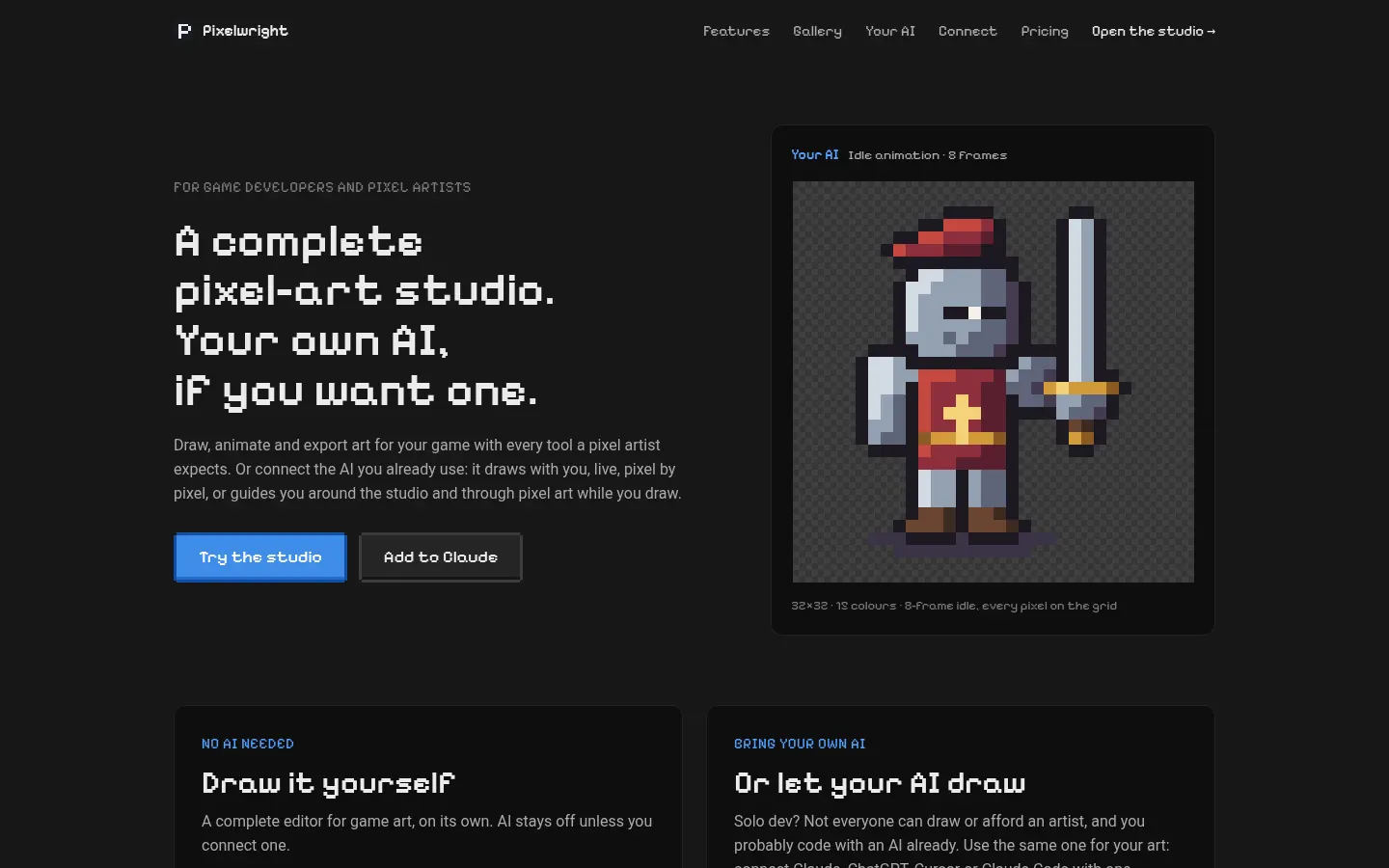
Pixelwright is a pixel-art studio for games that brings together the editor a pixel artist expects — palettes, rigs, tiles, animation and Aseprite-style shortcuts — and, if you want, lets a model you already use draw with you live, pixel by pixel. It is meant for developers and illustrators who want game art on the grid, without relying on a built-in AI allowance: the AI is optional and you connect it from outside.
What is Pixelwright used for?
You can draw by hand: pixel-perfect lines, palette ramps, shading and onion skin, character rigs, isometric or hex tiles and autotiling. The studio includes lessons and exports to Godot, Unity, GameMaker, Phaser and other engines. If you connect Claude, ChatGPT, Claude Code or Cursor, the model can paint on the canvas or guide you around the tools. The site is clear that there is no built-in AI meter and no studio credits: you use the access you already have to those models. Claude’s no-payment tier allows one custom connector.
How do you work, and what lives in the cloud?
You open the studio in the browser, draw or connect a model, and save the work with version history. Hand drawing in the browser has no stated cap; asset limits count cloud projects, which is where the AI draws. Right now, during early access, the site says every account has the Pro level, with uncapped AI drawing and as many models at once as you like, until paid tiers open.
Pixelwright pros and cons
- Pros: a full editor even if you never connect a model, export to common engines, and the AI working on your canvas rather than on an internal allowance.
- Cons: AI output depends on the model you connect; some limits apply to cloud projects, and the paid tiers are not open yet (early access may change).
Pixelwright features and use cases
How to use Pixelwright
Pixelwright FAQ
What is Pixelwright?
It is a pixel-art studio for games: you draw by hand or connect Claude, ChatGPT or Cursor to paint on your canvas, then export to engines such as Godot or Unity.
Do I have to pay for Pixelwright right now?
During early access, the site says every account has Pro at no charge. Starter, Pro and Founding Pro rates are published for when billing opens; the amounts are in the pricing section.
Do I need to connect an AI to use it?
No. You can draw everything by hand: the editor, the lessons and the export work without connecting a model.
Which engines does it support?
The site lists export to Godot, Unity, GameMaker, Phaser and others.
Does it sell its own AI credits?
No. Pixelwright has no internal allowance: you use the access you already have to Claude, ChatGPT or Cursor. Claude’s no-payment tier allows one custom connector.
Does it run in the browser?
Yes. The studio opens in the browser; hand drawing has no stated cap, and asset limits count cloud projects.
Is there a discount for early users?
Yes. Founding Pro is $79 a year for the first 500 people, in the 90 days after launch, if the account stays active.
Is there a student rate?
When paid tiers open, the site announces Pro at $3 a month for the first year for students and teachers.
Can I use it with Unity and Godot?
Yes. Export covers both, as well as GameMaker and Phaser.
Is version history included?
Yes. The site says every tier keeps full version history.
Pixelwright pricing and plans
Reference price: 6 USD / month. Source · Verified: November 27, 2026
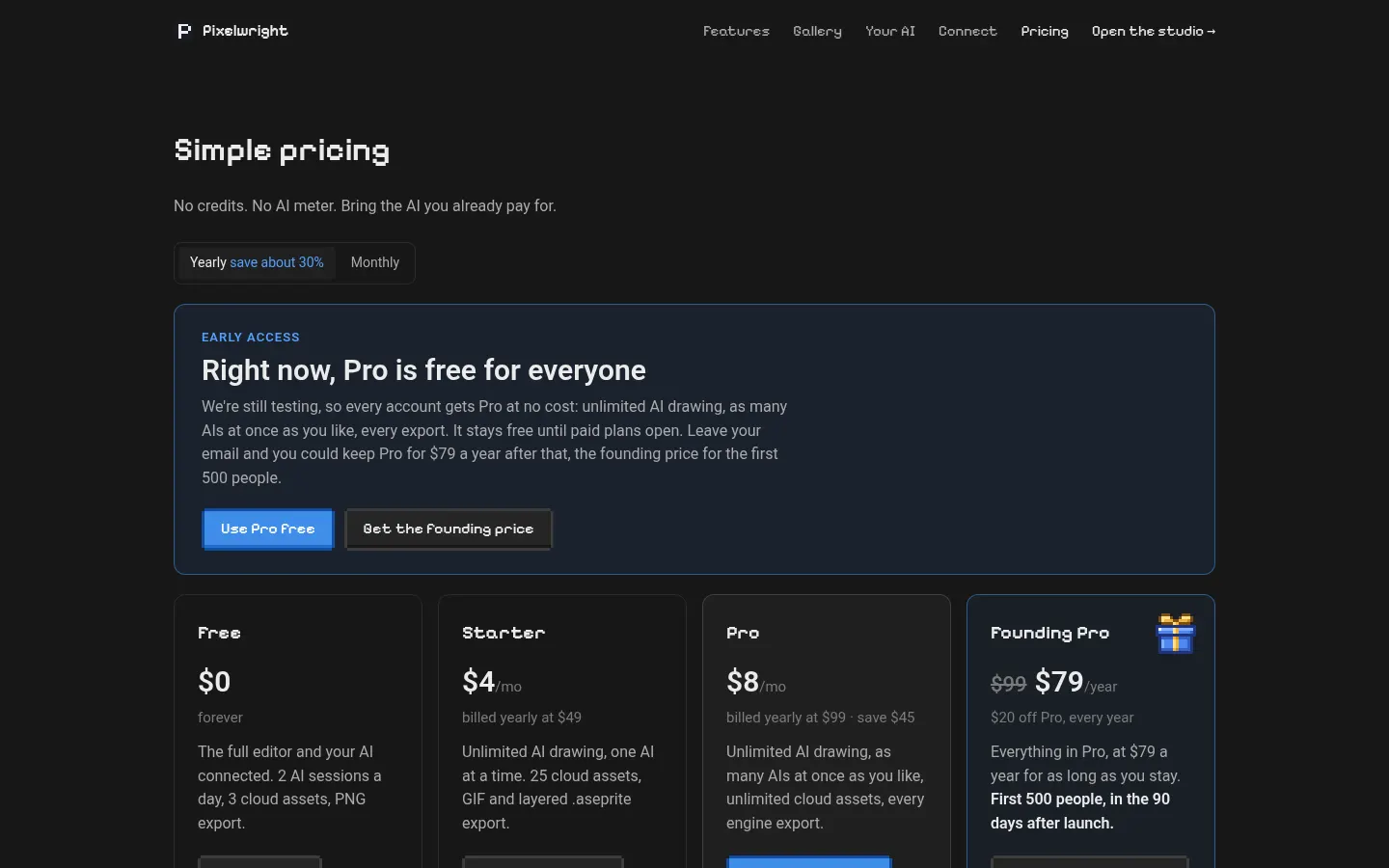
Prices in US dollars (USD) from the official website. During early access, every account has Pro at no charge (uncapped AI drawing and as many models at once as you like) until paid tiers open. When they do, there will be a 14-day Pro trial with no card, and the published rates are as follows. Checked on: 27/11/2026.
Free: $0, ongoing. Full hand-drawing editor; you can still connect an AI, with cloud-project limits.
Starter (entry paid tier, once billing opens): $6/month on monthly billing, or $4/month billed yearly ($49/year).
Pro: $12/month on monthly billing, or $8/month billed yearly ($99/year, $45 off).
Founding Pro: $79/year ($20 off Pro) for the first 500 people, in the 90 days after launch, kept for as long as the account stays active. Students and teachers: Pro at $3/month for the first year once billing opens. There are no studio credits or an AI meter.
Pixelwright Screenshots
Pixelwright user reviews
Write a review
Checking your session...
Pixelwright Reviews
Loading reviews...
Pixelwright alternatives

Panel & Ink
Create comic series from an idea. Generate consistent characters, design panels in various styles, and get narrated episodes ready to publish. No drawing skills required.

CoverUpInk
Generate AI cover-up designs for old tattoos. Upload a photo of your skin to visualize new ideas and get sketches for your tattoo artist.
AI Watercolor Generator
Transform photos or text into watercolor art. Use chat to retouch textures, colors, and faces for a fully personalized artistic finish.

StitchCraft
Turn photos and text into DMC cross-stitch patterns. Optimize colors, remove stray stitches, and export ready-to-stitch PDF charts.