

Share
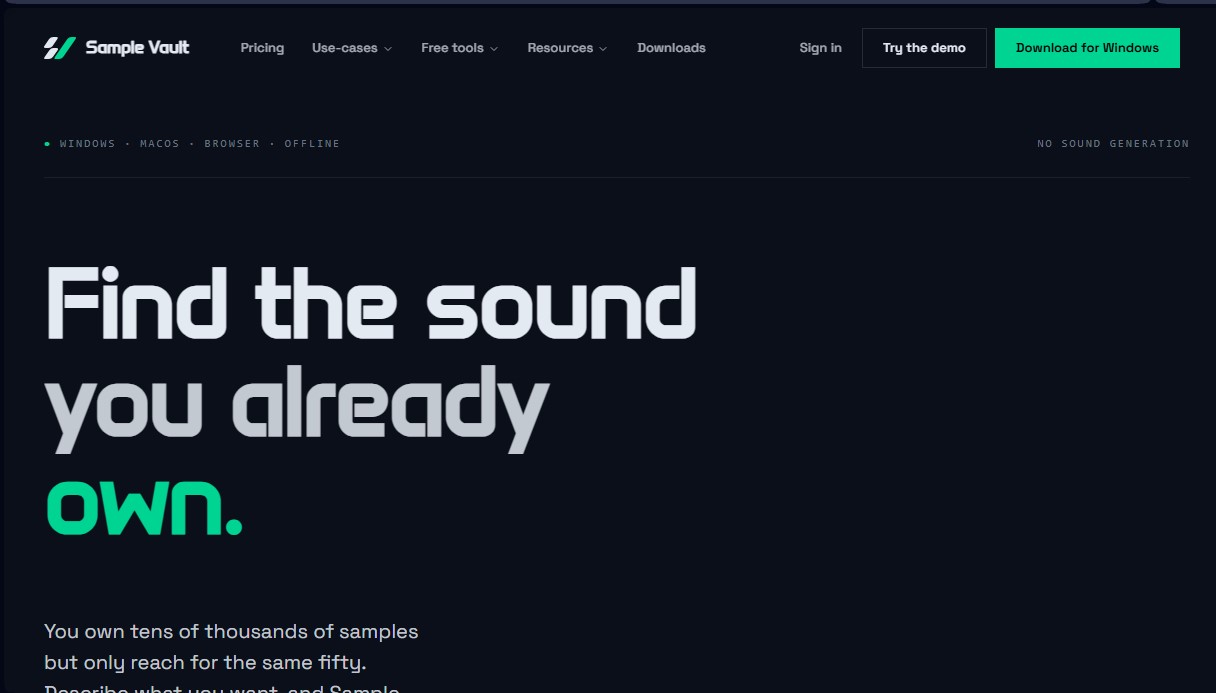
Organize your sample library with AI to find the sounds you already have. Search using natural descriptions with automatic pitch, tempo, and sonic texture analysis.
What is Sample Vault?
Sample Vault is an audio sample management tool designed specifically for music producers who need to organize and locate sounds within their local libraries using artificial intelligence. Unlike audio generation systems, this application focuses on indexing and categorizing the content already stored on the user's computer, transforming thousands of unlabeled files into a database searchable via natural language. Its primary goal is to optimize creative workflow, preventing users from wasting time manually navigating through complex folder structures.
Sample Vault's technology combines local signal analysis with cloud-based semantic processing. By linking sound folders, the software performs a scan that extracts over 40 sonic characteristics per file, including key, tempo (BPM), brightness, complexity, and stereo image. This process generates a digital fingerprint for every sample. Subsequently, its Deep Tagging system uses AI models to assign descriptive tags for genre, mood, and instrumentation, creating a semantic index that enables advanced searches based on the actual sound rather than just the filename.
Key features and practical benefits include:
- Deep Search: Enables natural language queries, such as "atmospheric pad with long tail" or "lo-fi kit at 85 BPM," delivering results with high sonic accuracy.
- AI Discovery: Facilitates the recovery of forgotten samples and offers a gap analysis to identify missing elements in a current production.
- DAW Integration: The app features an "always-on-top" window and supports drag-and-drop functionality directly into DAWs like Ableton Live, FL Studio, Logic Pro, or Bitwig.
- Real-time Sync: Thanks to Ableton Link compatibility, users can audition samples in perfect sync with their project's tempo before importing them.
- Privacy and Control: The tool does not train models on user files nor does it modify original data on the hard drive; files remain intact and accessible offline.
Sample Vault is compatible with WAV, AIFF, MP3, FLAC, and OGG formats and is available for Windows, macOS, and web browsers. It is an ideal solution for sound designers and producers looking for an intelligent sample browser capable of organizing massive collections automatically and professionally. Its focus is on serving the producer, delegating tedious tagging tasks to AI so the user can concentrate exclusively on music creation.
Sample Vault features and use cases
How to use Sample Vault
Sample Vault FAQ
Does Sample Vault use AI to generate new sounds?
No, this tool doesn't create synthetic audio; instead, it analyzes and organizes your existing sound library to make it searchable.
Does Sample Vault work offline?
Basic features like playback and pitch or tempo analysis work offline, but AI-powered features require an internet connection.
Will Sample Vault change the location of my original files?
No, the software scans your folders and creates a local index without moving, renaming, or altering any of the audio files on your drive.
What happens to my tags if I cancel my subscription?
All AI-generated tags are stored locally on your computer and will remain fully accessible and searchable.
Can I use Sample Vault directly in a web browser?
Yes, users on paid plans can access their synced library from any computer via the web version.
How does Sample Vault find sounds if I don't search by file name?
The system analyzes over forty sonic characteristics of each file, allowing you to search using natural descriptions like "brightness" or "warmth."
Can I drag and drop files directly into my music production software?
Yes, the app allows you to drag and drop any sample directly into DAWs like Ableton, FL Studio, Logic, or Bitwig.
What happens if a tag analysis fails?
If the deep tagging process is not completed successfully, you will receive a full refund for the processing fee of that specific sample.
Sample Vault pricing and plans
Demo Room
Free
Unlimited library size.
Access to all basic features (local scanning, key, tempo, and sonic characteristics analysis).
Ability to test AI features and Deep Tagging.
Available for Windows and macOS.
Home Studio
$9 per month (annual billing option with 2 months free)
Everything included in the Demo Room plan.
Deep Tagging for 50,000 samples per month (plus a 50,000 initial bonus).
50 GB cloud storage for sync and backups.
Unlimited AI search, chat, and designer.
Self-organizing library.
Access the app from any web browser.
Professional Suite
$29 per month
Everything included in the Home Studio plan.
Deep Tagging for 200,000 samples per month (plus a 200,000 initial bonus).
200 GB cloud storage for sync and backups.
Assistant memory to remember preferences and conventions.
Option to run AI using your own key (OpenRouter).
Support for using your own cloud storage (Dropbox or Google Drive).
Lifetime License
$199 (One-time payment)
Use on up to 3 devices (desktop app).
Unlimited library size and access to all basic features.
Automatic local backups and data recovery.
Access to all AI features and assistant memory (requires using your own AI key).
Integration with your own cloud storage (Dropbox or Google Drive).
All future updates included and browser access.
Sample Vault Screenshots
Sample Vault user reviews
Write a review
Checking your session...
Sample Vault Reviews
Loading reviews...
Sample Vault alternatives


MicMonster
Generate natural voiceovers from text with 800+ voices in 140 languages. Adjust intonation and pace to create professional videos, podcasts, and audiobooks.

BeatMuse AI Music Generator
Generate AI songs, vocals, and instrumentals from text. Edit tracks, extend songs, create versions, and separate audio stems for commercial projects.

Noise Cleaner
Remove background noise from audio and video files using AI. Clean up podcasts, interviews, and meetings in various formats with a comparison preview before downloading.