

Share
Generate editable scientific figures for papers and posters with AI. Turn text, sketches, or PDFs into precise, publication-ready diagrams for academic journals.
What is Scientific Figure?
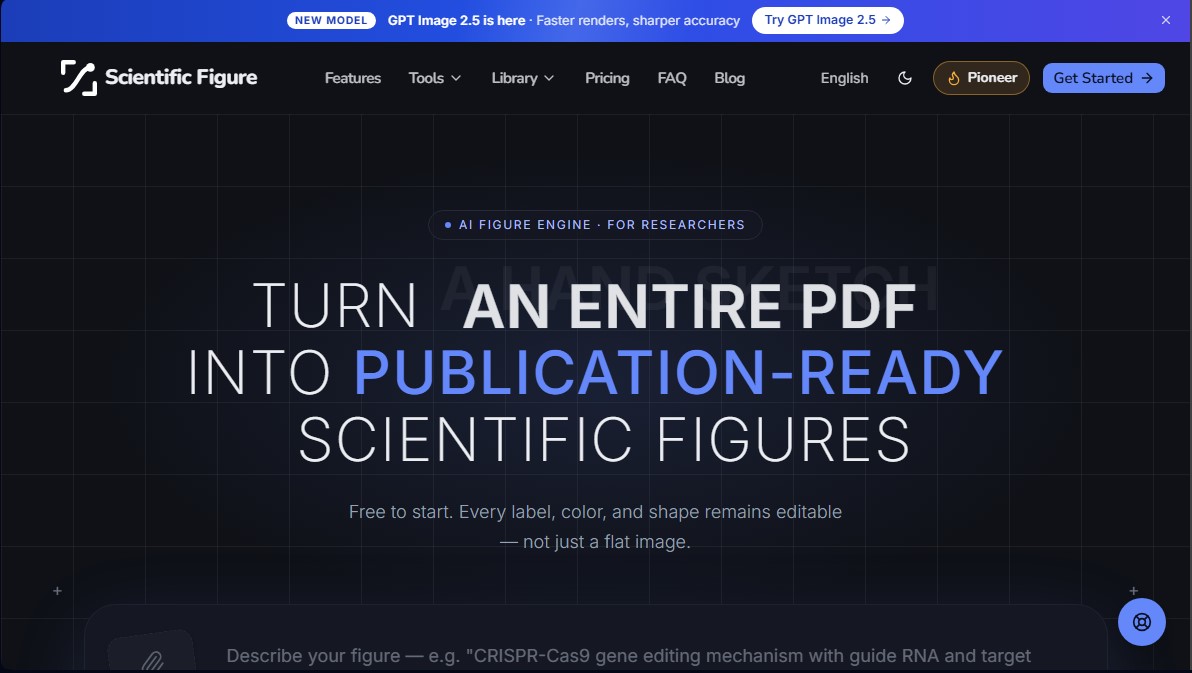
Scientific Figure is an AI engine specialized in creating scientific figures for researchers and academics. Unlike conventional image generators, this tool allows you to transform a text prompt, a hand-drawn sketch, an abstract, or a scientific paper PDF into high-quality technical illustrations in just seconds. Its primary function is to facilitate the production of graphical abstracts, mechanism diagrams, and experimental workflows without the need to master professional design software.
The platform utilizes GPT Image 2.5 technology, a model optimized to deliver fast renders and superior visual precision in research environments. One of the fundamental features of Scientific Figure is that it does not generate flat or static images; every component, including labels, arrows, colors, and shapes, remains a fully editable object. This allows users to correct gene names or adjust molecular structures directly on the canvas, ensuring that technical terminology is exact without having to regenerate the content from scratch.
Its core capabilities and functional benefits include:
- Multimodal Generation: The ability to interpret text descriptions, freehand drawings, or complex references extracted from research documents.
- Editorial Customization: Allows for the application of specific color palettes from high-impact journals such as Nature, Science, NEJM, The Lancet, or JAMA, ensuring that figures meet each publisher's aesthetic requirements.
- Professional Export: Files can be downloaded in high-resolution PNG and JPG formats (up to 8K), as well as SVG (true vectors) and PPTX slides compatible with your computer for further editing in programs like PowerPoint or Illustrator.
- Specialized Tools: Includes dedicated modules for creating scientific posters, PRISMA 2020 flowcharts, circuit diagrams, cladograms, and biologically accurate cell diagrams.
This AI tool is designed for PhD students, Principal Investigators (PIs), and science communicators who require publication-ready figures with standards of up to 600 DPI. By eliminating the dependence on limited icon libraries, Scientific Figure optimizes lab workflows, enabling users without previous graphic design experience to generate precise visual material for their manuscripts, grant proposals, and academic presentations. Its practical approach ensures that the user maintains total control over every graphic element, facilitating quick revisions before final submission.
Scientific Figure features and use cases
How to use Scientific Figure
Scientific Figure FAQ
What is Scientific Figure, and how does it assist researchers?
It is an AI-powered engine that transforms text descriptions, hand-drawn sketches, or PDF files into publication-ready, high-quality scientific figures.
Can I edit the elements of an image generated with Scientific Figure?
Yes. Unlike other image generators, all labels, colors, and shapes remain fully editable, allowing you to make precise adjustments without having to regenerate the entire image.
What formats can I use to export my scientific figures?
The tool allows you to export your work in high-resolution PNG and JPG formats, as well as SVG vector files and fully editable PowerPoint slides.
Can I customize the colors of my graphics for a specific journal?
Yes. Scientific Figure includes options to automatically apply color palettes used by prestigious journals such as Nature, Science, NEJM, The Lancet, and JAMA.
What types of files can I upload for the tool to create an illustration?
You can upload a text abstract, a photo of a whiteboard sketch, a hand-drawn illustration, or even a full research paper in PDF format.
Do I need design experience to use Scientific Figure?
No prior experience with design tools is necessary, as the AI automatically adheres to standard scientific illustration conventions.
Does Scientific Figure offer a free version for new users?
Yes. You can start using the tool for free with 100 initial credits, and no credit card information is required.
What types of diagrams can I create using this platform?
You can generate a wide range of assets, including mechanism diagrams, signaling pathways, experimental workflows, conference posters, and graphical abstracts.
Are the generated figures suitable for inclusion in official manuscripts?
Yes. The system generates images with up to 8K resolution and 600 DPI, meeting the technical standards required by international scientific publishers.
How does Scientific Figure ensure the accuracy of gene and protein names?
By maintaining labels as live, editable text, users can correct any specific terminology directly on the final figure to ensure total accuracy.
Scientific Figure pricing and plans
Free
0 $
100 initial credits upon sign-up (no credit card required).
Standard generation queue.
Watermarked exports.
No publishing license or customer support.
Restrictions: 2K, 4K, and 8K resolution exports are not supported.
Lite
9,90 $ per month (or 8,25 $ per month with 99 $ annual billing).
1,200 credits per month.
Up to 4K export.
Canvas editing tools.
Layered SVG and editable PPTX exports.
No watermarks; includes a publishing license certificate.
Top priority queue and priority support.
Pro
19 $ per month (or 12 $ per month with 144 $ annual billing).
3,000 credits per month.
Up to 4K export and 8K upscaling.
Canvas editing.
Fully editable SVG and PPTX export formats.
No watermarks; includes a publishing license.
Access to advanced models (FLUX, Seedream, GPT, Nano Banana).
Plus
39 $ per month (or 20 $ per month with 240 $ annual billing).
7,000 credits per month.
4K and 8K export.
Canvas editing, vector (SVG), and presentation (PPTX) exports.
No watermarks; includes a publishing license certificate.
Maximum queue priority and premium technical support.
Credit Packs (One-time payment)
Starter (9,90 $), Standard (29,90 $), or Large (59,90 $).
Credits included: 600 (Starter), 2,500 (Standard), or 6,000 (Large).
Credits never expire.
Up to 8K export and Canvas editing.
Layered SVG and editable PPTX exports.
No watermarks; includes a publishing license.
Scientific Figure Screenshots
Scientific Figure alternatives



NeotypeLab
NeotypeLab uses AI to plan paint schemes for Gunpla, mecha girls and Zoids, with real hobby paint codes, a spraying sequence, a shopping list and an HD preview.

AlreadyRan
AlreadyRan brings dozens of AI image, video and audio models into one web studio with a single credit balance and the cost shown before every generation.


Vidverse AI
Vidverse AI brings several AI video, image and voice models into one web and mobile app, so you can turn text or photos into clips, images and voiceovers.