

Share
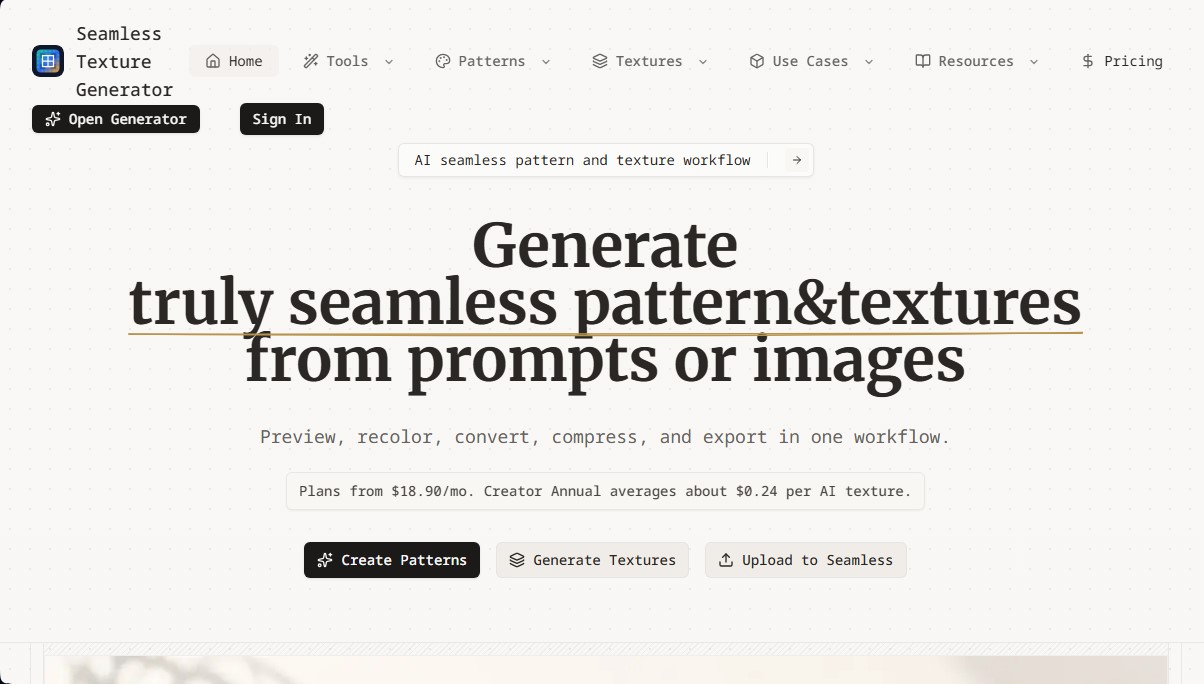
Create seamless AI textures and patterns from text or images. Preview tiles, edit colors, and export assets for 3D design, video games, and textiles.
What is SeamlessCanvas?
SeamlessCanvas is an advanced tool specializing in the generation of seamless textures and repeatable patterns using artificial intelligence. Its primary function is to transform text descriptions or base images into perfectly "tileable" visual assets, meaning they can be repeated infinitely across a grid without any visible seams or breaks at the edges. This solution is designed to optimize the workflow for textile designers, 3D modeling artists, game developers, and print-on-demand (POD) product creators.
The operation of SeamlessCanvas is based on an AI system with prompt optimization, which automatically adds technical constraints to user requests to ensure the result is top-down, has no defined borders, and maintains a uniform distribution. The platform allows for the generation of specific materials such as wood, stone, marble, concrete, or fabric, as well as decorative floral, geometric, and abstract patterns. In addition to generating from scratch, it offers a powerful image-to-texture conversion feature, ideal for processing photos, scans, or existing renders and converting them into functional tiles.
The tool's key capabilities are structured into a comprehensive workflow that includes:
- Generation and Preview: Allows users to toggle between a single image and a 2x2 mosaic view to inspect the continuity of grains or patterns.
- Adjustment and Customization: Includes tools to recolor textures and adjust tones without the need for external software.
- Technical Editing Tools: Features functions to compress and convert formats, preparing files for immediate use in web environments or professional design projects.
- Seam Inspection: Incorporates an overlay guide to meticulously review the center seams of the generated pattern.
SeamlessCanvas is especially useful for Blender users and other rendering engines that require high-quality material maps, supporting exports in various resolutions up to 2048px in its advanced options. By centralizing creation, color adjustment, and optimization within a single interface, the tool eliminates the need for complex manual processes in traditional image editors. Professionals can quickly generate multiple variants of a surface and download assets ready for implementation in product mockups, digital backgrounds, or video game surfaces, while always maintaining precise control over the repeatability and aesthetics of the final material.
SeamlessCanvas features and use cases
How to use SeamlessCanvas
SeamlessCanvas FAQ
What is SeamlessCanvas, and what kind of content can I create with it?
It is an AI-powered tool designed to generate seamless textures and repeatable patterns from text descriptions or existing images.
Can I turn my own photo into a seamless texture with SeamlessCanvas?
Yes, the platform features an upload function that allows you to transform photos, sketches, or renders into perfectly tiled, ready-to-use mosaics.
How can I check if the pattern repeats correctly before downloading it?
The tool includes a 2x2 grid preview that lets you inspect the seams and design flow before confirming your export.
What editing options are available in the tool's workflow?
In addition to generation, you can adjust colors, compress files, change formats, and get a comprehensive preview of the final result.
What export resolutions are available on SeamlessCanvas?
Standard downloads are 512px, while Pro users can export high-resolution textures at 1024px and 2048px.
Do I need to create an account to use the generator?
Yes, registration is required to manage credits, access your task history, and download your textures.
How much do the plans cost for regular use?
Plans start at $18.90 per month, though annual subscriptions offer a better price per generated texture.
Are SeamlessCanvas textures compatible with 3D modeling software?
Exported assets are optimized for use in video games and 3D scenes and are fully compatible with tools like Blender and other rendering engines.
SeamlessCanvas pricing and plans
Free Version / Free Tools
Convert uploaded images into seamless textures.
Tiling preview and seam checking.
Color adjustment, compression, and format conversion tools.
File export.
Standard downloads available at 512px resolution.
Starter
18,90 $ per month (or 179,90 $ per year)
80 monthly credits (allows up to 40 AI texture generations).
Access to editing, preview, and export tools.
Credits reset monthly and do not roll over.
Creator
38,90 $ per month (or 369,90 $ per year)
260 monthly credits (allows up to 130 AI texture generations).
Access to editing, preview, and export tools.
Credits reset monthly and do not roll over.
Pro
78,90 $ per month (or 749,90 $ per year)
620 monthly credits (allows up to 310 AI texture generations).
Access to high-resolution downloads (1024px and 2048px).
Access to editing, preview, and export tools.
Credits reset monthly and do not roll over.
SeamlessCanvas Screenshots
SeamlessCanvas user reviews
Write a review
Checking your session...
SeamlessCanvas Reviews
Loading reviews...
SeamlessCanvas alternatives


AppLaunchFlow
Generate screenshots, ASO copy, icons, videos, and mockups for app stores. Includes localization, social graphics, and app ranking tracking.



utilz Background Remover
Remove image backgrounds for free with total privacy in your browser. Create transparent or colored backgrounds without uploading files while maintaining original resolution.
