Share
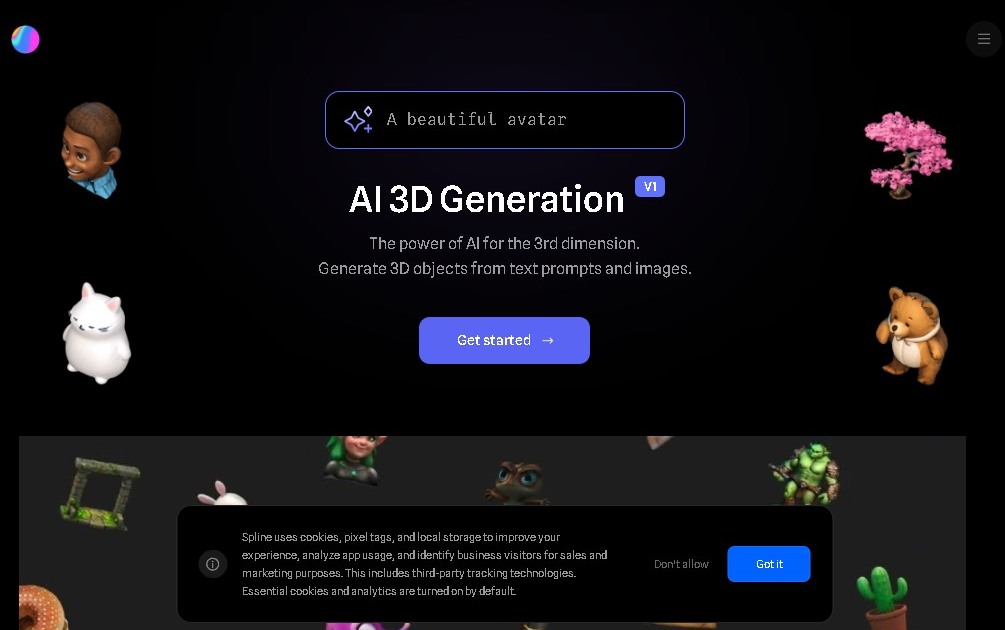
Generate 3D models and scenes from text or images. Automatically create, edit, and animate 3D objects for web design and interactive prototypes.
What is Spline AI?
Spline AI is an advanced browser-based 3D design solution that integrates generative artificial intelligence capabilities to streamline the creation of three-dimensional assets. This tool allows users to transform text descriptions and 2D images into editable 3D models, removing many of the technical barriers associated with traditional manual modeling. Its core feature, known as Spline AI Generate, integrates seamlessly into the Spline ecosystem, facilitating a workflow where conceptualization and technical execution happen within the same digital environment.
The tool’s operation is powered by deep learning models capable of interpreting complex prompts and visual references. Users can leverage the potential of Spline AI through several functional modes:
- Text-to-3D Generation: Enables the creation of 3D objects simply by typing a detailed description, drastically optimizing initial prototyping time.
- Image-to-3D Conversion: The AI analyzes 2D photographs or illustrations to estimate volume and generate a coherent 3D mesh.
- Combined Inputs: The system allows for the simultaneous use of text and images to more accurately guide the style and structure of the resulting model.
- Scene and Variant Creation: In addition to individual objects, the tool can generate entire compositions or propose variations on a base design.
One of the greatest advantages of Spline AI is its direct integration with the platform's professional editor. Unlike other generators that provide static results, the AI-created assets in this tool are fully editable. Designers can adjust geometry, apply materials, add animations, or set logic-based interactions within the same workflow.
This AI 3D modeling technology is particularly useful for UX/UI designers, web developers, and content creators who need to implement 3D elements into websites or mobile applications. As a cloud-based tool, it allows you to work from any computer with an internet connection, facilitating collaboration and the export of ready-to-use assets for interactive environments.
Ultimately, Spline AI acts as an intelligent assistant that automates the most labor-intensive tasks of geometric creation. This allows professionals to focus on creative direction and user experience, boosting productivity in projects that require high-quality, custom 3D assets without the need to master complex engineering software.
Spline AI features and use cases
How to use Spline AI
Spline AI FAQ
What is Spline AI and what exactly is it used for?
It is an advanced feature within the Spline design editor that allows you to automatically generate 3D models and scenes using text descriptions or images.
Can I use Spline AI with the platform’s free plan?
No, using generative AI requires a paid Professional or Team plan, along with a specific monthly add-on.
How does object generation work in Spline AI?
You can write a detailed description of what you need or upload a 2D image, and the tool will estimate the shape to create the 3D model.
How much does full access to Spline AI features cost?
The total approximate price is twenty-five dollars per month, which includes the required Professional subscription and the additional AI add-on.
Can I edit models once they are generated by Spline AI?
Yes, the assets created are integrated directly into the Spline editor, allowing you to modify, animate, change materials, or export them as needed.
What advantages does Spline AI offer for UI designers?
It enables the rapid creation of 3D content and interactive prototypes without the need for complex manual modeling from scratch.
How many credits are included in the Spline AI add-on each month?
The paid add-on typically provides about two thousand monthly credits to generate models and create design variations within the tool.
Does Spline AI allow you to combine text and images to guide the generation process?
Yes, you can use both simultaneously to provide the AI with more precise instructions on what the final result should look like.
Spline AI pricing and plans
Free Plan
Price: 0 €
- Basic 3D editor.
- Export projects with watermarks.
- Restriction: Does not include access to generative AI features.
Starter Plan
Price: Approximately $12/month (billed annually)
- Access to additional design features.
- Watermark-free project exports.
Professional Plan
Price: Approximately $20/month (billed annually)
- Unlimited files.
- Advanced export options.
- Eligibility to purchase the Spline AI Add-On.
Team Plan
Price: Approximately $36/month per editor (billed annually)
- Collaboration and organization tools for teams.
- Shared project management.
- Eligibility to purchase the Spline AI Add-On.
Spline AI Add-On
Price: +$5/month per editor (in addition to the Professional or Team plan cost)
- Generate 3D models from text prompts.
- Convert 2D images into 3D models.
- Create scenes and model variations using AI.
- Limit: Approximately 2,000 monthly credits for AI content generation.
Spline AI Screenshots
Spline AI alternatives

Triverse AI
Triverse AI generates 3D models from an image or a text prompt, adds AI PBR textures and produces assets ready for games, 3D printing and XR.

ImageToSTL.org
Convert JPG and PNG images into STL files for 3D printing using AI. Generate detailed 3D models ready for instant download.

Image to 3D
Convert 2D images and sketches into textured 3D models using AI. Export in GLB, STL, or USDZ for video games, 3D printing, and augmented reality.