Share
Smart AI dictation for speech-to-text in any app. Process files and customize formatting to streamline your professional workflow.
What is superwhisper?
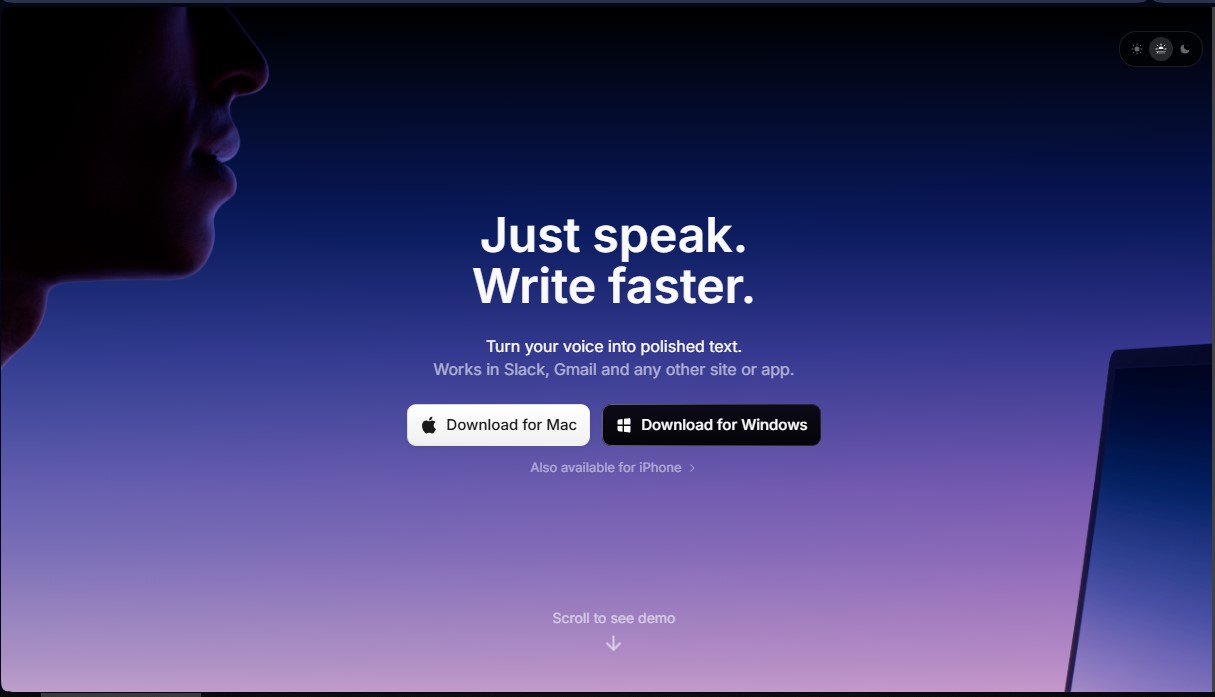
superwhisper is an advanced AI-powered dictation and transcription solution that allows users to write at the speed of speech in any application. This tool integrates directly into the operating system, working in any text field where you can type, such as Slack, Notion, Cursor, or email clients. Its primary goal is to optimize productivity by eliminating keyboard friction through precise voice capture and intelligent natural language processing that understands the user's context.
The operation of superwhisper is built on a flexible architecture that combines leading speech recognition models, such as Whisper Large, with next-generation language models, including options like Claude, GPT, Llama, or Gemini. This technology allows the app to not only convert audio into text but also automatically apply specific formatting. Users can configure custom modes to define how the AI should structure information, adjusting tone and precision according to the task—whether it’s drafting a quick message on WhatsApp or a complex technical document.
Key features include:
- Push-to-talk and shortcuts: Full control using custom hotkeys on your computer to instantly start and stop dictation.
- Super Mode: An AI-enhanced mode that adapts to what’s on your screen to deliver smarter, contextual results.
- File transcription: Functionality to upload audio and video files and obtain high-fidelity structured transcriptions.
- Agentic workflows: Optimized for developers using tools like Cursor or Claude Code, allowing them to give complex coding instructions via voice without touching the keyboard, facilitating so-called vibe coding.
- Multilingual support: Capability to process and translate more than 100 languages while maintaining native-level punctuation and grammar.
The app is available for macOS, Windows, and iOS. For Apple users, superwhisper leverages the power of Apple Silicon processors to run models locally, ensuring privacy and speed, while offering cloud options for other devices. This versatility makes it an essential tool for professionals looking to streamline their communication. Thanks to its custom vocabulary management and specific prompt settings, the tool adjusts to each user's unique style, ensuring that generated text remains consistent and professional across any platform or mobile device.
superwhisper features and use cases
How to use superwhisper
superwhisper FAQ
What exactly is superwhisper and what is it used for?
It is an AI-powered voice dictation tool that allows you to transcribe audio and automate tasks across any Mac, Windows, and iOS application.
Can superwhisper be integrated with programs like Slack or Notion?
Yes, the tool works anywhere you can type, allowing you to seamlessly dictate content directly into applications like Slack, Cursor, or Notion.
Is it possible to use superwhisper for free?
Yes, there is a free plan that includes basic features such as universal dictation, meeting transcription, and unlimited use of small AI models.
Does superwhisper work on Intel-based Macs?
Yes, although the local models are optimized for Apple Silicon, Intel users can use cloud-based models to achieve excellent performance.
Can I use my superwhisper Pro license on all my personal devices?
Yes, the Pro license allows you to activate the tool on as many devices as you need, letting you sync your workflow between your computer and your mobile device.
How does superwhisper help software developers?
It allows you to interact with coding agents like Cursor using your voice, making it easier to build features and manage changes without needing a keyboard.
Does the tool allow for transcribing external audio and video files?
Yes, users on the Pro plan can upload media files directly to obtain accurate automatic transcriptions.
What happens if I sign up for the Pro plan and I'm not satisfied with the product?
The company offers a 30-day, no-questions-asked money-back guarantee to ensure total satisfaction for all users.
superwhisper pricing and plans
Free
0 $
- Speech-to-text in any application.
- Meeting recording and transcription.
- Support for 100+ languages.
- Unlimited use of small AI models.
- Custom prompt control.
- Email support.
- Restriction: Includes a trial of Pro features for the first 15 minutes of recording.
Pro
8,49 $ per month (84,99 $ per year or 249,99 $ for a one-time lifetime payment)
- Everything in the Free plan.
- Use your own AI API keys.
- Unlimited use of cloud and local AI models.
- Translation from any language into English.
- Audio and video file transcription.
- Priority support.
- 40% student discount available.
Enterprise
Custom pricing (Check the official website)
- Everything in the Pro plan.
- SOC 2 Type II certification.
- Centralized billing and authentication.
- Model access control.
- Use of enterprise-grade hosted models.
- Volume discounts.
superwhisper Screenshots
superwhisper user reviews
Write a review
Checking your session...
superwhisper Reviews
Loading reviews...
superwhisper alternatives

Fireflies.ai
Fireflies.ai joins your meetings, transcribes them, writes summaries and action items, and lets you search or ask questions across every conversation.

OpenWhispr
OpenWhispr is open-source voice dictation for Mac, Windows and Linux: transcribe locally or in the cloud, type into any app and take meeting notes without a bot.

Linden by Speechmatics
Low-latency speech-to-text for AI agents. Detects turns, identifies speakers, and captures names and numbers with high precision in over 55 languages.

SpeechTurbo
Convert audio and video to text with high accuracy and speed. Supports 98 languages, AI summaries, and translation. Pay-as-you-go with no monthly subscriptions.