
Share
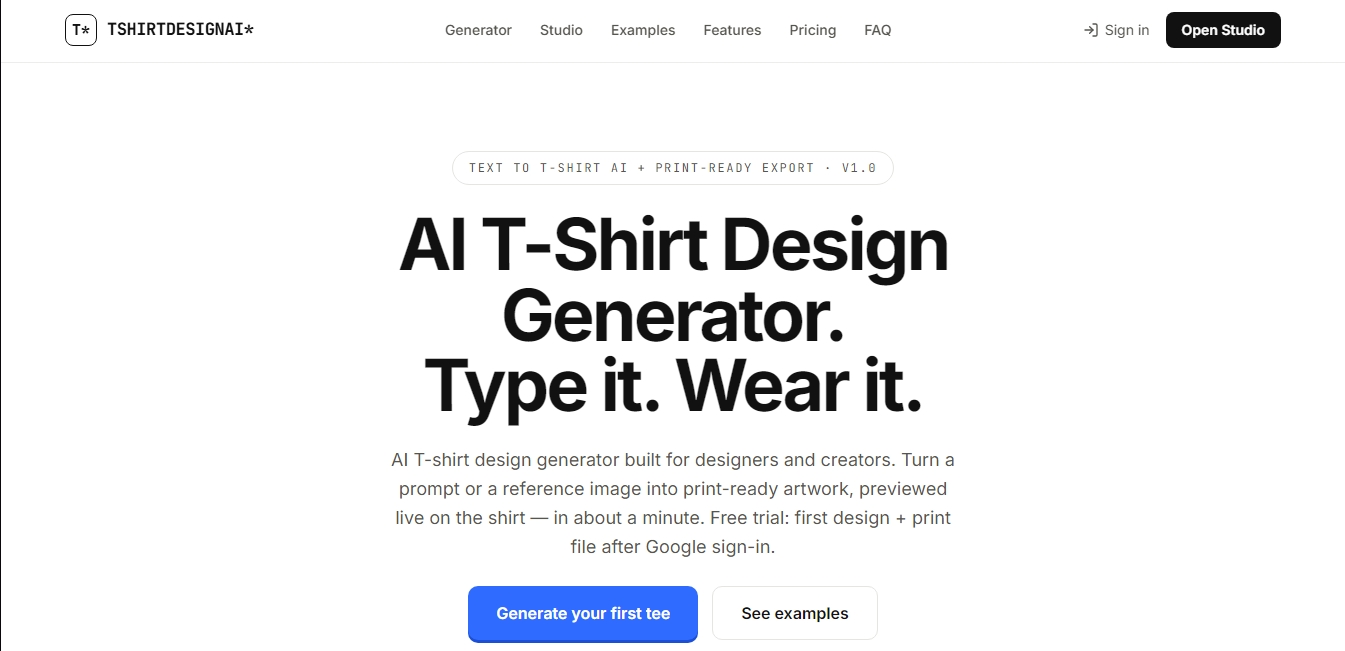
Create AI t-shirt designs from text or images. Preview art on apparel and export high-quality, print-ready files for professional printing.
What is T-Shirt Design AI?
T-Shirt Design AI is an advanced artificial intelligence tool specifically designed to create t-shirt designs ready for textile production. This generator allows designers, content creators, and print shop owners to transform text descriptions or reference images into high-quality digital artwork in approximately one minute. Unlike other generic image generators, this solution is optimized for the fashion and merchandising industry, offering files with the necessary resolution for commercial applications and realistic previews directly in the browser.
The operation of T-Shirt Design AI is based on a text-to-t-shirt AI model that processes natural language to interpret subjects, styles, and moods. Users simply enter a detailed prompt, select one of the 9 available artistic styles (such as Vintage Retro, Bold Typography, Cartoon Mascot, or Grunge Streetwear), and can add an optional slogan that the AI integrates accurately, avoiding the text errors common in other tools. Additionally, the platform supports uploading reference images to maintain visual consistency through an image-to-image approach, allowing users to adjust the creativity level of the final result.
Key technical capabilities and practical benefits include:
Live Preview: The generated design is instantly projected onto a garment model, allowing users to switch between 6 garment types (crew neck, V-neck, tank tops, long sleeves, among others) and 12 different colors to see how the final product will look.
Professional Export: The tool generates 300 DPI PNG files with transparent backgrounds at 4500×5400 pixels, meeting the industrial standard for DTG printing (direct-to-garment) and screen printing.
Batch Mode: This feature allows for processing multiple designs simultaneously—an essential function for scaling Print on Demand (POD) catalogs and seasonal collections en masse.
Privacy and Ownership: Designs and reference images are private by default. The platform does not use user work to train its models, guaranteeing the security of intellectual property.
This AI application is especially useful for graphic designers who need to prototype concepts quickly and for clothing brands looking to launch merchandise collections without incurring high initial design costs. Sellers on print-on-demand platforms benefit from the generation of files with safe margins and optimized output resolutions, eliminating the need for external editing software or complex layout templates. As a cloud-based tool, it facilitates a streamlined workflow from any device with internet access.
T-Shirt Design AI features and use cases
How to use T-Shirt Design AI
T-Shirt Design AI FAQ
What is T-Shirt Design AI?
It is an AI-powered t-shirt design generator that lets you create print-ready illustrations from text prompts or reference images in about a minute.
Are T-Shirt Design AI files suitable for professional printing?
Yes, the tool exports transparent PNG files at 300 DPI with a resolution of 4500 x 5400 pixels, ensuring optimal quality for screen printing and direct-to-garment (DTG) systems.
Can I sell the shirts I design with the tool?
Commercial use for all generated images is included in all paid subscription plans, allowing you to sell your products without any copyright restrictions.
Can I try T-Shirt Design AI for free?
When you sign in with your Google account, you receive free credits to generate your first design and download the high-resolution file without making any payment.
Can I use my own images as a reference for a design?
The platform allows you to upload up to four reference images so the AI can replicate a specific visual style, sketch, or composition while staying true to your original idea.
What types of garments can I preview in the studio?
The generator includes a real-time preview for six different types of garments and twelve different colors, allowing you to see how the design looks before downloading the final file.
Does T-Shirt Design AI support bulk design creation?
Yes, advanced plans include a batch mode that allows you to generate up to fifty designs simultaneously to speed up the creation of entire catalogs.
What artistic styles can the tool generate?
The system features nine predefined styles, including options such as retro vintage, bold typography, cartoon mascots, line art, urban grunge aesthetics, and watercolor.
T-Shirt Design AI pricing and plans
Free Plan
$0 forever
2 credits upon sign-up.
Includes your first design and its print-ready file.
Access to all 9 art styles.
Live preview on 6 garment types and 12 colors.
Watermark-free preview downloads.
Pro Plan
$19 per month (annual option available with upfront credits)
300 credits per month.
Print-ready export in transparent PNG at 300 DPI.
Optimized dimensions for DTG and screen printing (4500×5400).
Image-to-image feature via reference uploads.
Batch mode (up to 20 designs per run).
License for personal and commercial use.
Team Plan
$59 per month
1,500 credits per month.
Includes all Pro plan features.
Expanded batch mode (up to 50 designs per run).
Bulk file export (ZIP format + CSV manifest).
Priority support.
T-Shirt Design AI Screenshots
T-Shirt Design AI user reviews
Write a review
Checking your session...
T-Shirt Design AI Reviews
Loading reviews...
T-Shirt Design AI alternatives


AppLaunchFlow
Generate screenshots, ASO copy, icons, videos, and mockups for app stores. Includes localization, social graphics, and app ranking tracking.



utilz Background Remover
Remove image backgrounds for free with total privacy in your browser. Create transparent or colored backgrounds without uploading files while maintaining original resolution.
