TheLibrarian.iov8
Share
TheLibrarian.iov8
WhatsApp AI assistant to manage your schedule, emails, and tasks. Integrates with Google and Slack to organize work, process files, and automate reminders.
General Information about TheLibrarian.iov8
TheLibrarian.io is an advanced AI-powered virtual assistant specifically designed to integrate into the WhatsApp interface. Its primary function is to act as an intelligent manager for your inbox, personal schedule, and daily tasks, allowing users to control their workflows without needing to be at a computer. This tool centralizes the management of communications, reminders, and social media posts from an instant messaging app, streamlining organization for highly mobile professionals.
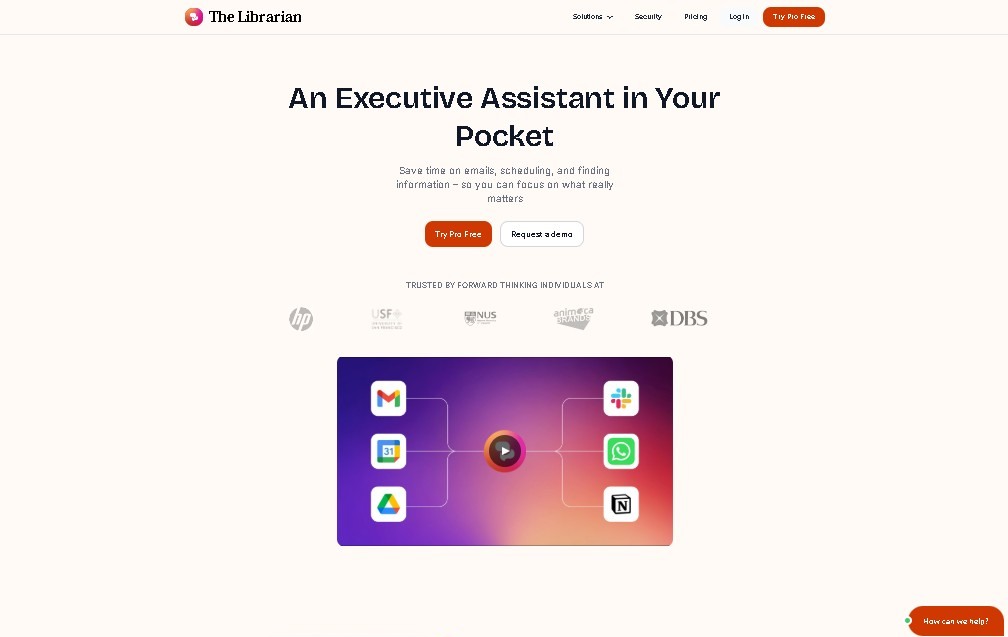
The architecture of TheLibrarian.io relies on deep integration with the Google Workspace ecosystem (including Gmail, Drive, Calendar, and Contacts), as well as external platforms like Slack, Notion, GitHub, Zoom, and LinkedIn. Using language models and data processing, the AI interprets user requests via WhatsApp chats to execute actions within these third-party applications. Regarding security, the platform is Google CASA certified, ensuring robust data encryption both in transit and at rest, while complying with strict privacy controls.
Key functional capabilities and practical benefits include:
- Morning and Pre-Meeting Reports: Generates concise summaries of the day's priorities, pending tasks, and relevant data before every scheduled calendar appointment.
- Reminder and Scheduled Task Management: Allows for setting alerts through simple text commands, sending a direct notification to your phone when it is time to take action.
- Smart Fact Memory: Stores and retrieves recurring data such as office addresses, Zoom links, email signatures, or specific workflow details to automate responses.
- File and Image Processing: The system allows users to upload PDF documents, PPT presentations, or photos to extract key information or perform specific queries about the content using OCR and document analysis.
This AI assistant for WhatsApp is especially useful for startup founders, SMB owners, real estate or insurance agents, and other professionals who spend much of their day away from a traditional office. By focusing on mobile productivity, it helps overcome information overload and maintain operational continuity remotely. Currently, the tool is optimized for Google Workspace users and offers support through WhatsApp, the web, and Slack, establishing itself as an efficient and accessible AI task management solution.
Features and Use Cases of TheLibrarian.iov8
How TheLibrarian.iov8 Works
Frequently Asked Questions about TheLibrarian.iov8
What exactly is TheLibrarian.io, and how can it help me?
It’s an AI assistant for WhatsApp that manages your schedule, reminders, and productivity apps to help you optimize your daily routine.
What apps does TheLibrarian.io currently integrate with?
It connects with Google Calendar, Gmail, Drive, LinkedIn, Zoom, Slack, Notion, and GitHub, along with other commonly used professional tools.
How do I set a reminder with the assistant?
Just send a WhatsApp message stating what you want to remember, and the system will send you an automatic notification when the time comes.
Can I send files or images to TheLibrarian.io?
Yes, you can upload PDFs, presentations, or photos, and the assistant will extract relevant information or answer specific questions about the content.
Is it safe to share my personal data with TheLibrarian.io?
The tool is Google CASA certified and uses robust data encryption to ensure the privacy and security of all your interactions.
Does TheLibrarian.io offer a free trial?
You can try all the features for free for 14 days, then subscribe to the basic plan starting at $10 per month.
Is there a discount code available for the subscription?
Use the exclusive promo code TAAFT to get 50% off for the first three months of your paid subscription.
Who is this tool primarily designed for?
It’s designed for professionals who spend a lot of time away from the office, such as real estate agents, appraisers, founders, or freelancers.
What are TheLibrarian.io’s morning reports?
They are daily summaries sent via WhatsApp that provide a clear overview of your upcoming meetings, pending tasks, and priorities before you start your workday.
TheLibrarian.iov8 Pricing
Free Trial
Price: Free for 14 days.
- Access to WhatsApp assistant features for calendar and inbox management.
- Integration with Google apps and productivity tools.
- Setup of reminders and scheduled tasks.
Basic Plan
Price: Starting at $9.99/month (coupon "TAAFT" available for 50% off for the first 3 months).
- Full integration with Google Workspace (Gmail, Drive, Calendar, and Contacts).
- Connection with external tools: LinkedIn, Zoom, Slack, Notion, and GitHub.
- Detailed morning briefings and pre-meeting summaries.
- Management of reminders and tasks via WhatsApp messages.
- "Smart Memories" feature for storing key data (addresses, signatures, links).
- Ability to upload files (PDF, PPT) and images for information extraction.
- Restrictions: Limited exclusively to Google Workspace accounts; does not support other email providers.
TheLibrarian.iov8 Screenshots