

TotalMedia Photo Enhancer
Share
Enhance and restore images with AI directly in your browser. Upscale resolution, fix blur, and repair damaged old photos with professional results.
What is TotalMedia Photo Enhancer?
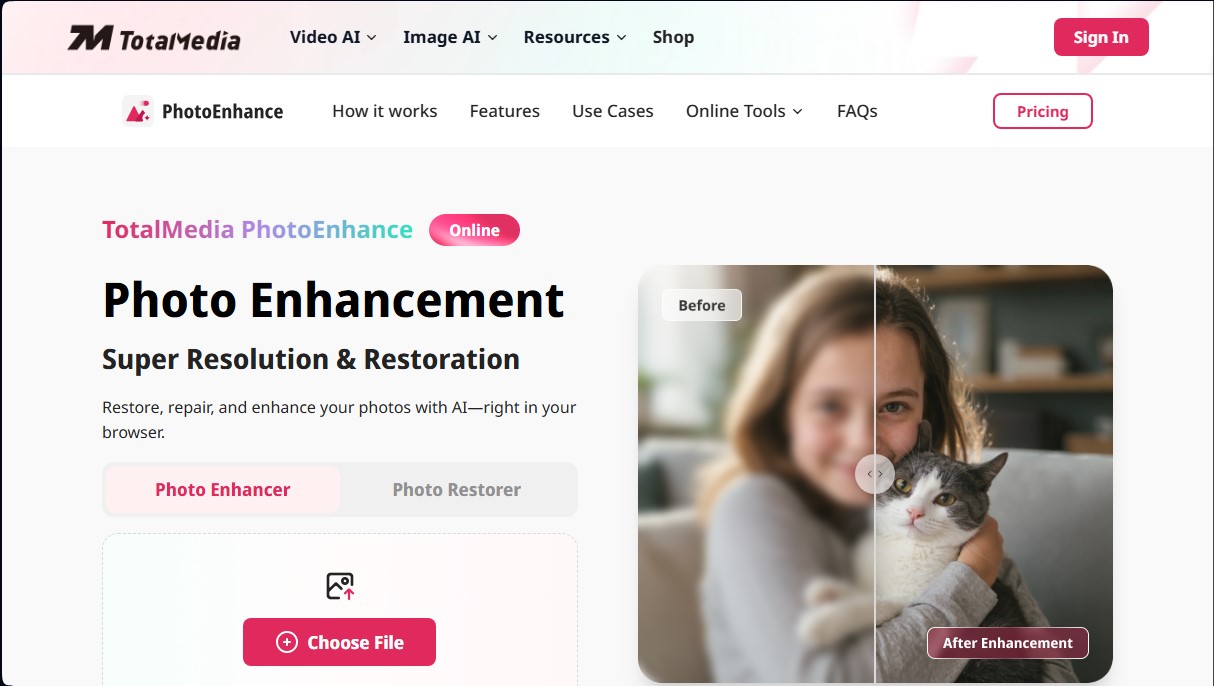
TotalMedia Photo Enhancer is an online tool specializing in AI-powered image enhancement. Its primary function is super-resolution and photo restoration, allowing users to repair damaged files or increase the quality of low-resolution images directly from their browser, without the need to install additional software on their computer.
The application's technology is based on intelligent detail reconstruction algorithms. Unlike traditional upscaling, TotalMedia Photo Enhancer's AI analyzes existing pixels to generate new visual information, achieving flexible super-resolution of 2x, 4x, and up to 8x. This allows small captures to be transformed into high-definition files with up to 8K resolution while maintaining a natural and sharp appearance—ideal for large-format prints or viewing on high-density screens.
The platform is intuitive to use and is structured into three functional steps:
- File Upload: The user drags the image into the web interface.
- Configuration: Super-resolution parameters and the required output format are selected.
- Processing and Exporting: The algorithms execute the enhancement, and the final high-definition file is downloaded.
Key technical capabilities include digital noise reduction, portrait blur correction, and old photo restoration. The latter can remove scratches, repair cracks, and recover faded colors in vintage images, making it an effective solution for preserving historical archives.
TotalMedia Photo Enhancer is highly useful across various sectors:
- E-commerce: Optimizing product photography to improve clarity and increase sales in online stores.
- Professional Photography: Processing files lacking texture to convert them into high-quality pieces for portfolios.
- Social Media: Improving sharpness in posts and thumbnails to maximize visual impact.
- Graphic Design: Upscaling low-quality visual assets for integration into marketing and branding materials.
- Multimedia Content: Increasing resolution in anime stills or illustrations, smoothing lines and enhancing colors.
Thanks to its cloud processing architecture, the tool delivers fast results without consuming local device resources. It is compatible with the most common image formats and guarantees detail enhancement without loss of quality, facilitating a professional workflow for both home users and content creators.
TotalMedia Photo Enhancer features and use cases
How to use TotalMedia Photo Enhancer
TotalMedia Photo Enhancer FAQ
Is TotalMedia Photo Enhancer free to use?
The tool offers a free version to try out the core features and subscription plans to access all advanced features.
What kind of issues can this tool fix in my photos?
It allows you to restore old photos, remove scratches, fix blurry portraits, enhance resolution, and recover faded colors using AI.
Do I need to install any software to use TotalMedia Photo Enhancer?
No installation is required, as the platform runs directly in your browser and all processing is handled quickly in the cloud.
How much can I upscale my images?
The system offers flexible super-resolution with 2x, 4x, and 8x upscaling, delivering exceptionally sharp photos at up to 8K resolution.
What image formats does the platform support?
TotalMedia Photo Enhancer is fully compatible with all standard image formats, making it easy to process any file.
Do exported images have watermarks?
Users with an active subscription plan can export all their processed files without any watermarks.
TotalMedia Photo Enhancer pricing and plans
Free Plan
Price: Free.
Allows you to try out photo enhancement and restoration features.
Restrictions: Includes a limited number of images for upscaling and processing before a subscription is required.
Monthly Plan
Price: 6,95 $ per month (taxes not included).
Full access to all photo enhancement and restoration models.
Complete compatibility with all image formats.
Flexible 2x, 4x, and 8x super-resolution for 8K photos.
AI color recovery and old photo restoration.
Sharpening correction for blurry portraits.
Detail enhancement with no loss in quality.
Watermark-free file exports.
Ultra-fast cloud-based processing.
Annual Plan
Price: 29,95 $ per year (one-time annual payment, equivalent to 2,5 $ per month; taxes not included).
Full access to all photo enhancement and restoration models.
Complete compatibility with all image formats.
Flexible 2x, 4x, and 8x super-resolution for 8K photos.
AI color recovery and old photo restoration.
Sharpening correction for blurry portraits.
Detail enhancement with no loss in quality.
Watermark-free file exports.
Ultra-fast cloud-based processing.
TotalMedia Photo Enhancer Screenshots
TotalMedia Photo Enhancer user reviews
Write a review
Checking your session...
TotalMedia Photo Enhancer Reviews
Loading reviews...
TotalMedia Photo Enhancer alternatives

Topaz Labs
Topaz Labs makes AI apps that upscale, sharpen, denoise and restore photos and videos, available on desktop, web, mobile and through an API.



AlreadyRan
AlreadyRan brings dozens of AI image, video and audio models into one web studio with a single credit balance and the cost shown before every generation.

Album Art Creator
Generate professional album covers with AI. Create editable designs tailored to your music's genre and style, optimized for Spotify, Apple Music, and other streaming platforms.

Unpixelate
Enhance blurry or pixelated images with AI. Upscale resolution and restore details in faces and old photos for free.