TranscripTool
Share
TranscripTool
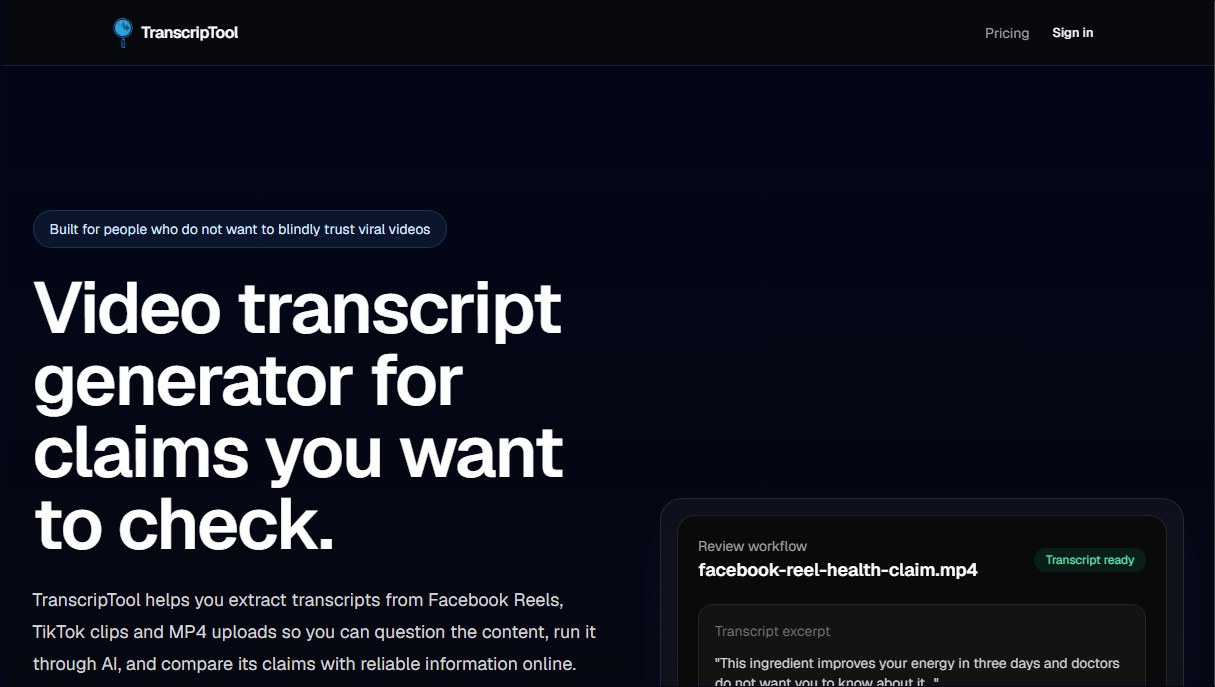
Extract text from TikTok, Facebook, and MP4 videos to verify content or create subtitles. Export to TXT and SRT to streamline AI-powered information analysis.
General Information about TranscripTool
TranscripTool is a specialized video-to-text conversion tool designed specifically for users who need to critically analyze social media content. This application allows you to extract accurate transcriptions from Facebook Reels, TikTok clips, and MP4 files, facilitating fact-checking and cross-referencing information against viral content. Its primary focus is to serve as a bridge between audiovisual content and textual analysis, allowing researchers, journalists, and individual users to break down complex claims without relying on expensive professional research suites.
The operation of TranscripTool is based on AI speech recognition technology capable of processing more than 15 languages. The process is straightforward: the user enters the social video URL or uploads a file directly from their computer. The AI extracts the audio and transforms it into structured text, eliminating the need for manual transcription. One of its technical advantages is the ability to handle videos from platforms that typically restrict downloads, offering local file uploads as a reliable alternative to ensure you can obtain the text under any circumstances.
The tool offers export capabilities designed for various workflows:
- Download in TXT format: Ideal for integrating content into AI assistants, allowing for the generation of fact-checking prompts, summaries, and argument analysis.
- Export in SRT format: Essential for creating subtitles, professional video editing, or archiving documentary evidence.
The practical benefit of using TranscripTool lies in its ability to slow down the consumption of fast-paced information. By having the transcription available, users can identify the exact claims made in a video and use them to perform precise queries in search engines or AI tools. It is important to note that the application does not automatically verify the truthfulness of the content; its function is to provide a faithful transcription so that the user can perform rigorous fact-checking by comparing the data against official sources, scientific articles, or reliable news outlets.
This solution is highly useful for those seeking a streamlined and functional alternative to bloated video editors. By focusing exclusively on generating transcriptions for analysis, it optimizes response times against misinformation. Whether it is debunking a hoax in a Reel or documenting a TikTok clip for academic purposes, TranscripTool ensures that the user has a solid textual foundation to question content and decide which information deserves their trust.
Features and Use Cases of TranscripTool
How TranscripTool Works
Frequently Asked Questions about TranscripTool
What exactly is TranscripTool and what is it used for?
It is a tool designed to extract text from social media videos and MP4 files, making fact-checking and content analysis easier through artificial intelligence.
Does TranscripTool automatically verify if the information in a video is accurate?
No, the tool does not check the truthfulness of claims; instead, it provides you with a transcript so you can cross-reference the data or consult with an AI assistant.
What types of files and links can I use on the platform?
You can paste links from Facebook Reels and TikTok, or upload your own MP4 files if direct downloading from the original platform is blocked.
In what formats can I export the results?
You can download transcripts in TXT format for research purposes or in SRT format if you need subtitles for editing, publishing, or archiving content.
Does TranscripTool offer a free plan for its users?
Yes, there is a free plan that includes 30 minutes of transcription per month without requiring you to enter any credit card information.
What benefits do I get by subscribing to TranscripTool’s Personal Pro plan?
By upgrading your account for $5 a month, you will receive 500 minutes of transcription per month and priority in the processing queue for your files.
Is it possible to transcribe YouTube videos with this tool?
Due to technical restrictions from providers, YouTube links may fail; therefore, we recommend uploading the MP4 file directly to ensure a successful transcription.
How many languages does the transcription system support?
The system currently supports more than 15 different languages to process your video audio and convert it into text.
Can I cancel my paid subscription at any time?
Yes, the Pro subscription has no long-term commitment, and you can cancel it whenever you want from your account settings.
Why should I use TranscripTool instead of other more complex research tools?
This tool focuses on simplicity and affordability, providing exactly what you need to verify content without forcing you to pay for extra features you won't use.
TranscripTool Pricing
Free
$0 per month
30 minutes of transcription per month.
Support for Facebook and TikTok links and MP4 file uploads.
MP4 file size limit of up to 100 MB.
Downloads in TXT and SRT formats.
15+ supported languages.
Personal Pro
$5 per month
500 minutes of transcription per month.
Use transcriptions with AI assistants to analyze content.
TXT exports for prompts and research notes.
SRT exports for captions and archiving.
Priority queue processing.
TranscripTool Screenshots