
Share
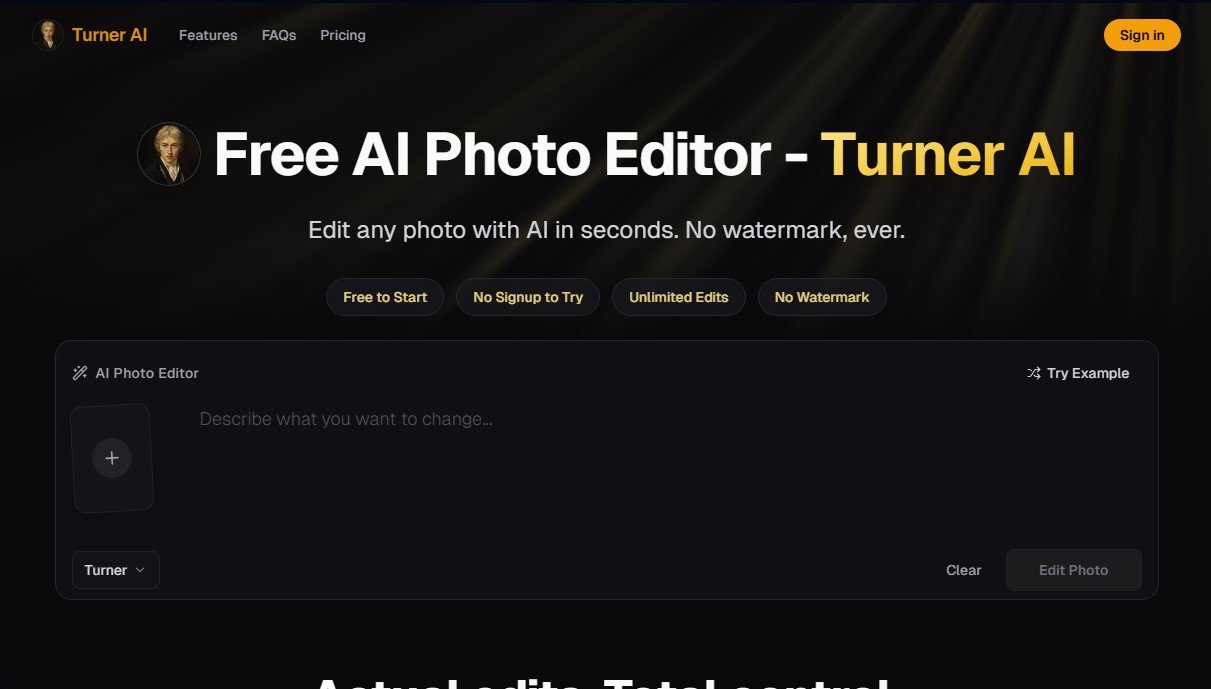
Free AI photo editor to change backgrounds, remove objects, and adjust lighting with simple prompts. No sign-up, no watermarks, and fast results.
What is Turner AI?
Turner AI is an AI photo editor specializing in modifying existing images using simple text commands. This tool stands out for its focus on localized photo retouching, allowing users to make specific changes without altering the fundamental structure of the original photograph. It is an ideal solution for users who need fast, professional results from their computer or mobile device without dealing with the complexity of layers or masks found in traditional design software.
The system operates on a plain-word editing model, where the user simply describes the desired modification in natural language. Under the hood, Turner AI employs a multi-model architecture that integrates advanced technologies such as Nano Banana 2 Pro, GPT Image 2, Qwen-Image, and Seedream 5.0 Pro. These algorithms allow the image to be processed semantically, correctly distinguishing between the main subject and environmental elements to ensure that edits are natural and consistent with the original lighting and perspective.
Its core features cover the most common needs in AI image processing:
- Background replacement: Change the setting of a photograph while keeping the subject intact and perfectly integrated into the new environment.
- Object removal: Erase distracting or unwanted elements, automatically and seamlessly reconstructing the background.
- Color modification: Change the tone of specific objects without losing texture fidelity or the way light interacts with the surface.
- Lighting and atmosphere adjustment: Transform the mood of a photo by adding effects like warm sunlight or global tonal adjustments.
- Micro-detail editing: The ability to add or remove text, logos, and small markings on specific objects within the image.
One of the greatest advantages of Turner AI is its immediate accessibility, as it allows for unlimited edits without registration and generates results without watermarks. The platform prioritizes privacy and security, processing images anonymously without storing them permanently on its servers. As a fully browser-based tool, it optimizes the turnaround time for graphic assets, making it easy for any user to obtain high-quality images ready for commercial or personal use in a matter of seconds. It is worth noting that its workflow removes technical barriers to entry, making it one of the most efficient options for automated digital retouching.
Turner AI features and use cases
How to use Turner AI
Turner AI FAQ
What is Turner AI and what is it used for?
Turner AI is an AI-powered photo editor that allows you to modify existing images using simple descriptions without requiring any technical expertise.
Do I need to create an account to use Turner AI?
No registration or login is required to start editing; you can upload your photo and apply changes directly from the homepage.
Do edited photos have watermarks?
No, images processed with this tool do not include any watermarks, ensuring a clean and professional finish from the get-go.
What editing features does Turner AI offer?
You can change backgrounds, remove unwanted objects, adjust lighting, modify specific colors, and add or clean up text details in your photos.
Is my file data secure on the platform?
Yes, anonymous edits are not stored permanently, and your files are only processed to complete the requested edit without being saved long-term.
Can Turner AI be used on a mobile device?
Yes, the tool works directly in your browser and is optimized for computers, tablets, and smartphones without the need to install an app.
Can I use the resulting images for commercial projects?
Yes, you can use the output for personal or commercial projects as long as you hold the rights to the original image and comply with the terms of service.
What makes Turner AI different from other image editors?
This tool stands out by offering localized edits that keep the main subject of the photo intact, allowing for natural changes using written instructions.
Turner AI pricing and plans
Free Plan
$0
• Unlimited edits with no registration required.
• No watermarks on results.
• Natural language editing (written prompts).
• Basic tools for changing backgrounds, removing objects, and adjusting color, lighting, and details.
• Browser-based access on any device.
• Privacy: Files are not stored permanently.
• Restrictions: Users without an account may experience short wait times for image processing.
Turner Pro
$20/month ($10/month billed annually, $120/year)
• 2,000 monthly credits (usage varies by model).
• Priority processing queue.
• Access to all advanced models: Nano Banana (2, 2 Lite, and Pro), GPT Image (2 and 1.5), and Seedream (4.0 and 5.0 Pro).
• 1K HD resolution edits (approximately 1,000 edits per month at 2 credits each).
• Email technical support.
Turner AI Screenshots
Turner AI alternatives

ColorCraft
Create Amazon KDP books. Generate coloring pages, stories, puzzles, and print-ready full covers, plus promotional mockups in a single workflow.




