
Share
Fix blurry photos and enhance sharpness with AI. Eliminate motion blur, restore old photos, and regain focus in seconds.
What is Unblur Image.io?
Unblur Image.io is an online tool specialized in AI-powered photo restoration, designed to automatically correct sharpness and focus issues. Its primary function is to eliminate motion blur, improve out-of-focus photos, and restore clarity to old or degraded images. Unlike conventional photo editors that apply manual sharpening filters, this platform uses deep learning algorithms to reconstruct lost details, textures, and edges that have been hidden by distortion.
The technology powering Unblur Image is based on advanced models like Real-ESRGAN, which allow for high-fidelity restoration. The system automatically detects the type of issue present in the file—whether it's compression artifacts, low-light noise, or Gaussian blur—applying the most optimal correction technique for each case. The entire process takes place in the cloud, making it easy to use from any computer or mobile device via a web browser, without the need to install additional software.
Among the tool's most notable functional capabilities are:
- Face Enhance: A specific feature for portraits that accurately reconstructs facial features, improving the sharpness of eyes, hair, and skin texture.
- Image Upscaling: Allows for increasing photo resolution to 2x, 4x, and even 8x, maintaining visual clarity and eliminating pixelation.
- Text and Document Recovery: Optimizes readability in screenshots or scanned documents that are difficult to read due to a lack of definition.
- Batch Processing: An option geared toward professional users who need to process multiple files simultaneously to save time.
- Customized Enhancement Modes: Includes settings such as High Fidelity mode to maintain maximum accuracy to the original while removing noise.
The workflow at Unblur Image.io is extremely simple and efficient. Users upload images in common formats like JPG, PNG, or WEBP (with a maximum file size of up to 20MB). After uploading, the AI analyzes and processes the image in just a few seconds. The platform features an interface with a comparison slider to inspect the results before and after the intervention, allowing for the download of the final image with professional-grade sharpness.
This tool is particularly useful for photographers, e-commerce managers who require flawless product images, and users looking to rescue damaged family memories. By automating complex editing tasks, Unblur Image ensures that AI image restoration is accessible to everyone, eliminating the need for advanced technical knowledge in digital post-production.
Unblur Image.io features and use cases
How to use Unblur Image.io
Unblur Image.io FAQ
Is Unblur Image.io free for new users?
Yes, new users receive five free credits when they sign up for the first time, allowing them to process up to five images at no cost.
How can I sharpen a photo with Unblur Image?
Simply upload your image to the platform, wait a few seconds for the AI to process the file automatically, and then download the final result.
What types of blur can the Unblur Image.io tool fix?
This technology can fix motion blur, camera focus issues, low-light noise, and imperfections in old photographs.
What file formats and sizes are supported by Unblur Image?
The platform supports JPG, PNG, and WebP formats with a maximum file size of up to 20 megabytes per image.
Can I use Unblur Image.io on a mobile phone?
Yes, you can access the tool from any web browser on iPhone or Android devices without needing to install an app.
Are my photos safe when using Unblur Image?
Your privacy is a priority, and all images are processed securely and automatically deleted from our servers once the process is complete.
What are the benefits of the face enhancement feature in Unblur Image.io?
This feature uses specialized AI to accurately reconstruct details in the eyes, skin, and hair for portrait shots.
Does the tool allow you to increase image size?
Yes, in addition to fixing blur, you can upscale your photos to higher resolutions while maintaining clarity and sharpness using the enlargement options.
Unblur Image.io pricing and plans
Free Plan
Price: 0 €
- 5 free credits for new users upon sign-in.
- Process up to 5 images.
- Access to basic restoration features.
Starter Plan
Price: 12,9 $ (one-time payment), 9,9 $/month (monthly subscription), or 8,4 $/month (billed annually).
- 100 monthly credits (credits expire monthly).
- AI-powered image restoration.
- Face and detail enhancement.
- High-resolution file output.
- Fast cloud processing.
- Standard support.
Standard Plan
Price: 39,9 $ (one-time payment), 29,9 $/month (monthly subscription), or 24,7 $/month (billed annually).
- 400 monthly credits (credits expire monthly).
- AI-powered image restoration.
- Face and detail enhancement.
- High-resolution file output.
- Priority processing queue.
- Priority support.
Premium Plan
Price: 99,9 $ (one-time payment), 79,9 $/month (monthly subscription), or 67,2 $/month (billed annually).
- 1400 monthly credits (credits expire monthly).
- AI-powered image restoration.
- Face and detail enhancement.
- Upscaled output to 4K resolution.
- Maximum processing speed.
- Dedicated support.
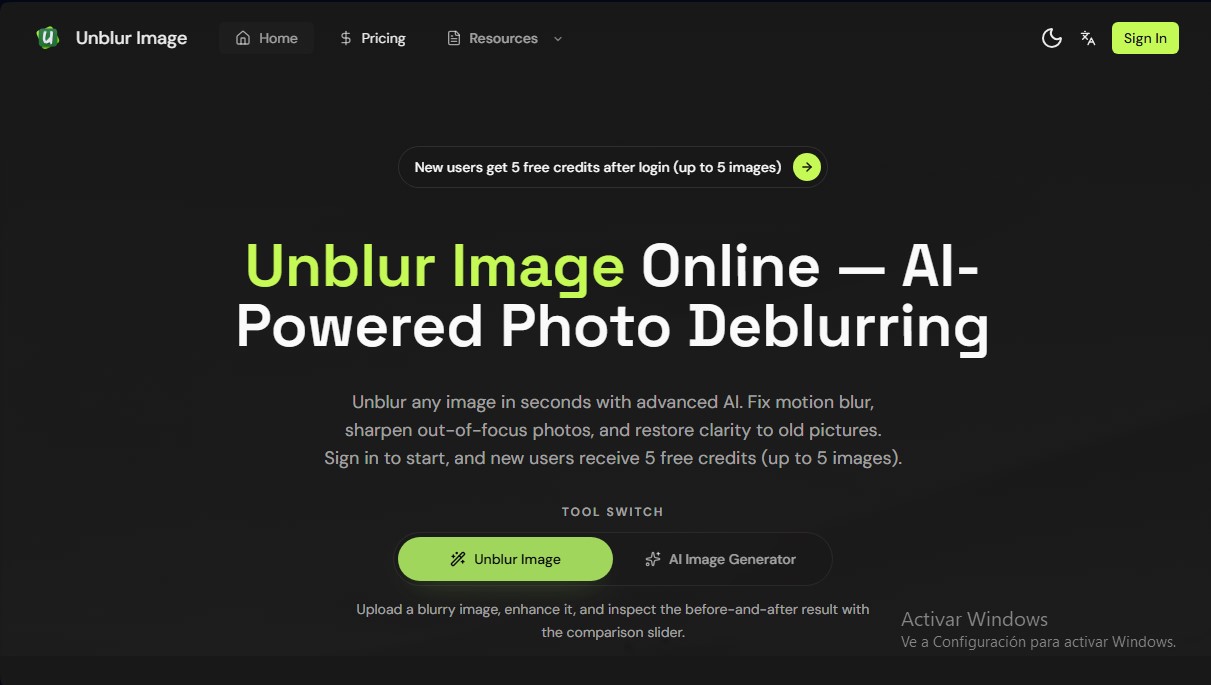
Unblur Image.io Screenshots
Unblur Image.io user reviews
Write a review
Checking your session...
Unblur Image.io Reviews
Loading reviews...
Unblur Image.io alternatives

Topaz Labs
Topaz Labs makes AI apps that upscale, sharpen, denoise and restore photos and videos, available on desktop, web, mobile and through an API.



AlreadyRan
AlreadyRan brings dozens of AI image, video and audio models into one web studio with a single credit balance and the cost shown before every generation.

Album Art Creator
Generate professional album covers with AI. Create editable designs tailored to your music's genre and style, optimized for Spotify, Apple Music, and other streaming platforms.

Unpixelate
Enhance blurry or pixelated images with AI. Upscale resolution and restore details in faces and old photos for free.