

Share
What is UPDF?
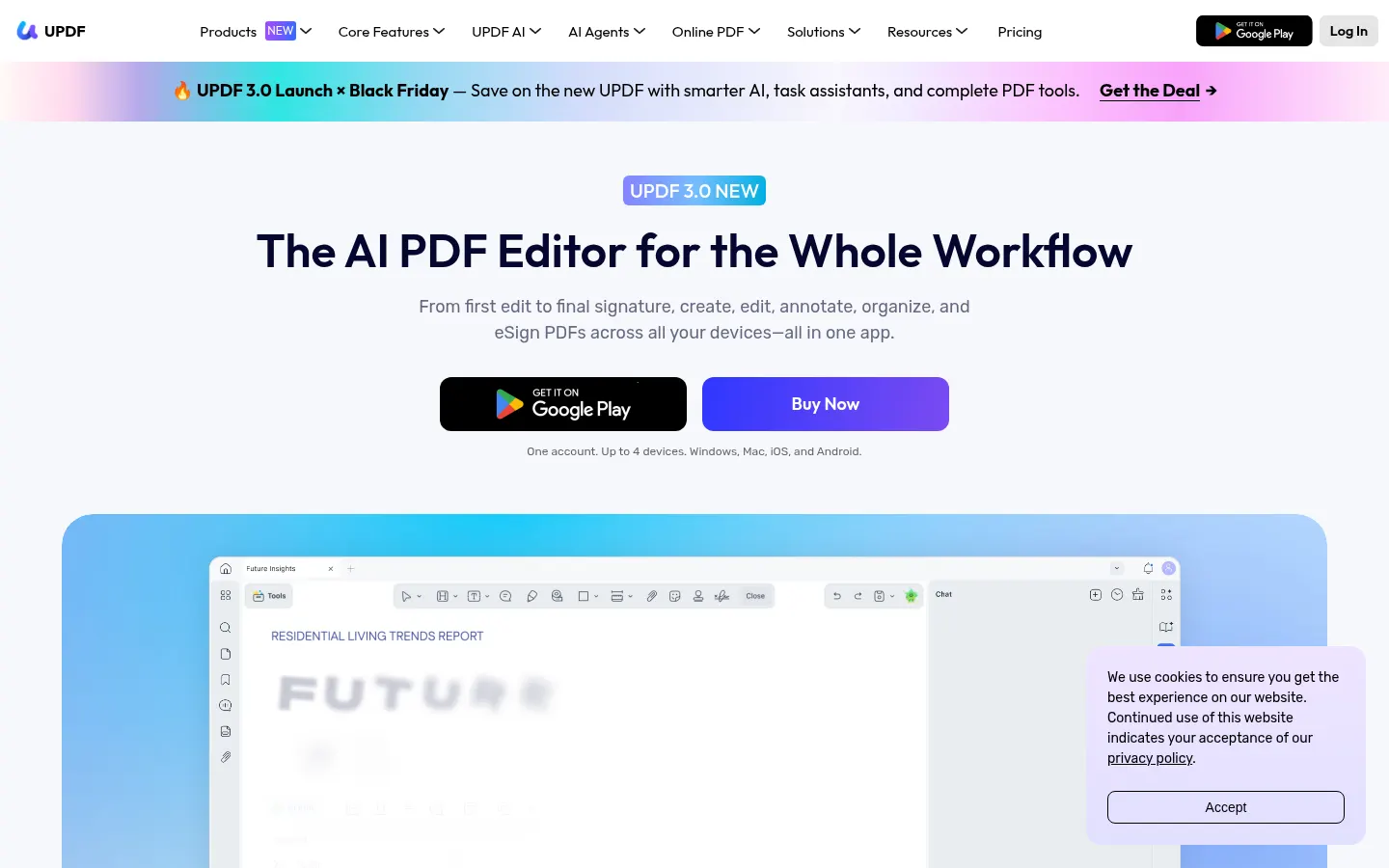
UPDF is an AI tool by UPDF Technology that combines a full PDF editor with an assistant to summarize, translate and chat with documents on Windows, Mac, iOS, Android and the online version.
What does UPDF AI add to the editor?
Beyond editing text and images, annotating, merging, splitting, OCR and converting to Word/Excel/image, the AI layer lets you ask the PDF questions, get explanations, build mind maps, run semantic search and help with study, contract or finance scenarios. There is also a Copilot for page automation and visual tools (watermarks, backgrounds, stickers).
Who is UPDF for?
- Professionals who edit and sign PDFs daily across devices.
- Students and researchers who want to summarize and query notes or papers.
- Teams looking for an Enterprise modalidad with AI and advanced signing.
UPDF pros and cons
Pros: unifies classic editing and AI chat, native desktop and mobile apps, OCR and eSign. Cons: AI is often sold with separate credits/periodo de prueba from Pro editor offers, Lifetime/Pro fees shift with campaigns, and it is not a full enterprise DMS replacement.
Compare the workflow with your stack and see which parts will still need human review. This profile summarizes the official site as of the check date; features and integrations can change.
Compare the workflow with your stack and see which parts will still need human review. This profile summarizes the official site as of the check date; features and integrations can change.
UPDF features and use cases
How to use UPDF
UPDF FAQ
What is UPDF?
It is a cross-platform PDF editor with an AI layer to summarize, translate, chat with the document and convert to other formats.
Is UPDF free?
There is limited free editor use; Pro and the AI assistant are paid (with a trial). See the pricing section.
Does it have an API?
The public offer focuses on desktop, mobile and online apps; Enterprise covers custom deployments.
Does it work in Spanish?
Yes. The UI and AI features support Spanish among other languages.
Which platforms does it run on?
Windows, Mac, iOS, Android and an online version.
What does UPDF AI do?
It summarizes, translates, explains, chats with the PDF, builds mind maps and helps with study or work tasks.
Does it include eSign?
Yes. UPDF Sign and Enterprise plans cover signing; advanced tiers add certificate-based options.
Does it include OCR?
Yes. It includes OCR and conversion to Word, Excel, images and other formats.
What are alternatives to UPDF?
On GptZone you can compare ChatPDF, Humata and PDF.ai for document chat; UPDF also adds classic PDF editing.
UPDF pricing and plans
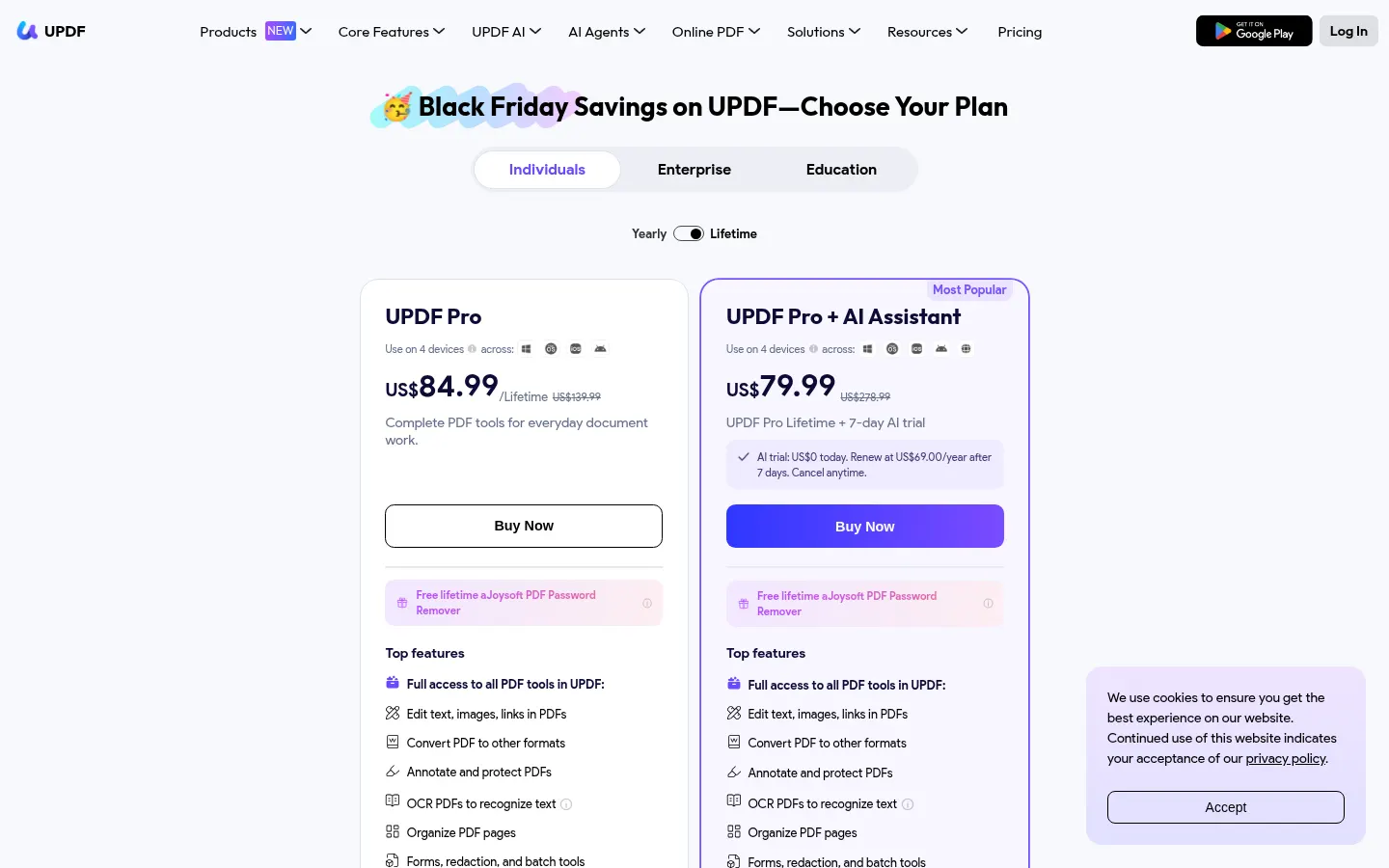
Reference price: 69 USD / year. Source · Verified: November 6, 2026
Prices in USD from the official site (Checked on: 06/11/2026). Offers change often.
- Limited free use of the basic editor.
- UPDF Pro: yearly or Lifetime licenses depending on the promotion; at check time packs showed an AI trial (indicative renewal around 69 USD/year after a 7-day trial, subject to the live offer).
- AI Assistant / Scholar Research: monthly AI credits (e.g. 1,000) in online packs.
- Enterprise: custom pricing with AI and advanced signing.
- Always verify the exact price on updf.com/pricing because campaigns rotate.
UPDF Screenshots
UPDF user reviews
Write a review
Checking your session...
UPDF Reviews
Loading reviews...
UPDF alternatives
AskYourPDF
AskYourPDF is an AI suite for chatting with PDFs, summarizing documents, filling forms and building chatbots on your own content.

The Drive AI
AI assistant that automatically organizes, renames, and summarizes team files. Answers questions about content and automates your team’s cloud document management.

Slides Translator
Translate presentations and PDFs while preserving original layouts, images, and formatting. Review each slide and download the final result as a PDF.