

Share
Enhance image quality by upscaling resolution up to 4x with AI. Quickly eliminate pixelation and restore sharpness.
What is Upscale.media?
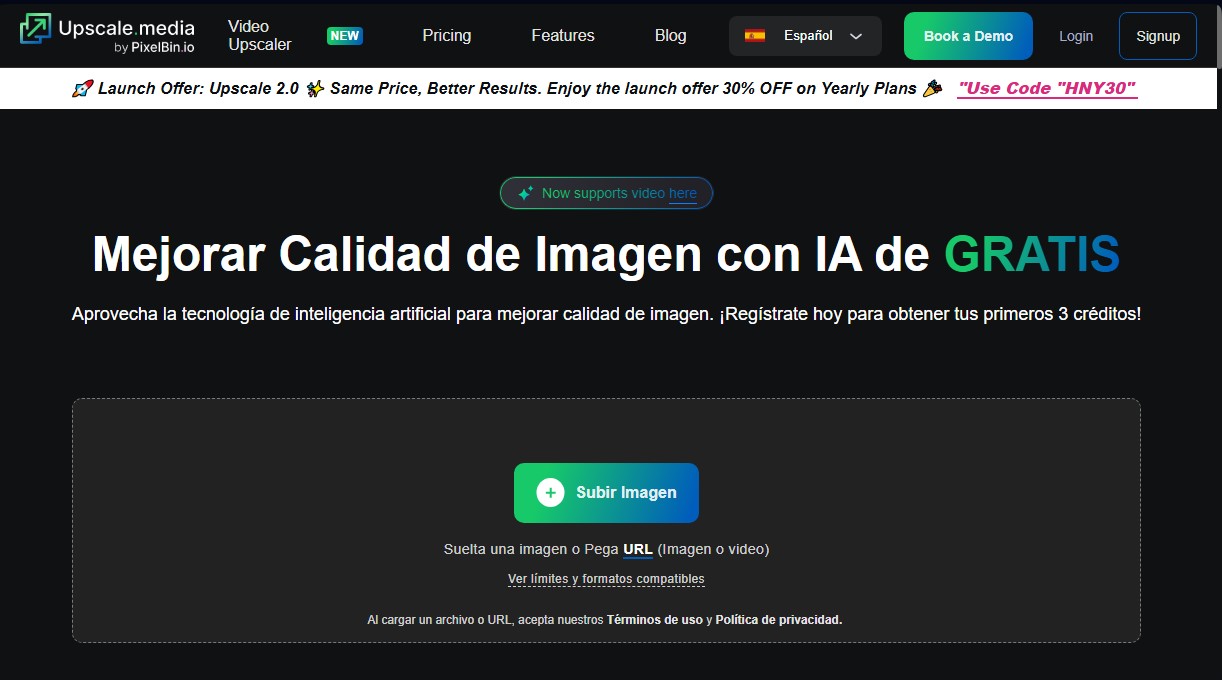
Upscale.media is a specialized tool for improving image quality with AI in an automated and efficient manner. This AI image upscaler has been designed to increase the resolution of graphic files without compromising sharpness or original detail, providing a professional solution for both individual users and businesses. Its primary function is to transform low-resolution files into high-definition images through artificial intelligence processes that intelligently analyze and reconstruct visual information.
The operation of Upscale.media is powered by advanced deep learning algorithms that allow for increasing resolution by up to 400%. Unlike conventional scaling methods, which often pixelate the image when enlarging it, this technology adds pixels coherently to maintain natural details. One of its most notable technical capabilities is the ability to remove JPEG artifacts, a process that reverses the degradation and blurriness caused by repeated compression, smoothing edges and bringing them closer to the quality of the original file.
This platform is compatible with a wide variety of modern formats, including PNG, JPG, JPEG, WEBP, and HEIC, and allows for output files with a maximum resolution of up to 10,000 x 10,000 px. For professional and corporate workflows, Upscale.media offers bulk processing capabilities, allowing for the simultaneous processing of multiple images from a desktop, in addition to facilitating API integration to automate visual enhancement tasks within existing organizations.
Among its practical benefits and primary use cases are:
- E-commerce: Optimization of product photography to improve the shopping experience and conversion rates.
- Print Media: Achieving premium print quality from illustrations or compressed photos retrieved from the cloud or social media.
- Real Estate: Enhancing property photos to present listings with sharp details and a professional aesthetic.
- Design and Photography: Restoration of old files or captures taken with low-resolution devices.
The process is straightforward: the user uploads the image or pastes a URL, the system processes the enhancement by automatically balancing sharpness and smoothness, and allows for the immediate download of the result. Upscale.media positions itself as a versatile image upscaler that eliminates the need for complex software, allowing any user profile to achieve high-quality results in a matter of seconds.
Upscale.media features and use cases
How to use Upscale.media
Upscale.media FAQ
What is Upscale.media and how does it help improve my photos?
It is an AI-powered platform designed to automatically and quickly increase image resolution and enhance visual quality.
Can I use Upscale.media for free?
Yes, the tool offers a free plan for personal use and provides three initial credits upon registration to test all its features.
What image formats does the tool support?
You can upload and process files in the most commonly used formats today, such as PNG, JPG, JPEG, WEBP, and HEIC.
How much can Upscale.media increase an image's resolution?
The app's technology allows you to increase the detail and resolution of any photo by up to 400 percent of its original size.
What are credits and how do they work on the platform?
Credits are the service's unit of measurement, and each transformation or enhancement you perform on an image will consume one credit from your balance.
Can I enhance multiple images at the same time?
Yes, the tool features a bulk transformation function that allows you to process multiple files at once to optimize your workflow.
How does Upscale.media remove artifacts from JPEG images?
The system uses AI algorithms to reverse file compression, smoothing edges and removing blurriness to restore the original look.
What is the maximum resolution output available?
The platform allows you to generate enhanced images with a maximum output resolution support of up to 10,000 by 10,000 pixels.
Do I need to register to use the service?
Registration is required for bulk image transformations, though you can process a single image per day without needing an account.
What advantages does Upscale.media offer for real estate or e-commerce?
It allows you to showcase products and listings with exceptional quality and sharp details, which helps capture customer attention and boost sales.
Upscale.media pricing and plans
Free Plan
Price: 0 €
- 3 free credits per month.
- 3 free downloads per month.
- Process 1 image daily without registration.
- Access to basic tools to test the platform.
Subscription Plan (Billed Annually)
Price: From 44,99 € to 120,00 € per year (based on credit volume).
- 1,500 credits/year option for 44,99 €.
- 3,000 credits/year option for 69,99 €.
- 6,000 credits/year option for 99,99 €.
- 12,000 credits/year option for 120,00 €.
- Includes facial enhancements and seamless API integration.
- Personal consultations and email support.
- Annual billing with auto-renewal and a no-refund policy.
One-Time Payment (On-Demand Credits)
Price: From 7,99 € to 84,99 € (one-time payment).
- 50-credit pack for 7,99 €.
- 200-credit pack for 24,99 €.
- 500-credit pack for 54,99 €.
- 1,000-credit pack for 84,99 €.
- Credits are valid for 1 year after purchase.
- Non-refundable; ideal for occasional tasks or one-off use.
Enterprise Plan
Price: Contact Sales.
- Custom solutions and quotes tailored to specific needs.
- Bulk image processing and large-scale solutions.
- 1:1 sessions with product experts and personalized demos.
- Priority support and alignment with industry business strategies.
Upscale.media Screenshots
Upscale.media user reviews
Write a review
Checking your session...
Upscale.media Reviews
Loading reviews...
Upscale.media alternatives

Topaz Labs
Topaz Labs makes AI apps that upscale, sharpen, denoise and restore photos and videos, available on desktop, web, mobile and through an API.



AlreadyRan
AlreadyRan brings dozens of AI image, video and audio models into one web studio with a single credit balance and the cost shown before every generation.

Album Art Creator
Generate professional album covers with AI. Create editable designs tailored to your music's genre and style, optimized for Spotify, Apple Music, and other streaming platforms.

Unpixelate
Enhance blurry or pixelated images with AI. Upscale resolution and restore details in faces and old photos for free.