Share
What is zCAD?
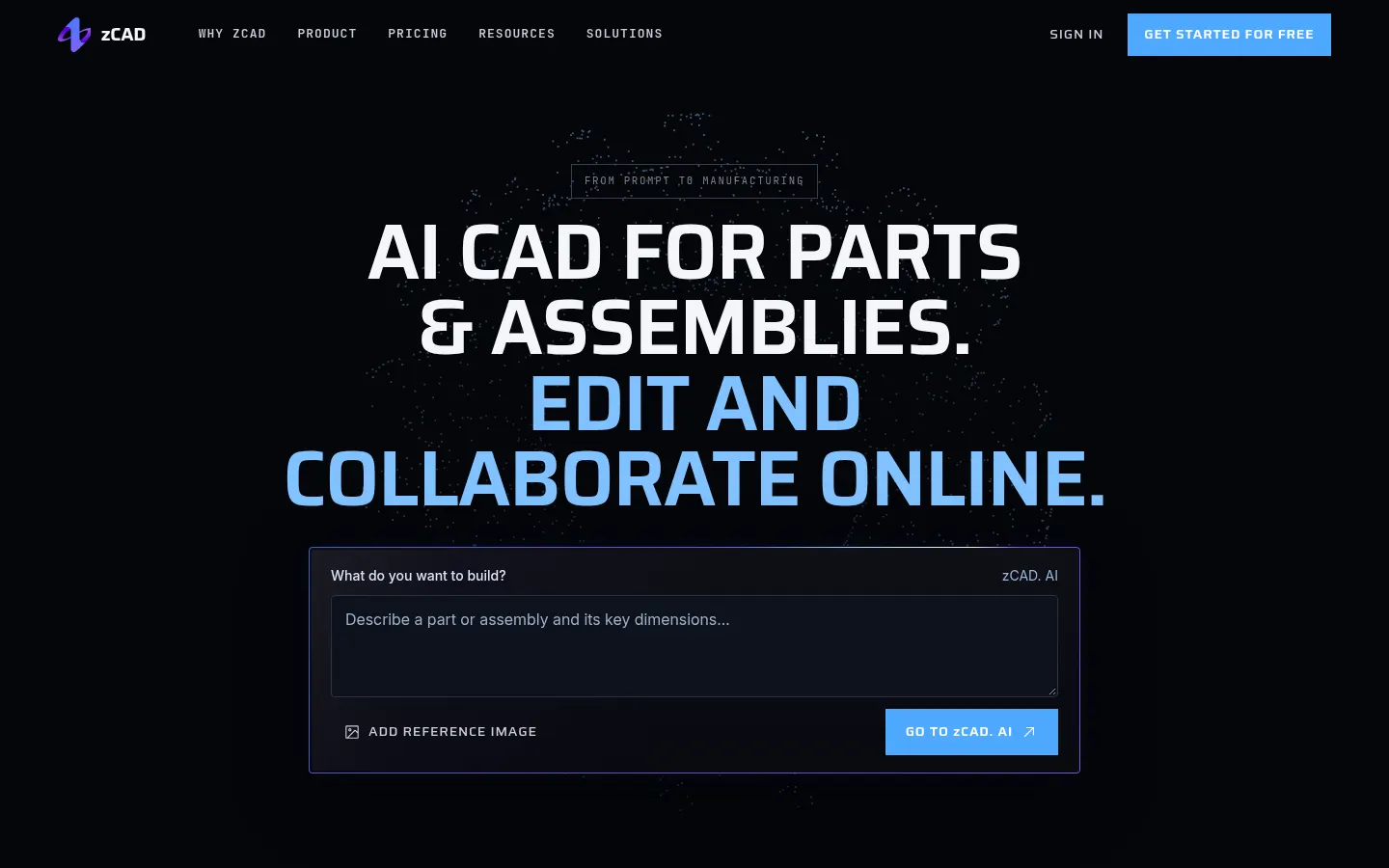
zCAD is an AI-native CAD platform for mechanical engineering that turns a text description or a reference image into editable parametric parts and assemblies. It bundles two products under one account: zCAD.AI, which generates the model, and zCAD.Online, a browser-based parametric CAD for further editing, drawings and collaboration.
How does zCAD work?
In zCAD.AI you describe the part's function, its mounting interfaces, the dimensions that must hold and the relationships between components. The output is not a dead mesh but a solid with driving dimensions, geometric constraints and assembly mates, so you can change a value and the model updates. That same model moves into zCAD.Online with no export or import, where you add sheet metal, weldments or surfaces and produce associative 2D drawings with tolerances, hole tables and balloons.
What CAD features does it include?
Beyond part and surface modeling, it covers multi-level assemblies with interference detection, BOM and motion simulation, sheet metal with unfolding, weldments, static analysis and rendering. It reads SolidWorks files as well as CATIA, NX, Inventor, Solid Edge, STEP and Parasolid, exports STEP or STL for 3D printing, and offers real-time co-editing, version history and project permissions.
Who is zCAD for?
- Mechanical and fixture engineers designing brackets, jigs or frames.
- Product designers turning enclosures into moldable parts.
- Hardware teams that need to review and approve revisions online.
zCAD pros and cons
Pros: generation produces genuinely editable CAD and the handoff from AI to modeling is direct, with no conversions. Cons: the platform is in beta, the personal tier is non-commercial with public models only, and modules such as synchronous modeling and pipe routing are reserved for the Pro tier, which has no launch date yet.
zCAD features and use cases
How to use zCAD
zCAD FAQ
What is zCAD?
zCAD is an AI-native CAD platform that generates editable parametric parts and assemblies from text or images and includes a browser CAD for drawings and teamwork.
What is the difference between zCAD.AI and zCAD.Online?
zCAD.AI generates the model from a description; zCAD.Online is the browser CAD for manual modeling, drawings and team projects. They share one account and credits.
Is zCAD free?
Both products have free plans during beta, limited to non-commercial use and public models; paid plans start at $49.99 a month.
Are the generated models editable?
Yes, they come out as parametric CAD with driving dimensions, constraints and mates, not as meshes.
Which CAD formats does it support?
It reads SolidWorks, CATIA, NX, Inventor, Solid Edge, STEP and Parasolid, and exports STEP, STL, 3MF or OBJ, among others.
Can I use it commercially?
Only on paid plans such as Online Standard; free accounts are non-commercial.
Do I need to install anything?
No, both products run in the browser.
Does it create technical drawings?
Yes, zCAD.Online produces associative 2D drawings with dimensions, GD&T, surface finish, hole tables and balloons.
Does it support teamwork?
Yes, with real-time co-editing, version history, project permissions and online review.
What are the alternatives to zCAD?
Onshape or Fusion for cloud CAD, and Zoo Text-to-CAD for AI part generation; zCAD combines both in one workflow.
zCAD pricing and plans
Reference price: 49.99 USD / month. Source · Verified: November 21, 2026
Prices in US dollars (USD) from the official website; the platform is in beta. Checked on: 21/11/2026. AI credits are shared across zCAD.AI and zCAD.Online.
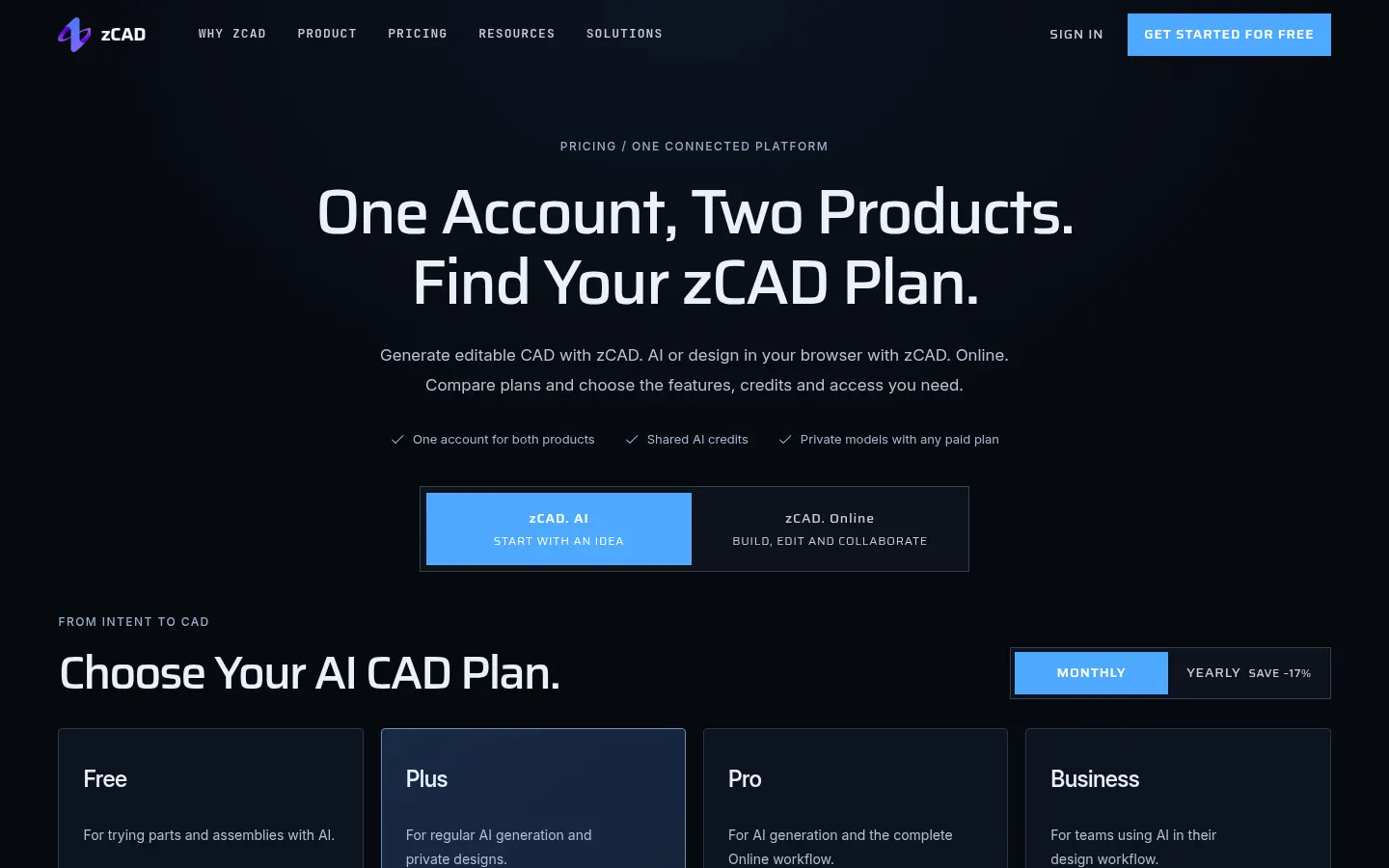
zCAD.AI Free: 200 credits a month plus a one-time 600-credit beta gift; public models and non-commercial use.
zCAD.AI Plus: $49.99/month with 1,650 credits a month.
zCAD.AI Pro: $89.99/month with 3,000 credits a month; includes Online Standard.
Online Personal: free, one seat, non-commercial use and public models.
Online Standard (beta price): $58.90 per user per month or $589 a year (regular $799), with private models, commercial use, all formats and 200 AI credits a month.
Online Pro: coming soon. Business and Enterprise (10+ seats, PDM): custom quote.
zCAD Screenshots
zCAD user reviews
Write a review
Checking your session...
zCAD Reviews
Loading reviews...