Share
What is Akiflow?
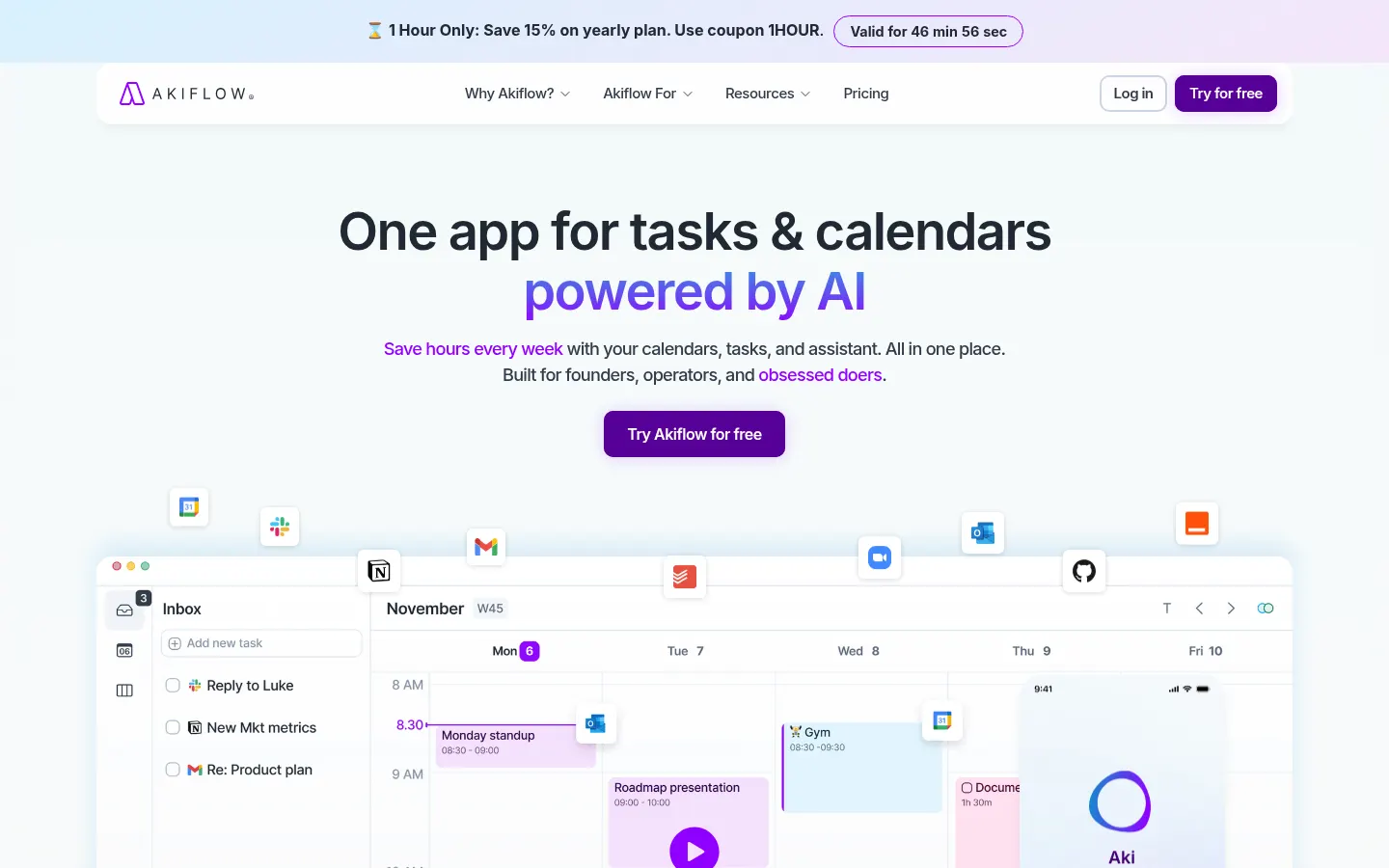
Akiflow is an AI productivity app that combines a calendar, task manager and universal inbox in one workspace, with an assistant called Aki that organizes your schedule for you. It is built for founders, executives and meeting-heavy professionals who need to turn a to-do list into a realistic schedule.
What does Akiflow do?
It merges your work and personal Google Calendar, Outlook or iCloud accounts into a single calendar and lets you drag tasks into specific slots for time blocking. The universal inbox collects to-dos from email, Slack and other tools with two-way sync, so nothing has to be copied by hand. A daily planning ritual guides you to decide what happens today, this week or someday.
What is Aki, Akiflow's AI assistant?
Aki is an AI executive assistant built into the app. You type or speak in natural language, for example "I need to call Theodore tomorrow at 4pm", and it creates the event; it also tells you whether you have time for something, suggests open slots, schedules recurring tasks, assigns projects and sends daily briefings with reminders. The MCP connector lets you schedule from other AI tools too.
Which productivity features are included?
- Automatic time blocking and smart slots based on your availability.
- Tasks, subtasks, labels, priorities and due dates.
- Quick capture with Cmd+K, voice or chat on desktop and mobile.
- Availability sharing and team scheduling.
- Focus mode, goals, productivity analytics and offline mode.
- Automations through Zapier and IFTTT.
Who is Akiflow for?
For people juggling meetings and many tools: executives, developers, designers, marketing and sales teams. It is especially useful if you already time-block and want AI to handle the mechanical part of arranging your week. It comes with its own method, a masterclass and a community to help you organize your time better.
Akiflow pros and cons
- Pro: calendar and tasks in one view with real sync
- Pro: Aki assistant understands natural language and voice
- Pro: universal inbox removes copying to-dos between apps
- Con: interface and resources are in English only
- Con: announced features, such as phone calls by Aki, are not available yet
Akiflow features and use cases
How to use Akiflow
Akiflow FAQ
What is Akiflow?
Akiflow is a productivity app that combines calendar, tasks and a universal inbox with Aki, an AI assistant that plans and time-blocks.
Is Akiflow free?
There is no permanent free tier, but there is a 7-day trial. See the pricing section of this page.
Is Akiflow available in Spanish?
The website, app and resources are in English; we found no Spanish version.
Which calendars does it sync with?
Google Calendar, Outlook and iCloud, mixing work and personal accounts.
Does Akiflow have an API?
It does not advertise a public API, but it offers an MCP connector and Zapier and IFTTT automations.
What can Aki do?
Create events and tasks from text or voice, find open slots, plan your day, handle recurring tasks and send daily briefings.
Is there a mobile app?
Yes, for iOS and Android, plus desktop apps with offline mode.
Does it work for teams?
Yes. It supports availability sharing and team scheduling; team pricing is on request.
What are the best Akiflow alternatives?
On GptZone you can compare Reclaim and Sunsama, other AI planning tools.
Akiflow pricing and plans
Reference price: 34 USD / month. Source · Verified: October 30, 2026
Prices in US dollars (USD) per the official pricing page; checkout may show local currency and pricing. Checked on: 30/10/2026.
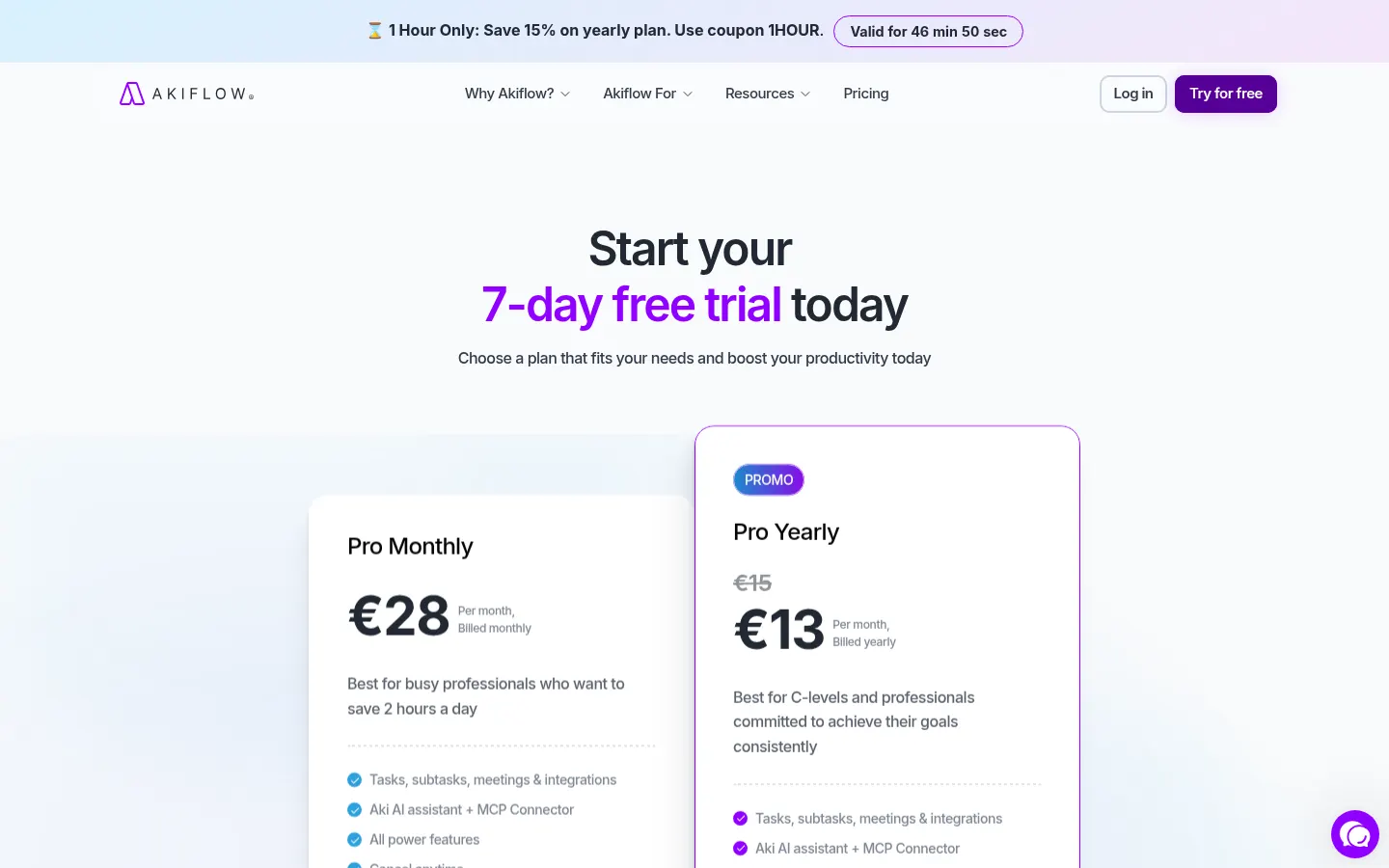
Pro monthly: $34/month; tasks, calendar, integrations, Aki assistant and MCP connector.
Pro yearly: $19/month ($228 a year), 44% less.
7-day full-access trial; a card is required.
Meeting assistant (recording, transcripts and summaries): optional $19/month add-on.
40% student and researcher discount; team pricing on request.
Akiflow Screenshots
Akiflow user reviews
Write a review
Checking your session...
Akiflow Reviews
Loading reviews...