Reclaim

    Reclaim

    No reviews
    Category:Office & Productivity
    Pricing:Freemium
    Added:
    Updated:
    Website:
    VISIT NOW

    Share

    AI calendar that reserves time for focus, habits, tasks and meetings in Google Calendar or Outlook and adapts on its own when things change.

    What is Reclaim?

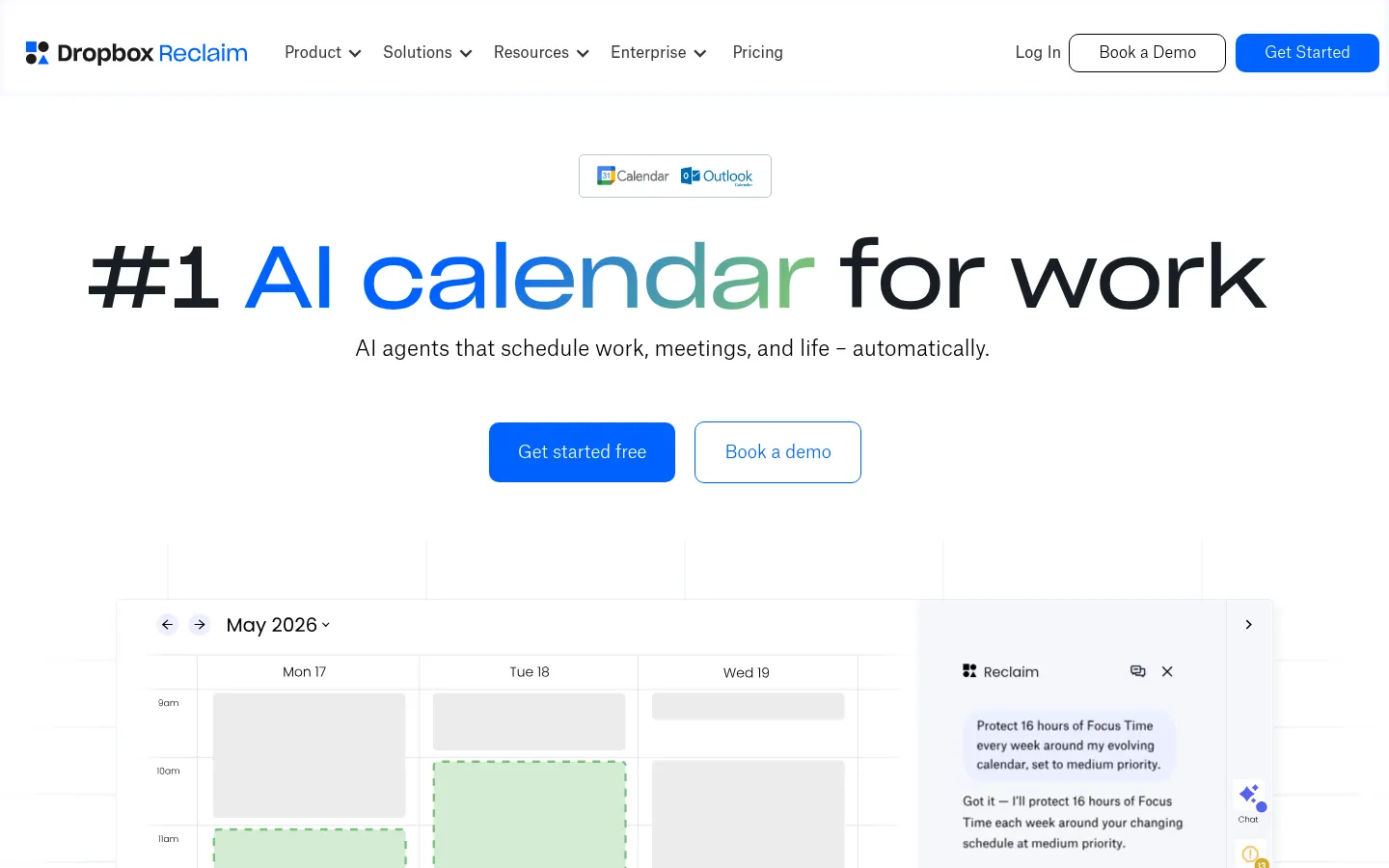
    Reclaim is an AI calendar that connects to Google Calendar or Outlook and automatically reserves time for focus work, tasks, habits and meetings, reshuffling your schedule whenever something changes. More than 600,000 people at 70,000 companies use it.

    What is Reclaim used for?

    Reclaim makes your calendar reflect your priorities instead of just the meetings other people book. You set how many hours of Focus Time you need each week, which habits you want to keep (checking email, working out, writing reports) and which tasks have deadlines, and the AI finds open slots and defends them. If a meeting moves, the other blocks rearrange themselves without you lifting a finger.

    What AI features does Reclaim offer?

    It includes Smart Meetings, which pick the best time for recurring meetings; booking links that show real availability; buffer time between meetings; sync between personal and work calendars; a visual planner; time tracking; and a chat assistant that creates events or reorganizes your week in plain language. It integrates with Slack, Zoom, Google Tasks, Todoist, Asana, Jira, ClickUp, Linear and Raycast.

    How does Reclaim work for teams?

    For teams it adds shared out-of-office time, workload analytics and coordinated schedules. Reclaim states on its site that it doesn't train AI models on your data, and it holds a 4.8 rating on G2.

    Reclaim pros and cons

    • Pro: your schedule rearranges itself when meetings change.
    • Pro: brings tasks from Asana, Jira, Todoist or ClickUp into your calendar.
    • Con: it only works with Google Calendar and Outlook.
    • Con: getting priorities right takes some setup at the start.

    Reclaim features and use cases

    •Focus Time: reserves and protects deep-work hours every week.
    •Habits: flexible blocks for recurring routines like checking email or working out.
    •Tasks with priority and due dates scheduled into open slots.
    •Smart Meetings that find the best time for recurring meetings.
    •Booking links with real availability and priorities by meeting type.
    •Automatic buffer time between meetings and for breaks.
    •Sync between personal and work calendars.
    •AI chat assistant to create events and reorganize your week.
    •Integrations with Slack, Zoom, Google Tasks, Todoist, Asana, Jira, ClickUp, Linear and Raycast.
    •Time tracking, team out-of-office and workload analytics.
    •Use case: a developer reserves 15 hours of focus time a week and Reclaim moves it automatically when a meeting changes.
    •Use case: a sales team shares booking links that only show slots that won't break their work blocks.

    How to use Reclaim

    1Sign up at reclaim.ai with your Google or Microsoft account.
    2Connect Google Calendar or Outlook.
    3Set your working hours and how much Focus Time you need.
    4Add habits and tasks with priorities and due dates, or connect your task manager.
    5Set up Smart Meetings and booking links for your meetings.
    6Let Reclaim reshuffle your schedule when things change.
    7Check the analytics to balance meetings and focused work.

    Reclaim FAQ

    What is Reclaim?

    It is an AI calendar that reserves time for focus, habits, tasks and meetings in Google Calendar or Outlook and reshuffles it when things change.

    Which calendars does Reclaim work with?

    Google Calendar and Outlook. It can sync several calendars, such as your personal and work ones.

    What is Focus Time in Reclaim?

    Weekly deep-work blocks you define; Reclaim places them on your calendar and protects them from new meetings.

    Does Reclaim move events automatically?

    It moves the flexible blocks it creates (habits, tasks, Focus Time) so they keep fitting whenever your schedule changes.

    Which task managers integrate with Reclaim?

    Google Tasks, Todoist, Asana, Jira, ClickUp and Linear, plus Slack, Zoom and Raycast.

    Does Reclaim have booking links?

    Yes. Scheduling Links show your real availability and respect your work blocks.

    Does Reclaim use my data to train its AI?

    According to its website, it doesn't train AI models on user data.

    Is Reclaim good for teams?

    Yes. It includes shared out-of-office time, workload analytics and coordinated meetings between teammates.

    Does Reclaim have a free option?

    Yes, the Lite tier with limited features. Prices for the other tiers are in the pricing section of this page.

    What are the alternatives to Reclaim?

    In the directory you can compare Sunsama, Everest AI Scheduling Assistant and ClickUp.

    Reclaim pricing and plans

    Reference price: 10 USD / month. Source · Verified: October 29, 2026

    Prices in US dollars (USD) per user. Checked on: 29/10/2026.

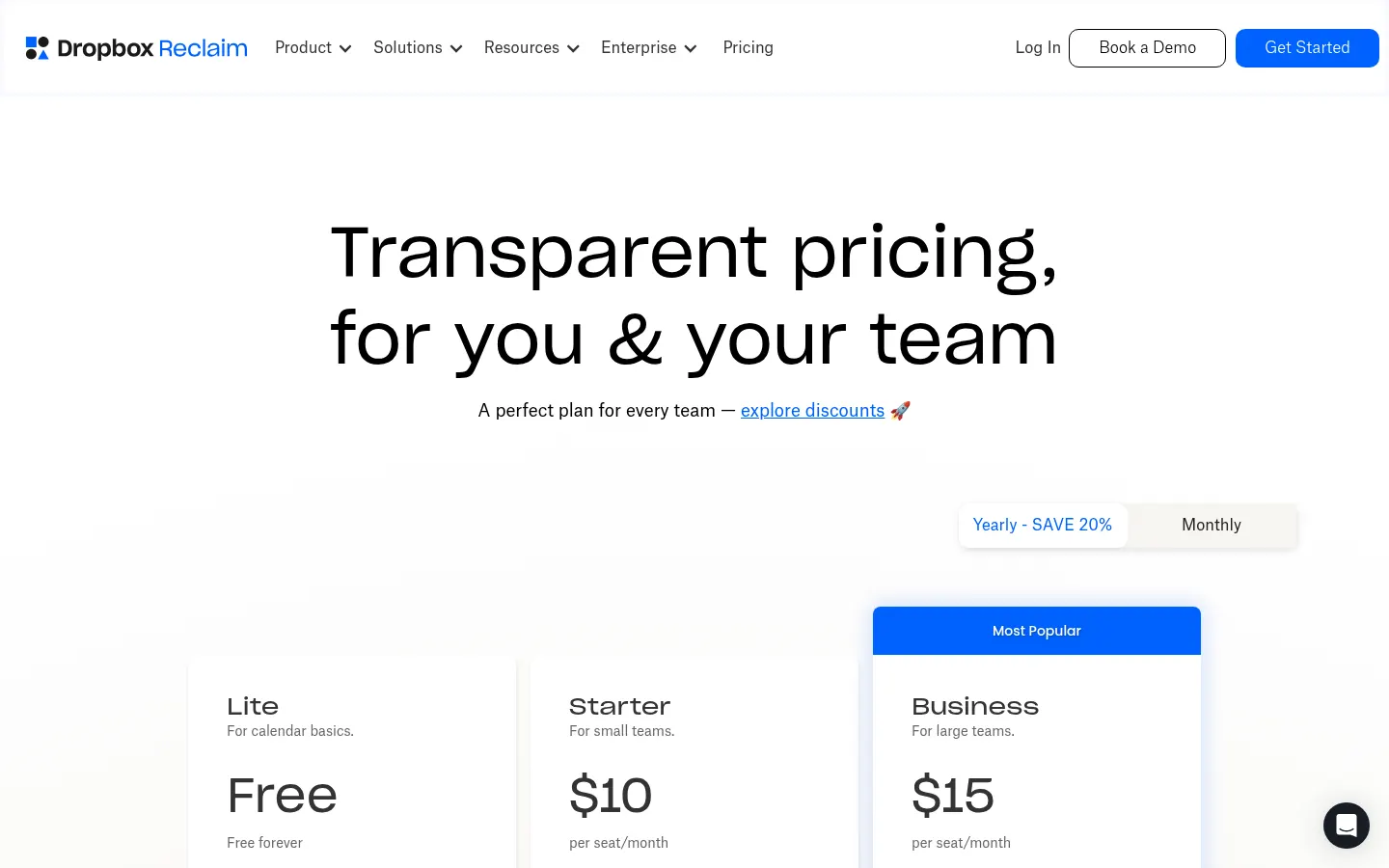
    Lite: free; 5 agents, 1-week scheduling range, 1 calendar sync and 1 booking link.

    Starter: $10/user/month billed yearly or $12 billed monthly.

    Business: $15/user/month billed yearly or $18 billed monthly.

    Enterprise: $22/user/month billed yearly.

    14-day free trial of Business.

    Reclaim Screenshots
    Reclaim screenshot 1
    Reclaim screenshot 2

    Reclaim user reviews

    Write a review

    Checking your session...

    Reclaim Reviews

    Loading reviews...

    Reclaim alternatives

    Akiflow
    Paid

    Akiflow

    Productivity app that brings calendar, tasks and a universal inbox together, with the Aki AI assistant to plan your day and block time.

    –
    21
    Office & Productivity
    Sunsama
    Paid

    Sunsama

    AI daily planner that pulls tasks, emails and events into one realistic plan for each day, with timeboxing, the Sunny assistant and shutdown rituals.

    –
    24
    Office & Productivity
    Calfeed
    Freemium

    Calfeed

    Convert text, images, or files into digital calendars. Create a link for Apple, Google, or Outlook that syncs and updates automatically when you edit schedules.

    –
    54
    Daily LifeOffice & Productivity
    Zenfox
    Paid

    Zenfox

    Zenfox is a personal AI assistant that connects to your apps, flags conflicts and opportunities before you ask, and helps you research, plan and get things done.

    –
    108
    Chatbots & Virtual CompanionsOffice & Productivity
    Kai AI
    Paid

    Kai AI

    AI assistant that manages meetings, email, and calendar. Summarizes calls without bots, drafts replies, and proactively organizes tasks to save you time.

    –
    141
    Business ManagementOffice & Productivity
    NueForm
    Freemium

    NueForm

    AI-powered platform for smart forms, e-signatures, and payments. Includes advanced logic, auto-translation, and React component exports.

    –
    63
    Business ManagementOffice & Productivity

    Reclaim Analytics

    Views
    Real data
    Website Clicks
    Real data
    CTR
    Real data

    Views Trend (30 days)

    Analytics data is updated in real-time and is 100% real