Share
Enhance and upscale videos to 4K with AI. Restore old footage, remove noise, convert formats, and edit files easily.
What is Any Video Converter?
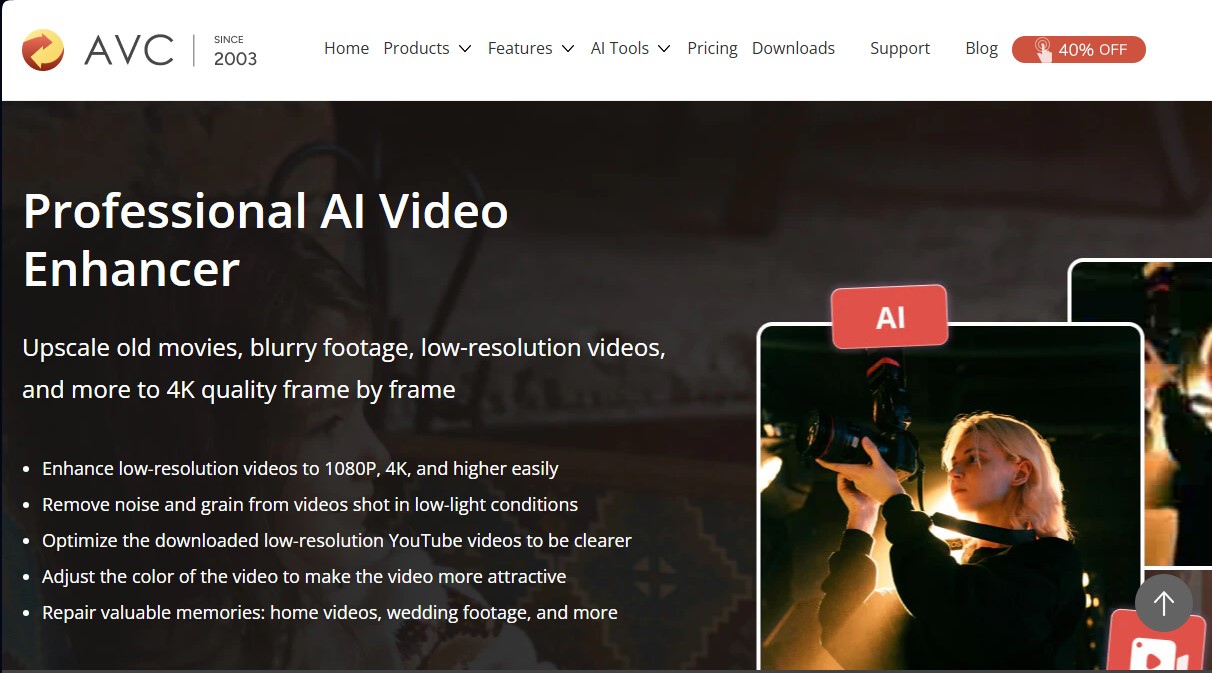
Any Video Converter is a comprehensive multimedia processing solution that integrates advanced artificial intelligence tools for the restoration and optimization of video files. Its core function lies in AI video upscaling, allowing users to transform old, blurry, or low-resolution recordings into 4K quality content through detailed, frame-by-frame reconstruction. This tool is especially useful for content creators, editing enthusiasts looking to recover home videos, and users who need to improve the clarity of downloads from platforms like YouTube.
Unlike traditional stretching methods that simply enlarge pixels—causing pixelation—Any Video Converter technology uses deep learning algorithms to analyze and reconstruct every frame. The system automatically identifies imperfections such as visual noise and grain, optimizing clarity even in clips recorded in low light. The software allows for 200% and 400% upscaling, increasing pixel density while maintaining exceptional visual fidelity for viewing on large screens or high-resolution computers.
The most notable capabilities of this application include:
- Intelligent Resolution Enhancement: The ability to upgrade quality from standard resolutions to 1080p, 2K, and 4K without losing smoothness.
- Old File Restoration: Specific tools to repair recordings of weddings, anniversaries, or home movies degraded over time.
- Real-Time Preview: A feature to compare the effect of the AI video enhancer before starting final processing, avoiding complex manual adjustments.
- Comprehensive AI Toolbox: In addition to upscaling, it includes an AI video cropper, an audio separator to extract vocals, and a highly accurate speech-to-text converter.
- Optimized Workflow: It integrates file downloading, format conversion, and quality enhancement into a single interface.
Using the tool is straightforward and functional: the user uploads the file to their computer, selects the desired output options, and the AI automates the enhancement process. In addition to visual optimization, Any Video Converter facilitates the conversion of results into formats like MP4 for easy sharing on mobile devices or social networks like TikTok and Instagram. By centralizing basic editing, compression, and screen recording functions, it positions itself as a versatile tool that eliminates the need to switch between multiple programs to achieve a professional, sharp finish for any audiovisual project.
Any Video Converter features and use cases
How to use Any Video Converter
Any Video Converter FAQ
Can Any Video Converter improve the quality of blurry or low-resolution video?
Yes, the tool uses artificial intelligence to reconstruct every frame and upscale the resolution up to 4K while removing image noise and grain.
Is Any Video Converter compatible with Mac computers?
Yes, the software is available for both Windows and Mac operating systems and includes all AI enhancement features.
What is the difference between the free version and Any Video Converter Ultimate regarding watermarks?
What is the difference between the free version and Any Video Converter Ultimate regarding watermarks?
Can Any Video Converter optimize videos downloaded directly from YouTube?
Yes, the program can adjust saturation and contrast, as well as fix blurry details in videos downloaded from platforms like YouTube or Facebook.
Can I preview how the video will look before it's fully processed?
The software includes a real-time preview feature that allows you to check the AI adjustments on a single frame before starting the final export.
What other AI tools does Any Video Converter include besides the video optimizer?
The suite offers additional utilities such as an AI cropper, an audio splitter for vocal extraction, speech-to-text conversion, and background removal.
What is the maximum resolution a video can be upscaled to with this tool?
Any Video Converter allows you to upscale old or low-quality recordings to 1080P, 2K, and even 4K resolutions without losing frames during the process.
How can I contact technical support if I have an issue with Any Video Converter?
The platform features a professional support team that provides 24/7 email assistance.
Any Video Converter pricing and plans
Any Video Converter Free: Free
Conversion between various video and audio formats.
Download videos from online platforms with preset settings.
AI video enhancement (HD and 4K resolution) with watermark.
Basic speech-to-text tool.
Basic video editing: trimming, merging, and compression.
Screen recording limited to a maximum of 3 minutes.
Merge limit of up to 5 video clips per merge.
Any Video Converter Pro: $19.95
Download videos with custom settings.
AI video enhancement (HD and 4K resolution) with watermark.
Multilingual speech-to-text conversion.
Unlimited screen recording in HD quality.
DVD burning with menu creation.
Unlimited video clip merging.
Ad-free with no update prompts.
Any Video Converter Ultimate: $29.95
AI video enhancement up to 8K, watermark-free, with color optimization.
Speech-to-text conversion with an advanced AI model (99% accuracy).
AI audio splitter to extract vocals or instruments.
Unlimited screen recording in 4K quality.
Concurrent video downloading.
Custom workflow creation for batch processing.
Parallel task processing for increased efficiency.
Includes all editing, compression, and DVD burning tools.
Any Video Converter Screenshots
Any Video Converter alternatives
breme | AI Video Generator
Generate and edit professional videos from text or images. Add synced audio, adjust formats, and upscale to 4K using cutting-edge AI models.


VideoUpscale.net
Upscale videos to 1080p or 4K using AI. Sharpen, reduce noise, and restore old footage online without installing software.

TotalMedia Video Enhancer
AI video enhancement platform. Upscale to 8K, boost smoothness to 120 fps, and auto-optimize quality online without installing any software.

Wondershare Repairit
AI-powered software to repair damaged videos, photos, audio, and documents. Enhance image quality, restore old photos, and recover corrupt data quickly.