
Share
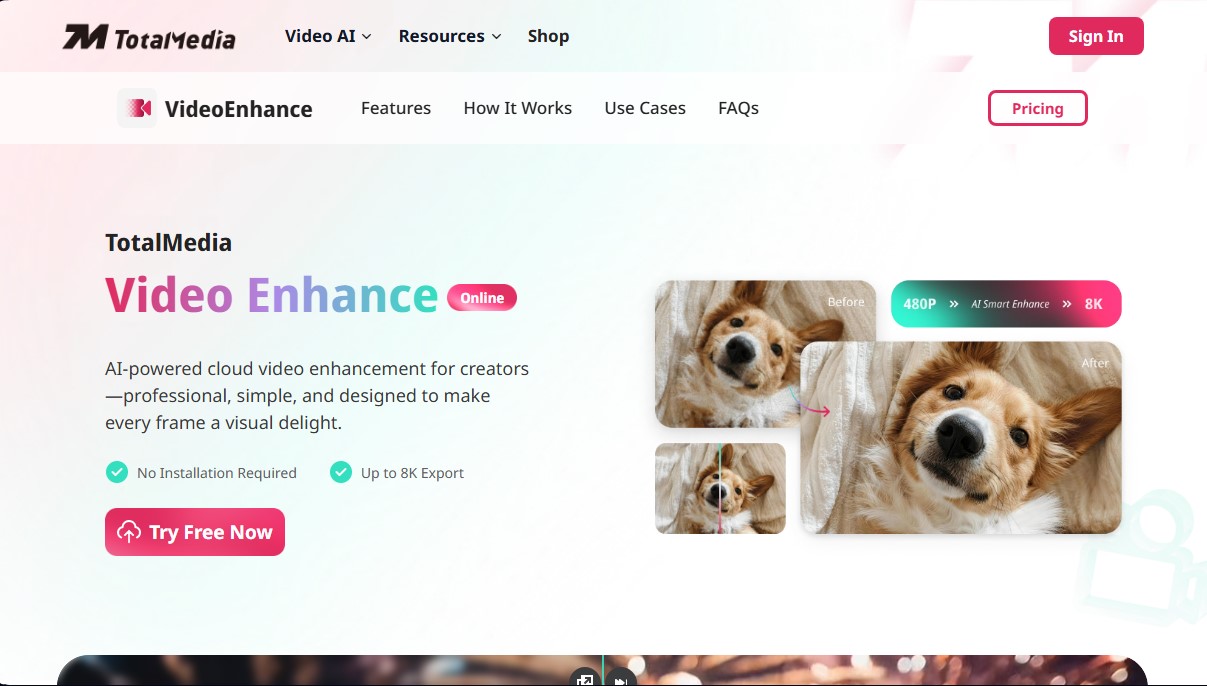
AI video enhancement platform. Upscale to 8K, boost smoothness to 120 fps, and auto-optimize quality online without installing any software.
What is TotalMedia Video Enhancer?
TotalMedia Video Enhance is a cloud-based platform specifically designed for AI video enhancement. Its primary function is to transform low-quality footage into high-definition content using advanced video upscaling algorithms and automatic image optimization. As an online solution, it requires no software installation or local computer resources, as processing runs on remote servers via GPU acceleration, allowing it to be used from any browser or mobile device.
The workflow of this AI video tool is based on a simplified three-step process: upload the file, select the enhancement model, and download the final result. Integrated deep learning technology analyzes every frame to reconstruct details, remove noise, and correct chromatic imperfections. It is compatible with the industry's most common formats, such as MP4, AVI, MOV, MKV, WMV, and FLV, allowing for the processing of files up to 4GB in size.
Within its technical capabilities and core features, the following points stand out:
- AI Super Resolution: Enables video upscaling up to 8K, with 2x, 4x, and 8x increase options. This feature maintains edge sharpness and clarity, transforming 480p or 1080p content into ultra-high resolutions without losing fidelity.
- Frame Interpolation: This technology increases the frame rate from the standard 24 fps up to 60 fps or 120 fps. The result is ultra-smooth motion, ideal for action clips, sports, or video games, eliminating flickering or visual stuttering.
- One-Click Intelligent Optimization: The system automatically diagnoses and corrects brightness, contrast, and color parameters. It is an effective solution for improving videos recorded in low light or those with a grainy aesthetic.
- Batch Processing: Allows for the simultaneous management of multiple files through a cloud rendering queue, optimizing workflow for users handling large volumes of content.
TotalMedia Video Enhance is particularly useful for content creators, vloggers, and editors who need a professional finish quickly. It is also a go-to tool for restoring old videos, making it possible to recover the quality of home recordings or archival footage with crisp results. Regarding security, the platform applies encryption protocols and guarantees the automatic deletion of files from its servers after 24 hours, ensuring the privacy of the processed material.
TotalMedia Video Enhancer features and use cases
How to use TotalMedia Video Enhancer
TotalMedia Video Enhancer FAQ
What is TotalMedia Video Enhance, and what is its purpose?
It is a cloud-based AI tool designed to professionally and easily enhance your video quality without requiring any technical expertise.
Do I need to install any software to use TotalMedia?
No installation is required, as the platform runs entirely online through your browser and does not consume your computer's resources.
What is the maximum resolution I can upscale my files to with TotalMedia?
Our super-resolution technology allows you to upscale low-quality videos to 4K or even 8K resolution while maintaining sharpness in every frame.
Which video formats are supported by the platform?
You can upload a wide range of files for processing, including popular formats such as MP4, AVI, MOV, MKV, WMV, and FLV.
How does TotalMedia improve motion smoothness in a video?
The tool uses frame interpolation to increase the frame rate up to 120 fps, eliminating stuttering and providing a much smoother viewing experience.
Is it safe to upload my private content to TotalMedia?
Security is our top priority; files are encrypted during upload and automatically deleted from our servers after twenty-four hours.
Can I process more than one video at a time?
Yes, the platform features batch processing, allowing you to queue multiple files to be enhanced simultaneously and automatically.
How long does it take TotalMedia to process a file?
Processing time depends on the video's length and your chosen resolution, but our cloud-based GPU-accelerated rendering engine keeps export times to an absolute minimum.
TotalMedia Video Enhancer pricing and plans
Free Version (Trial)
Try out AI enhancement features.
No watermarks on exported videos.
Monthly Plan: 6,95 $ per month
Access to all available enhancement models.
Support for video processing up to 4 GB.
Compatibility with any video format (MP4, AVI, MOV, MKV, etc.).
Video super-resolution up to 8K.
Intelligent frame interpolation up to 120 FPS.
Multi-batch processing support.
Ultra-fast cloud-based processing.
Priority queue processing.
Yearly Plan: 2,50 $ per month (billed annually at 29,95 $)
Access to all available enhancement models.
Support for video processing up to 4 GB.
Compatibility with any video format.
Video super-resolution up to 8K.
Intelligent frame interpolation up to 120 FPS.
Multi-batch processing support.
Ultra-fast cloud-based processing.
Priority queue processing.
TotalMedia Video Enhancer Screenshots
TotalMedia Video Enhancer alternatives

BeautyPlus
BeautyPlus is an AI photo editor for web and mobile that retouches portraits, sharpens photos, removes backgrounds and objects, tries on hairstyles and makes images.

AI Video Text Remover
Use AI to remove subtitles, logos, and watermarks from your videos. Automatically reconstruct backgrounds for a clean, blur-free result.

KineMaster
Professional AI mobile video editor with auto captions, background removal, and object tracking. Features thousands of templates and 4K export.

Noise Cleaner
Remove background noise from audio and video files using AI. Clean up podcasts, interviews, and meetings in various formats with a comparison preview before downloading.